Finding out which theme I'm using

Alright, I'm about to reinstall Windows soon (having major problems with Windows... it's been several years now, I'm due for a reformat anyway... but I want my look not to change. Well, at least, to be able to change it right back. Problem is... I have NO idea what theme I'm using and no idea where to find it.

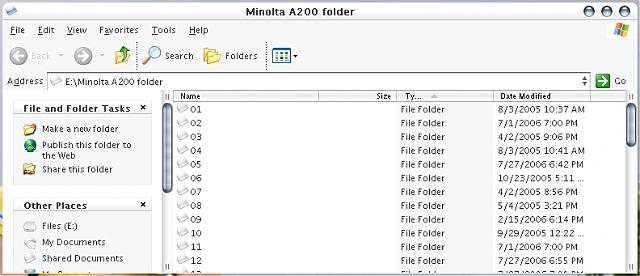
http://johannkwan.com/screenshots/screenie102406.jpg

http://johannkwan.com/screenshots/screenie102406-2.jpg

There are the screenshots.

Plus, I had this system file edit that let me change the theme simply from the right-click -> properties -> Appearance menu... and I have no idea where that is. I don't want to have to install StyleXP... I just did that by accident when trying to figure out what it was that I've been using all this time.

I thought what I was using was a Stefanka theme, now I'm not so sure. Any help would be appreciated.

Cheers,

Johann
#430930

Well it's hard to tell... Maybe you should post a screenshot with some open windows on it.

In order to be able to use Visual Styles without installing StyleXP, you need the Universal UXTheme Patch. You can get it here:

http://www.aqua-soft.org/board/showthread.php?t=30500

#430933

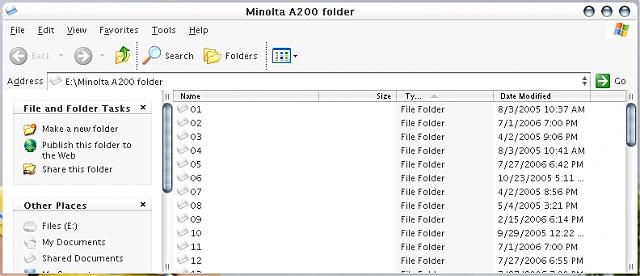
Oh yeah, sorry about that... voila.

I hope I don't ACTUALLY have to reinstall Windows. I've been trashing through more repair programs, the registry... and all sorts of other things... just to save myself the trouble of a reformat. I made a list of all the things I'd have to reinstall if I reformatted and all the things I'd have to do and I almost shat myself.

Full desktop was too large to upload without resizing, so I just shot a single open box.

post-56542-1164374248_thumb.jpg

screenie-box.jpg
screenie-box.jpg

#430941

if you go to the display control panel, appearance tab, it tell you what theme you're using (unless your windows is so hosed that it wont). looks like a milk graphite to me. all of your themes are in windowsresourcesthemes.

as for the right-click menu extension, it's 99% certain to be in the system32 folder. but, if you don't know what its called, it'll be hard to find. there's hundreds of dll's in that folder.

good luck!

#430965

Run a search for .msstyles files on your computer. That should turn up everything, then you can go through, apply each one, and find out which it is.

-NC

#430973

Looks a bit like Panther Snow to me at least :P

#430976

yep panther snow

#431132