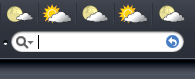
Safari search icon extension for FF2

Safari search bar:

This is a skinned version of the Well Rounded extension to mimic the safari search icon

It is meant for use with Firefox 2's new UI (for hacked 1.5 themes.. since well rounded in meant for FF 1.5 :() (tested with a hacked install.rdf SaFire theme--> download here)

( using it with the true 2.0 themes gave a lot of glitches which i haven't been able to solve yet...)

Preview:

Safsearch.JPG

Download link: http://mrmodxp.googlepages.com/SafSearch.xpi

Notes:

Before installation , remove any previous installations of well-rounded

This extension will NOT stack with well rounded

Drag the .Xpi file into the browser to install , restart FF2 after that

Your FF UI might look a bit weird(like a search icon in the Address bar)and not have the searchbar icon initially after installation

To fix it,

Go to addons--> extensions-->Safari search Bar--> options dialog, and ensure that ONLY the option Round Searchbar is checked. Checking other options does weird things to your UI

(i have not found a way to modify the dialog without making the extension unusable:()

__________________

Other tweaks:

To remove the google icon

Download and install Add to search bar extension: https://addons.mozilla.org/firefox/3682/

Add google search engine and use this Blank png for the icon

http://mrmodxp.googlepages.com/blank.png

__________________

Further trying out of other themes show that hacked 1.5 themes in general to not show problems, while 2.0 theme are problematic

___________

to do...

modify the code to make it compatible for true 2.0 themes

clean up the code

I'm a newbie at skinning/ writing extensions here so some tips would help:confused:

#427246

btw ive modded the ifox and truth-k themes to have a mac like search bar (fixed the hugeness of the bar as well and made it so that no search plugin icons show) if anyones makeing a skin based on the two themes i mentioned above i'd be happy to mod your themes for you....just email me or catch me on msn

clipboard01jqs3.jpg

I love the mod to the search extension thats awesome....great work man

#427247

Yah only i only just realized it only worked well for themes that have been patched up to FF2.0 (like the the patched SaFire theme i was using..)

the true 2.0 themes looked screwed up

Darn... looks like Desides was Right about the UI changes >.<

#427248

Has anyone got a link to version 1.5 of this file?

Dont want to go 2.0 just yet.

Cheers.

#427351

Btw

to achieve this effect in 1.5 and below

simply use this extension: search engine ordering

make add a new google search plugin using this icon:googleks8.png

however , the text Google in the Background will not be seen , since only the new FF 2.0 UI supports that

#427367

i want to get the google text to show up a grey colour in the search bar any idea how to achieve this in userchrome anyone

#427386

Zondajag, would you mind letting us know how to modify the searchbar width? I'd really appreciate it.

#427434

it requires a theme modification....

in the theme.jar/browser/searchbar.css file edit the paragraph entitled 'searchbar-textbox {'

and make 'width: 0px; !important;' that fixed it for me....but i warn you it does change in size when the windows made bigger (but only in relation to the window and gradually)

#427437

btw ive modded the ifox and truth-k themes to have a mac like search bar (fixed the hugeness of the bar as well and made it so that no search plugin icons show) if anyones makeing a skin based on the two themes i mentioned above i'd be happy to mod your themes for you....just email me or catch me on msn

clipboard01jqs3.jpg

I love the mod to the search extension thats awesome....great work man

@zondajag

Mind to post your "searchbar.css" + the images you use to mod the search bar as above ...? :D

TIA

#427456

sure.....it will just take a little while for me to get things together....

edit !: well here it is....ive made a zip file for this....please can you back up the theme you editing if this only works for me....just put the files in the browser folder in the zip into the browser folder in the skin

tell me if it works for you guys like it works for me!

edit2: now ive added the grey text feature found in the safari search box when it is inactive

#427504

Zondajag, thanks for the tip. Worked exactly as you said. :)

#427507

you can do the above as well mate that will get your search box looking nice and maccified plus if you redownload it it will also make the google text grey

#427508

sure.....it will just take a little while for me to get things together....

edit !: well here it is....ive made a zip file for this....please can you back up the theme you editing if this only works for me....just put the files in the browser folder in the zip into the browser folder in the skin

tell me if it works for you guys like it works for me!

edit2: now ive added the grey text feature found in the safari search box when it is inactive

Hi mate,

I can't download the attached file .... :( .

#427523

y is that?...i can download it fine...its on aquasoft it should be ok....is it being blocked by something?

#427579

I am getting "Unexpected end of archive" message as I try to unzip the file. Could you repost it, please?

#427581

ooo that sounds bad....ok sure ill repost it....it was saying that for me as well

here ya go this should work now....grrr it doesnt

#427582

ooo that sounds bad....ok sure ill repost it....it was saying that for me as well

here ya go this should work now....

:mad:...still....can't download it...it's always stop at 32kb!!!...:confused: .

Anyway, mate i'll pm you my email. If you don't mind send it via email ... ;)

TIA

#427628

im getting that as well grrrrr....ive sent it to you but ill also try it one last time in a zip not containing the browser folder....should work now.....file removed...in another thread now

#427714

ok bud, got the file. will apply it over the w-end n let u know how it has turned out. Thanks!

#427734

no problem it took me a while to figure out where the thing was situated but now im happy with the results

#427761

I applied your files, and everything went swimmingly :). The only thing left is the highlight/focus of the search bar on selecting it. For some reason only the urlbar gets highlighted. praps it's the flaw in the hacked theme (though it used to work well in 1.5)? It's no biggie though. Thanks for the tweak!

#427960

um i never noticed that...there is a fix for that but i cant remember what it is or where i found it...btw post a little screeny of how it came out for you please...

#428051

Hi mate,

Thanks (million) for the file (both via email + attachment - received) and sorry for my late reply ;) .

Anyway i also added few extra codes in searchbar.css after discovered it in last few days and works like a charm!. Here ..... few "SS"

1- " search bar's dropmarker.autocomplete-history-dropmarker " . This feature hidden in FF2, one need to enable it in their theme (searchbar.css). As seen in "SS" the arrow only pop-up while hover to the search-bar (instead show-up all the time) ....

historygv0.png

2- The search engine arrow turn to orange when a site-specific search engine is available from the current web page. In default theme search engine button glows light blue .... another new feature in FF2 .... One can test here " Window Live "

addengineszf3.png

Another request, if you don't mind...LoL!!!. Since i'm bad in creating images could you please create the .png for the Search-provider-bkgnd.png (Magnifying glass without the arrow - 37x22) and the Search-go.png (blank - without the blue arrow 27x22) as per "SS" attached ....

searchbarprvyk6.png

searchgodc3.png

TIA

ps: @ 1337Lime , sorry for little *OT* ..here :D

#428138

Zondajag,

Can't post a screen shot at the moment, but the bar looks just as in the image in your 1st post here. The only difference is that I am using calibri font, and the skin is all dark, cause it's Cold theme. Will post the shot later when I switch to my pc.

On a sidenote, I lost the funky little progress animation that used to be displayed on tabs, on the left side, before the icon of a webpage loaded. Again, no biggie, but if anybody can point to the thread here which adresses the problem I'll be gratefull.

I'm at my own pc and here's the image of the tweaked searchbar. Thanx for the modification tips!

post-42485-1162813801_thumb.jpg

searchbar.jpg
searchbar.jpg

#428154

cool great it works for everyone then.... maybe someone can get it to resize now....

#428690