Aqua-Soft Forums
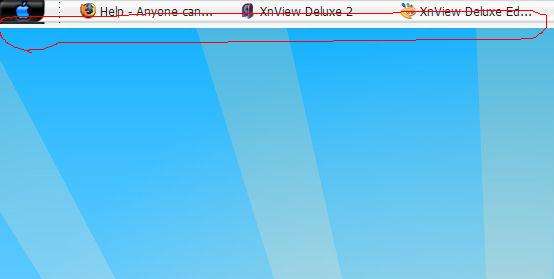
the red line circle part, on taskbar
it should original looks like this:
http://www.deviantart.com/deviation/32294806/

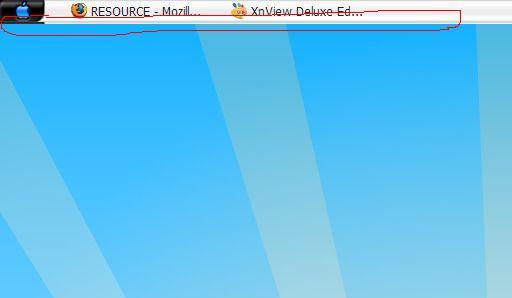
the red line circle part, on taskbar
it should original looks like this:
http://www.deviantart.com/deviation/32294806/
Right click on the taskbar - Lock taskbar
that´s a easy one.
Hey hhh, try this:
right click -> toolbars, uncheck all of them.
If you have none than I have no idea, all I know is some toolbars are wider than the actual task bar and cause the same problem.
Sorry 
the visual styles toolbar itself might be like this, you would have to edit the taskbar image and remove that line
the visual styles toolbar itself might be like this, you would have to edit the taskbar image and remove that line
Can you tell me how to do it?
See this thread I made on Taskbar Gripper: http://www.aqua-soft.org/board/showthread.php?t=38632
Also, to edit the visual style, you'll need StyleBuilder or some other theme editor. Then you can apply the magic pink and make it transparent, or go the route which Croat suggested and get the app he linked to in the other thread.
it doesnt seem easy to do..huhu..
I bet you are using a wall that is a different resolution than your screen. Resize it to match yours and see how it looks after... 
uncheck the language bar toolbar....if that doesnt work....its probably a vs problem....whoever you got the theme from hasnt made it properly as all the objects in the taskbar have to obey the height restriction set by the theme