
Compact Menu Icon

Hey, everybody!

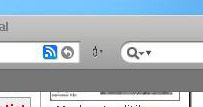
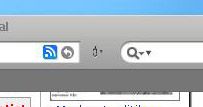
I´m trying to fix the apperance of the Compact Menu Icon on my Firefox Theme that I found on DeviantArt. I have requested help from the author but no response... can someone help me?

I want to change the current icon to the lovable apple-icon. I know about the line that can be added to userCrome.css: @import url("chrome://global/skin/subskin/applebutton.css"); but it won´t work...

Any ideas? Any help wouild be appretiated....

This is how it looks today:

Oh...forgot. I have read the numerous threads in the forum, but I think I need more help to make it work....so please don´t flame me
post-25938-1156786288_thumb.jpg

Desk2.jpg
Desk2.jpg

#414161

The applebutton.css line will only work if the theme has the Apple button image included in its image archive.

#414194

Whats the name of the theme? (just curious :) )

BTW why does your search bar have two "down arrows"?

#414219

//browser/browser.css

  
/* ::::: Compact Menu Support ::::: */

#menu-button {
margin-top: 1px;
margin-right: 0px;
margin-left: 0px;
list-style-image: url('chrome://browser/skin/hidden.png') !important;
-moz-image-region: rect(2px 20px 20px 4px) !important;
}
#menu-button:hover {
-moz-image-region: rect(2px 20px 20px 4px) !important;
}

change

/*::::::::Compact Menu Apple Icon :::::::*/

#menu-button {
margin-top: 0px !important;
margin-right: 0px !important;
margin-left: 0px !important;
list-style-image: url("chrome://global/skin/icons/apple.png") !important;
-moz-image-region: rect(0px 33px 17px 0px) !important;
}
#menu-button:hover {
list-style-image: url("chrome://global/skin/icons/apple-hov.png") !important;
-moz-image-region: rect(0px 33px 17px 0px) !important;
}
#menu-button:hover:active {
list-style-image: url("chrome://global/skin/icons/apple-pressed.png") !important;
-moz-image-region: rect(0px 33px 17px 0px) !important;
}
toolbar:not([mode="text"])#menu-button > .toolbarbutton-text {
display: none !important;
}

#414260

Thanx! I noticed the double arrow in the searchbar... fixed.

I fooled around with the theme yesterday, and found that the image for the compact menu infact is an apple... the only problem is that it´s squeezed together. Do I just change the margins for that image to make it look rigt?

BTW... the theme is FoXiMetal. Made by Dobee (I think) to match his perfect TigerV visual style...

Here´s how far I have come on my modding:

post-25938-1156829749_thumb.jpg

namnlös.jpg
namnlös.jpg

#414269

Well, I found the problem... no I just have to modify the existing .png to make it look good... hehe... this is not going to be easy.

Thank you all for the help!

Best regards

Manneman

#414286

Maybe a stupid question... what's that black glossy button in your toolbar? I mean the one right beside the url field.

#414371

that's supposibly for Dashboard on Macs :P, here it's just for the cool factor

#414375

Here's an idea why don"t they make an extantion like that for yahoo widgets or avedesk!

#414478

Well actually it´s a modded button... I wanted to make my FF look more macish so I modded the "New Tab"- button to look like the "dashboard" button... seen on the Apple webbsite.

Manneman, Sweden

#414568