
How to configure the Ave Dock ?

I installed avedesk and avedock. The result is it show a circular dock but I suppose it is a horiz. bar dock.

I read the readme file, and it said just drag app. to empty slot and shortcut will be created automatically

but I drag app. to empty slot, nothing happen.

How to use the ave dock ?
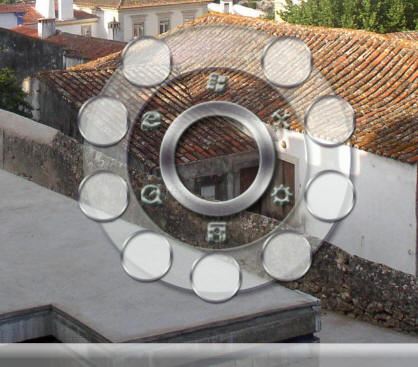
post-15651-1153885121_thumb.jpg

a.jpg
a.jpg

#406529

You have the latest version of AveScripter, right? Just a precaution...

-NC

#406533

my avdesk is 1.3

#406558

not avedesk, but avescripter. You need to get the latest beta

#406618

Hi -

this definetely sounds like a problem with your AveScripter version - you need this one here:

http://avedesk.philc.ca/modules/PDdownload...p?cid=21&lid=31

After you downloaded and installed this one, it should work... :)

#406648

it works now but how to change to hoiz. dock instead of circular dock ?

#406726

Hi -

depending on the "design", there are 2 different desklets/downloads:

"AveDock" is the circular one,

"TabbedDock" the horizontal one, which can be downloaded here:

http://avedesk.philc.ca/modules/PDdownload...hp?cid=9&lid=84

#406792

I see.

That's mean the layout is fixed basically

#406827

Hi -

actually it's easy to do a mod with a different layout -

I included one with the TabbedDock, which is curved.

All you have to do to make a mod, is change the x,y-coordinates in the*.xml-file and then swap the xml-files (old vs new).

Only thing to watch out is, that the icons are still within the borders of the desklet -

so either you change the size of "side 0" as well, or the positions of the icons are limited by that...

I can make that easier with the next version of AveScripter, but I'm pretty busy at the moment (apart from the things I must do, 2 deskelts and one wb skin...)

#406870