 Aqua-Soft Forums
As you can see my First Hard Drive has an Icon my 2nd one does not. i tried various Icon changing applications its just wont change. Any idea?

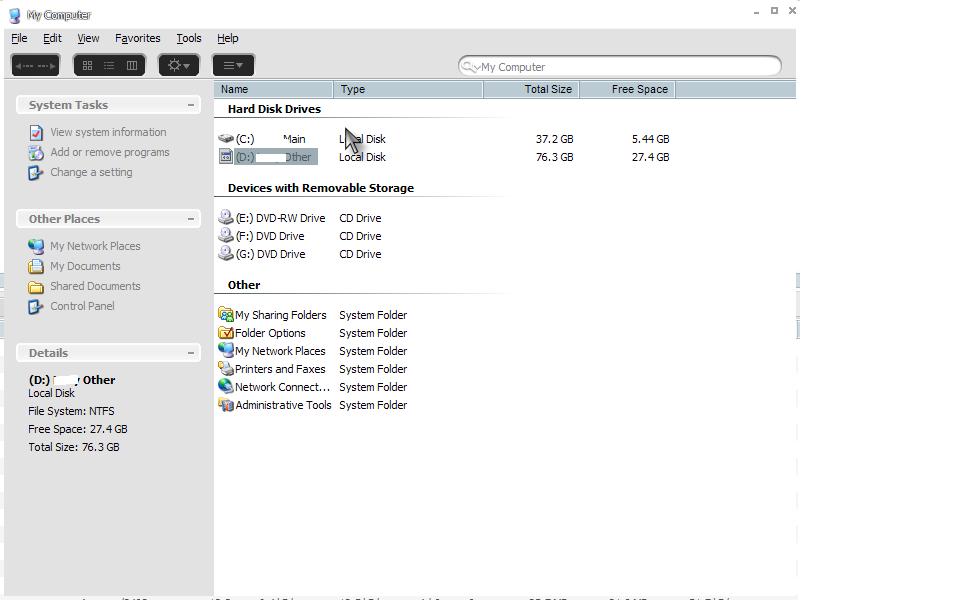
As you can see my First Hard Drive has an Icon my 2nd one does not. i tried various Icon changing applications its just wont change. Any idea?
Try downloading iconphile and then change the D: icon to default or whatever.
use tweakui (found on windows website) and rebuild icon cache...takes seconds
i tried tweakui, didnt work, I tried Iconphile didnt work.
check if there is an "autorun.inf" file in the root folder of your D: drive, and rename or delete it
Im having the same problem, except mines with the C: drive.
ye there was a autorun.inf in the drive i deleted ill reboot to see if it wrkd
lol, same problem.!!
CrisCr0ss, did deleting autorun.inf solve the problem?
nope.. 
/cry
ok it seems, to have fixed itself. Dont ask i havent done anything besides maybe restart it an extra 5/6 times. But its fixed 
and i just reformated, not only for that reason 
