Aqua-Soft Forums
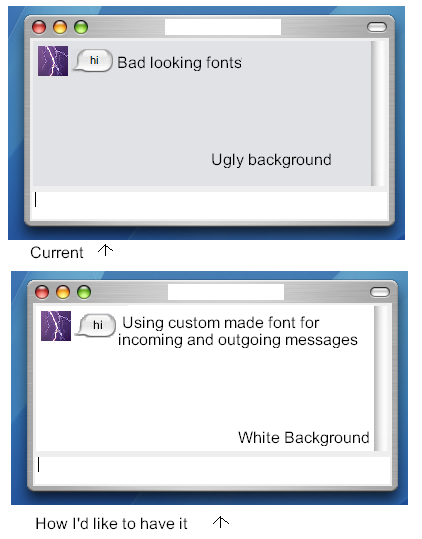
I have a couple problems with the iChat Bubbles for Miranda.
1: The Message Window is not the color I want it
2: I cannot change the font
Here's an image (a bit sloppy, made in MS Paint):
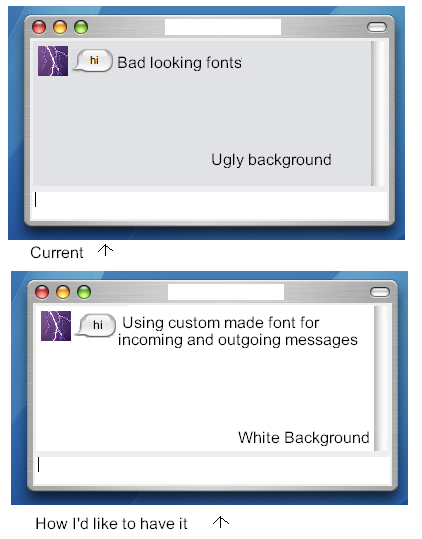
I have a couple problems with the iChat Bubbles for Miranda.
1: The Message Window is not the color I want it
2: I cannot change the font
Here's an image (a bit sloppy, made in MS Paint):
This thread might help you if you have any further questions: http://www.aqua-soft.org/board/showthread....nda+customizing
open *.css file using Notepad (or if you like, Dreamweaver). they're bunch of text and whatnot. the important thing here is you know little HTML coding. if you want to change some colors, look for formats such as this:#999999
this number outputs a color (for this, light grey). play with it and see if you find what you like. #000000 is BLACK, #FFFFFF is white. for other codes search google for codes.
Thanks I'll try that, hopefully that will work.
Well I got the background white, but around the chat bubbles there is a grey box.
Nylock you gotta edit the bubble images, that's the only way for it too look completely white 
Okay, I'll edit them in Paint.
That should solve the white background problem, but I still have the font problem.
Can I edit the .CSS file to choose what font I want?
The font I'm using is Smooth (Shows up in C:WINDOWSFonts as ARIAL SMOOTH.TFF)
Yes you can choose the font you want, however the font won't bee seen by other users. I would recommend something else then paint to edit those files though :slant:
The background is fixed, thanks for the help.
I just need to fix the font, what code do I use for that and in the CSS or HTML file?
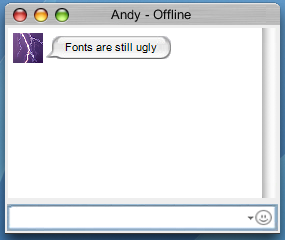
Here's what I've done:
Added Smily Face
Blue highlight around text area
Used correct Windowblinds skin (no minimize tab on the right side)
Edited images to remove grey (it may not be perfect but it is fine for me)
Edited CSS file to remove grey background (used code #FFFFFF)