Styler Toolbar 1.38 kills Taskbar w/WindowBlinds 5.01

I just recently purchased Styler Toolbar 1.38. And, I'm running Win XP SP-2 and using WindowBlinds 5.01 (paid) and WindowFX 2.89 (latest version). The problem I'm having is on Startup. Everything loads fine UNTIL Styler Toolbar loads and then my Taskbar background goes black and the Clock display gets corrupted. The only way to correct this is to unload WindowBlinds, start it again, and then apply my a skin.

I've tried both taking Styler out of the Startup sequence, letting everything load completely and then manually starting Styler, and having Styler load on startup. I get the same problem.

Is this a known issue with Styler Toolbar and WindowBlinds? Does anyone know of a fix for this problem.

I read through the other thread on Styler and it seems there is no direct support for this application, which if I had known that beforehand, I probably wouldn't have bought it.

THANKS!!

#380630

in the styler config window under the desktop tab at the end of the row there's a checkmark to uncheck called "Style is applied at the time of startup"

so this way styler won't load a style while WB is running, plus your loading time of styler will be faster.

that is what solved the problem on my side.

hope it helped...

#380678

in the styler config window under the desktop tab at the end of the row there's a checkmark to uncheck called "Style is applied at the time of startup"

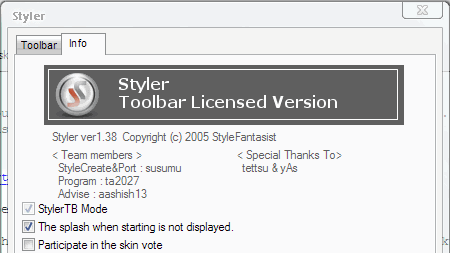
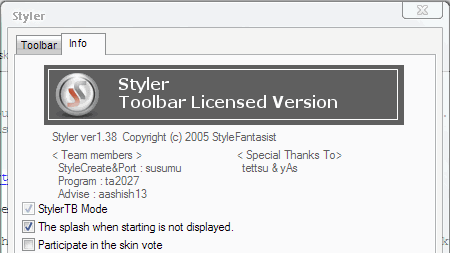
Thanks for replying, but I don't have the option you are referring to, i.e., there is no "Desktop tab". Perhaps we are using different versions? or it may because I'm bought just the Styler Toolbar license only? As you can see from the screenshot below the "Toolbar mode" is checked by default (restriction due to the Toolbar only license). Thus, no Styler "themes" are applied or even resident. hairout.gif

post-46080-1145407054_thumb.png

Styler.gif
Styler.gif

#380693

Well, I've tried a couple of things but without success.

1) Uninstalled Styler and cleaned out every instance of it in the Registry and deleted any left-behind folders. Rebooted and reinstalled Styler. Before dragging my license .dll over to unlock it, I clicked on the "Desktop folder" which Day mentioned and unchecked "Style is applied at the time of startup". Then I applied my license, which removed all those other tabs and options. Rebooted and got the same problem..... it kills WindowBlinds and leaves the GUI with a quasi-Classic look.

2) Exited Styler, opened the "Add and Remove Programs" applet and then via Task Manager ended "explorer.exe" process. Clicked on the Styler entry and chose, "Repair" and let it go through the motions. Opened Task Manager and manually started Explorer. Everything was working great. So, I rebooted to test out the "repair" and I got the same problem again.

I've written twice to the developer but no replies have been returned. Although this is an annoyance rather than one that really messes up my system, I still think I shouldn't have spent the $10 for an application that isn't compatible (at this point) with WindowBlinds and which doesn't appear to offer any support. igiveup.gif

#380779

I thought I would share how I have resolved my problem with Styler Toolbar killing WindowBlinds on startup so that if anyone else in the future experiences this problem, they can try the information below as one thing they can do and perhaps resolve it.

The "fix" seems to have been to start the "Theme" service and set it to "Automatic". This particular service I had stopped and disabled quite some time back since it isn't needed when using WindowBlinds and you don't intend to use the default Windows "Luna" theme. But apparently, it has to be running for Styler to load correctly on startup.

I've rebooted several times now and Styler loads without effecting WindowBlinds.

Thanks to those who took the time to offer their advice. :cool:

#381383

[kinda offtopic]I really hope that Styler is still being developed :( [/offtopic]

#381392

Hapkido, I do not have styler anymore due to an issue where when using topdesk, styler toolbar's position on a window would appear as a black box when in expose mode. I thought it was an unavoidable inconpatibility between the two apps but now I'm wondering if maybe it was due me disabling my theme service as I use WB5 as well. I was wondering if maybe you could test out styler's toolbar with topdesk (if you already have it installed,) and see if your solution works for this as well. If you don't have topdesk, there's a trial version which may win you over as it is really dirt cheap for how amazing it is. But then again, if your discovered fix does not work, then you'll be in the same position I was in having to choose between the two apps. In my case, topdesk won hands down.

#381398

[kinda offtopic]I really hope that Styler is still being developed :( [/offtopic]

I'm not sure about this, but I saw in the Japanese site that Styler 1.39 can be downloaded, but it's the japanese installer only. So maybe there will be a new release soon, maybe. Again not sure, can't read it...

http://ta2027.plala.jp/Styler/download.html

#381450

thanks for the update Albarovero :D

#381454