Mail screenshots

Howdy OS X (or 9) users,

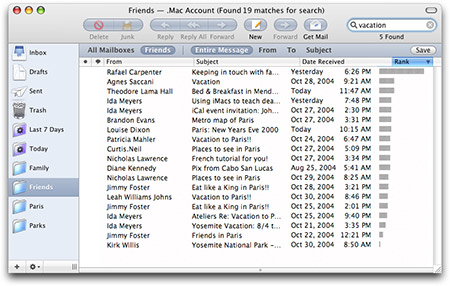
I'm frantically working up on converting Thunderbird to Apple Mail in this thread, but I need to see a few screenshots, and I thought this would be the perfect sub-forum to ask :cool:

Request:

- Random images of Mail (Nothing fancy, just anything 'll do)

- The Junk Bar ("Mail thinks this message is Junk Mail")

- (Most Importantly) Condensed view of Mail (meaning with the roll-up feature ON so it hides the top toolbar)

They don't have to be with an expensive screenshot tool. Cmd-Shift-4 (I think?) is good enough.

Thank you!

#371600

It's almost certainly too long to wait, but if you can last a week, I might have the entire Mail resources back home...

-NC

#371601

Wow that was fast, NC!

Oh, I already have all the resources. I just need screenshots. :)

#371603

They just got iMacs at the Costco in Silverdale.

When I went with my mom, I got to play with it.

I also looked at mail.

It just made me want an Apple computer EVEN MORE.

If that's even possible.

Sorry that had nothing to do with finding screenshots of mail.

There is one at the Wiki site that I use for reference.

http://en.wikipedia.org/wiki/Image:MH_Mail...l_client%29.png

#371605

They have Costco's in WA? Didn't know that ;) I know ours in Los Angeles have the new intel Mac Minis.
Okay, this is sidebar conversation. Thanks for the link though.

#371606

Hope these will help. PM me your e-mail address and I'll send you the second half.. I could only upload 970k, but I have three more images for you.

Mail Screens1.zip

Attachment: Mail Screens1.zip

#372352

Oh cool. Thanks @Van Nostrand. I thought this thread died and left me lynched. :P

#372373

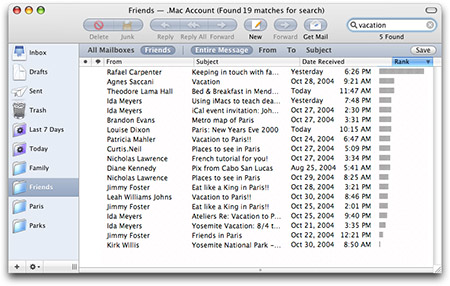
Here's one, from the apple.com site. Note the iTunes like sub-toolbar. Possible?

Good luck, and looking forward eagerly to your tutorial!

post-35574-1143226417_thumb.jpg

mailnew20050412.jpg
mailnew20050412.jpg

#372505