Aqua-Soft Forums
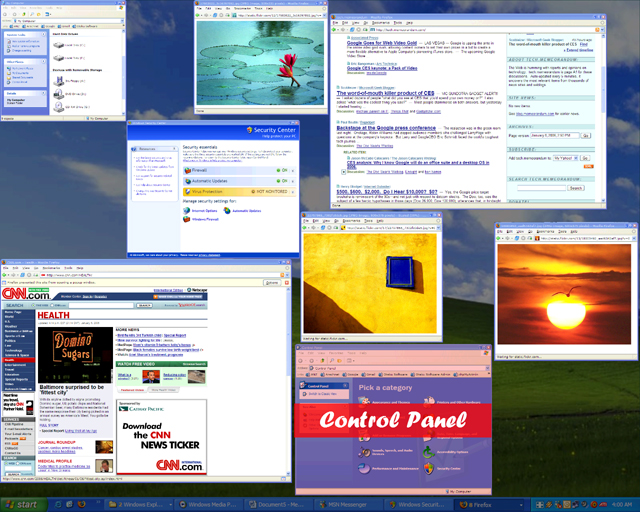
TopDesk 1.4.2, a task switcher that emulates OS X Exposé functionality, is now available. The major features in version 1.4.2 are:
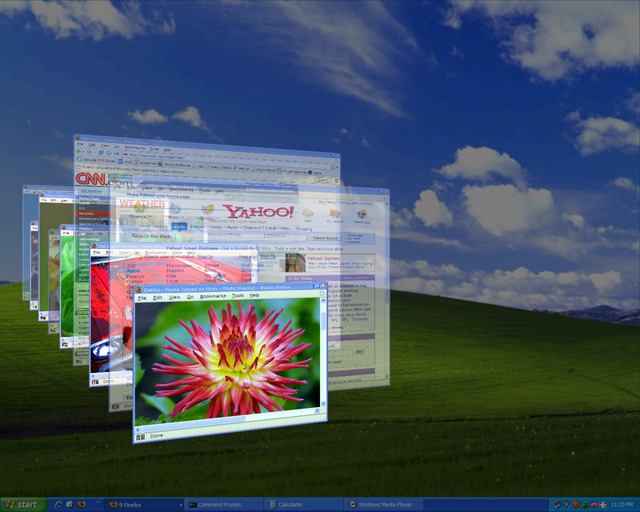
- 3D Flip Layout - In addition to an Exposé-like Spatial layout, TopDesk now supports a 3D "Flip" layout, similar to the Flip3D task switching feature of Windows Vista®.
- Rotation Tiling Animation - While animating window tiling TopDesk can now rotate windows around their x, y, or z axis.
- Alt-Tab Emulation - While tiling TopDesk now responds to Alt-Tab key presses in the same way as the Windows Task Switcher.
- Tile Visible Windows - In addition to the "tile all windows", "tile application windows", and "hide visible windows" modes, a "tile visible windows" mode has been added.
- New Window Image Update Modes - TopDesk now supports more window image update methods, including capturing the foreground window image before tiling and capturing window images once after tiling.
- New Performance Settings - Users can now configure the memory usage and priority of TopDesk.
- More Mouse Hotspots - Mouse hotspots have been added to the middle of the top, bottom, and sides of the screen.
- Close/Minimize/Restore Windows While Tiled - Users can now close and minimize/restore tiled windows via the keyboard and mouse.
- Show All Window Titles - TopDesk can now show all window titles while tiled.
- Customizable Window Title and Selection Colors - Users can now customize the window title font and background colors and the window tile selection color.
- Minimized Windows Re-minimized After Snapshot - TopDesk now re-minimizes any minimized window it restored while capture window images.
- Taskbar Hidden If Already Hidden - To improve compatibility with dock utilities, TopDesk now keeps the taskbar hidden if it was already hidden before TopDesk started.
- Unsupported Screens Blanked Off During Tiling - To improve application compatibility and provide a cleaner user experience, while tiling windows TopDesk now blanks off screens that do not support hardware acceleration.
- Improved Hide Visible Windows Compatibility - Where possible, maximized windows are now set to normal size before hiding and re-maximized after showing to improve compatibility with applications such as Internet Explorer.
- Reduced CPU Usage During Tiling - CPU usage during tiling has been significantly reduced.
- Improved Disable Mode - Disabling TopDesk now clears all TopDesk DirectX resources, improving compatibility with other DirectX applications.
 . [/edit]