Aqua-Soft Forums
Hey ... I'm new to the whole AveDesk concept, I installed last night.
All was going well. The first install showed the tutorial and placed the icons on my desktop (computer with info, recycle bin, translator, stickynote, etc). However, I didn't actually extract the AveDesk folder anywhere after opening and it hadn't been kept on my computer.
Therefore I believe that i've lost the perfect first version.
Anyway, I downloaded the AveTunes 2.6 plugin to 'funk-up' iTunes on my desktop and I had to download a new AveDesk installer to run it.
Problem was, I had two AveDesks running in the system tray.
I decided to close them and then delete the AveDesk folder I had created.
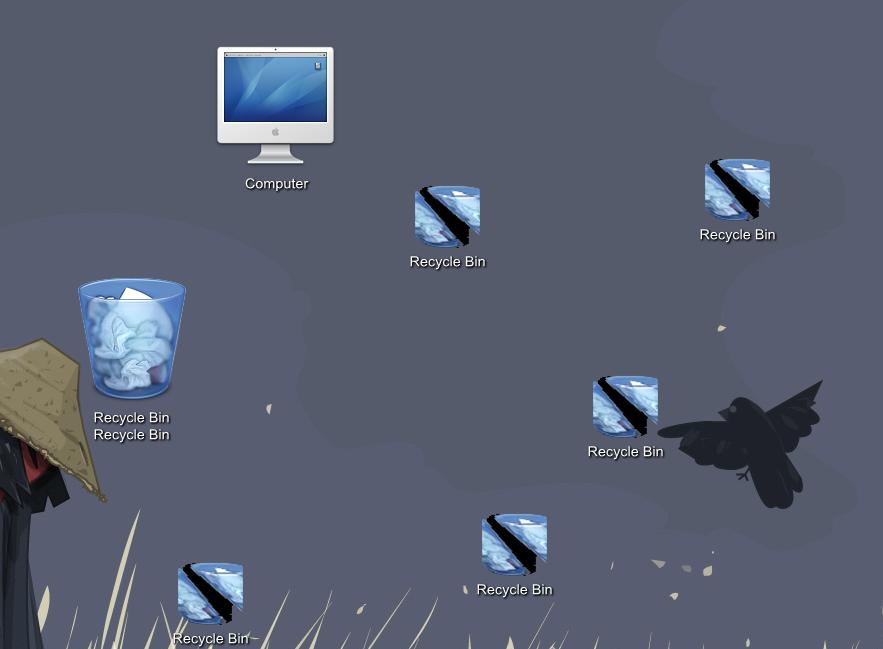
I proceed to download a new one and start again and the icons appeared like mega-sized (see screenshot) and whenever I load it, or download a new AveDesk, the same properties open, the same broken icons AND ... the AveDesk icon doesn't appear in the system tray. Theres just a blank space (but when moused-over it says AveDesk 1.3).
How do I go about removing all traces of it and installing again?
Any help is much appreciated.