[HELP] program windows not maximizing on launch

New to the forum, so hope I did the tags thing right...

This program is killer in so many ways, but I have one question that I haven't been able to find answered anywhere.

I have a problem with the windows of programs I launch from the dock not maximizing on launch. Sometimes, they won't maximize all the way even when I hit maximize.

I'm not sure if it's something to do with the windows taskbar being at the top and hidden by the dock, but it's very strange. It will leave bars of of the desktop visible at the top and bottom after I click maximize.

This happens most of the time but not all the time.

Anyone else get this at all? I have y'z toolbar and rk launcher running. AVG antivirus, Microsoft anti-spam, diskkeeper 9.0. That's about it.

Thanks for the help.
#357985

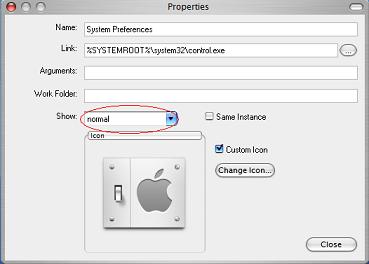
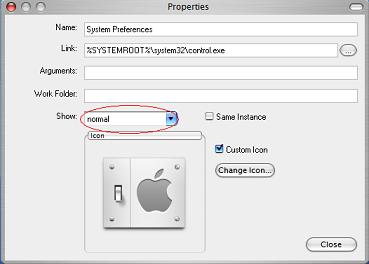
right click in the icon, dock item properties,check the "show" option. you have three posibilities

normal, minimized & maximized

good luck

post-39683-1139529744_thumb.jpg

Dibujo.JPG
Dibujo.JPG

#358072

I saw those, but what do they mean? I'm assuming "Minimized" means open minimized to the dock, "Maximized" means "open maximized... What's the difference between "normal" and "maximized".

And I think I already tried putting them to maximize and it didn't do anything. At least sometimes it's okay with RK. With objectdock it never fully maximized...

#358079

Normal would open the window in the last size you had it (windowed mode). Maximized would open the program window in "full screen" mode that would cover your entire desktop area.

#359181

I'll try that. I've been using a program called autosizer as of late that seems to be working, too...

#359190

you should try getting the window the way u want it and exit the app by holding ctrl and clicking the close button, this tells windows to open that app in the same way it was closed. might work....

#359191

Here's a program I use at work that automatically maximizes all Internet Explorer windows. It also seems to affect some normal windows too. You may want to give it a try. It has some customizable options.

http://www.jiisoft.com/iemaximizer/index.asp

#359455