[Help]Problems customizing desktop

I'm having a problem with customizing my desktop. When I use tweakui to remove My computer and Trash can from the desktop my wallpaper disappears and I only get at solid backgorund color instead.

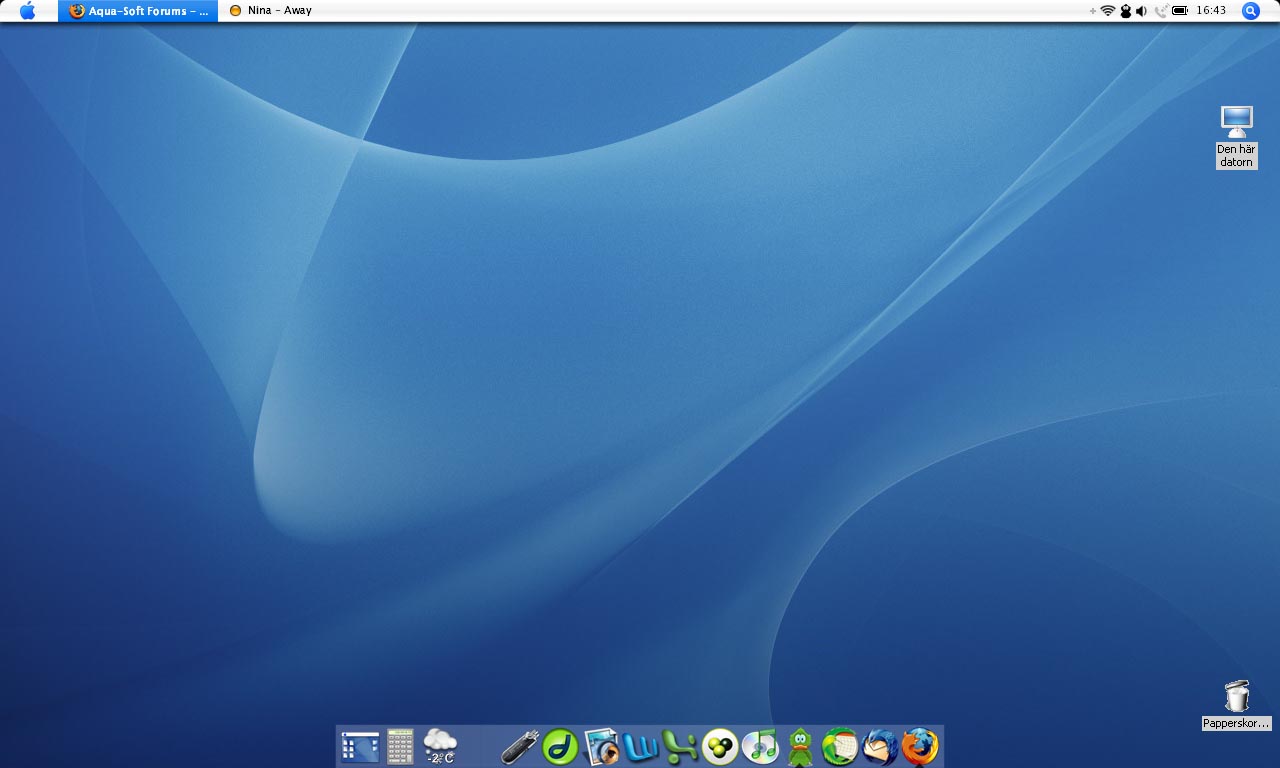
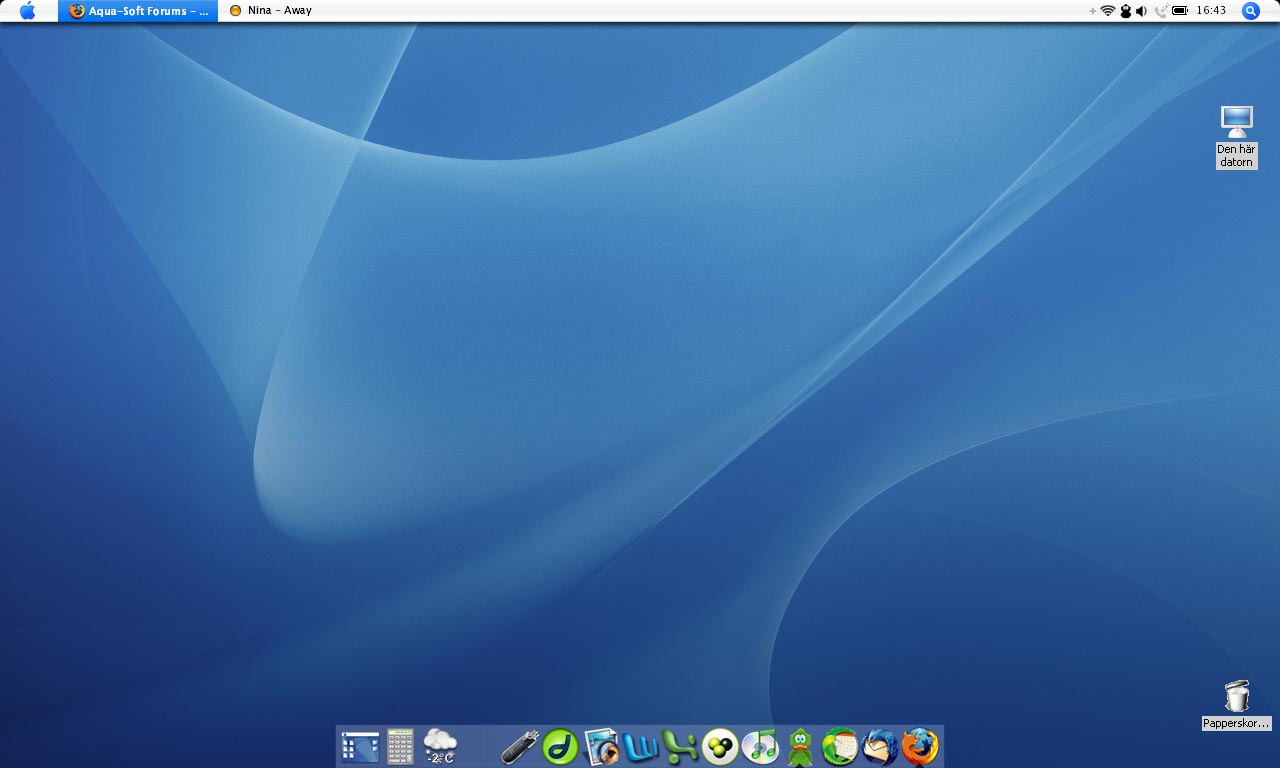
I'm also having problems with ugly borders around icons and icon text on the desktop (trash can especially) as you can see on the screenshot.

My original plan was to get rid of the icons and use AveDesk instead but as I mentioned my wallpaper disappears if I remove all original icons.

Does anyone have a solution to this problem? I'm using the following programs:

  • Y'z shadow
  • WindosBlinds
  • ObjectDock
  • Landvermessers FinderBar

post-37086-1136908863_thumb.jpg

apotekaredesktop.jpg

#347840

If you're using XP, you could just right click the desktop go to arrange icons and then uncheck show desktop icons. Styler also allows you to hide your desktop icons.

#347842

When i right click my desktop and go to arrange icons, there is no option to uncheck desktop icons...any ideas why?

#347844

If you're using XP, you could just right click the desktop go to arrange icons and then uncheck show desktop icons. Styler also allows you to hide your desktop icons.

Already tried that, but I still want to be able to put other ordinary icons on my desktop.

#347845

Zaft I think you can only do it with WinXP, but I'm not sure.

I just use AveDesk to put regular icons on my desktop and use y'z dock for other applications and stuff. Anything I don't have on my dock i just access from the start menu.

#347847

Yeah im using windows xp home, so that 's why i'm a bit confused...

#347861

Active Desktop is disabled, which is why you're experiencing these problems.

http://www.aqua-soft.org/board/showpost.ph...569&postcount=2

Do the same thing as detailed in my earlier post, but for the very last step:

Select "Enable Active Desktop" and choose Enabled.

As opposed to what I had in that link ;).

That should fix your problem. If it does, let me know...

Thanks!

-NC

#347970

When I try to run gpedit.msc I just get an error message saying that there is no such file. I'm running XP home if that makes any difference.

#347977

I had the same error, it's bacause you can't run gpedit.msc in Xp Home only in XP professional.

I finally figured it out, it was an option in Powertoys Tweak UI, which i must have disabled ages ago and forgotton about.

It's in the Explorer tab and you need to check the box next to 'Allow Web Content to be added to desktop'

If you need Tweak UI Powertoy for Windows XP you can get it here http://www.microsoft.com/windowsxp/downloa...ppowertoys.mspx

Hope this helps!

#348011

I'm using AveDesk as well, but I was trying to get a solution to my initial problem. I like to find solutions to problems, not just ways around :)

The reason to why I want it to work is because I think it's practical to let firefox download files to my desktop. And besides, I still want to get rid of the ugly "frame" around the ordinary icons.

#348114

When I try to run gpedit.msc I just get an error message saying that there is no such file. I'm running XP home if that makes any difference.

Windows XP Home doesn't have the gpedit.msc feature, this is only avaiable in Windows XP Professional.

I'm also having problems with ugly borders around icons and icon text on the desktop (trash can especially) as you can see on the screenshot.

Do you have 'Use Drop Shadows for icon labels on the desktop' checked in the advanced option?

Press Windows key + Pause to bring up System Properties>ADvanced Tab>Under Performance select 'Settings', then find 'Use Drop Shadows for icon labels on the desktop', and make sure it's ticked.

#348116

'Use Drop Shadows for icon labels on the desktop' is ticked, I tried to uncheck it to see if it made any difference but nothing happened.

#348144