Aqua-Soft Forums
Disclaimer: i did search long and hard but cannot find good results. i am not good at searching, and i have tried searching in this forum.
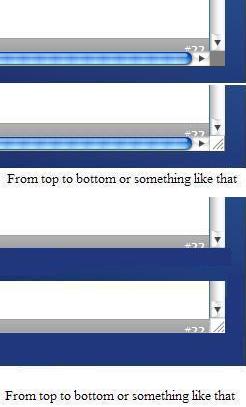
the picture attached should explain it a lot. when i have the status bar on, i have a BOX that i can click and resize my winodws. if i remove the statusbar, i don't have that option anymore. i have this THIN LINE that i have to click very accuratly in order to resize. very fusturating. also, i don't like that grey box color and i want that to look like safari too. what should i do?
i don't want to use the statusbar, but i need it on to resize well.
when the left <> right scrollbar is gone, i still want to see that added section which looks like in the second part of the attachment.
so. is it possible to do this on firefox? exacally as on the attachment?