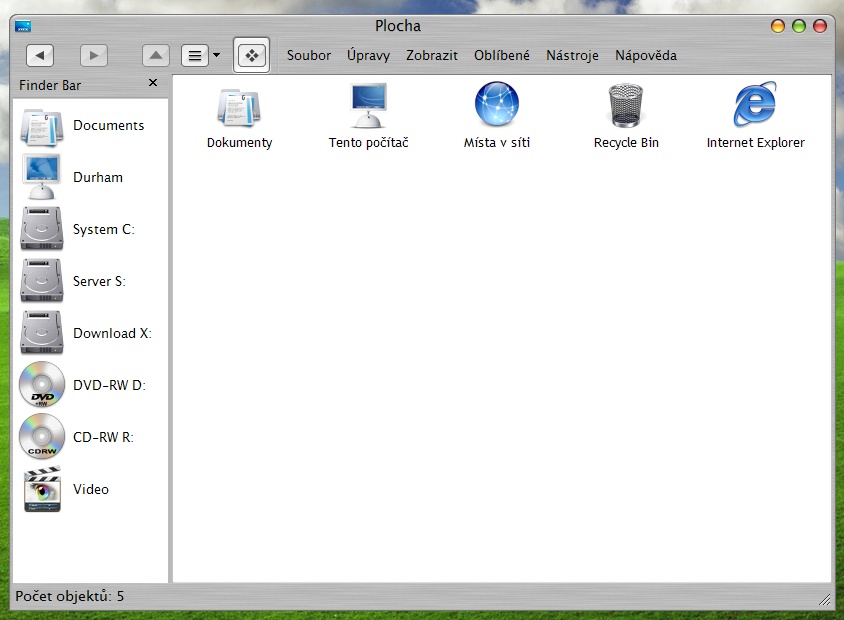
Removing that little icon in the upper left corner of titlebar

I'm pretty sure this was answered before, but I just can't find it. I'd like to do it for Firefox s well, but right now I'm more concerned about simple explorer windows, where it spoils my beautiful new brushed style.

Thx anyone...

PS: And if it would be possible without extra program running (eg. regfix) it would be wonderful.

#308700

there are 2 ways to remove that icon

1. Replace the icons with a full transparent one. With this method you have to replace every single application's icon which will take you some time to do :)

2. Use windowblinds and edit the windowblinds theme with skinstudio. With this method all you need to do is to open the windowblinds skin with Skinstudio, go to free forms buttons and remove 'System icon', that will hide the icon for all applications. :)

I personally opted for the second one ;)

Hope this helps

#308702

that's right. you need to reshack and replace with transparent icons.

for firefox, it's easy: http://www.mozilla.org/support/firefox/tips#app_icon

#308770

Really thanx for link concerning firefox. (done and beatutiful)

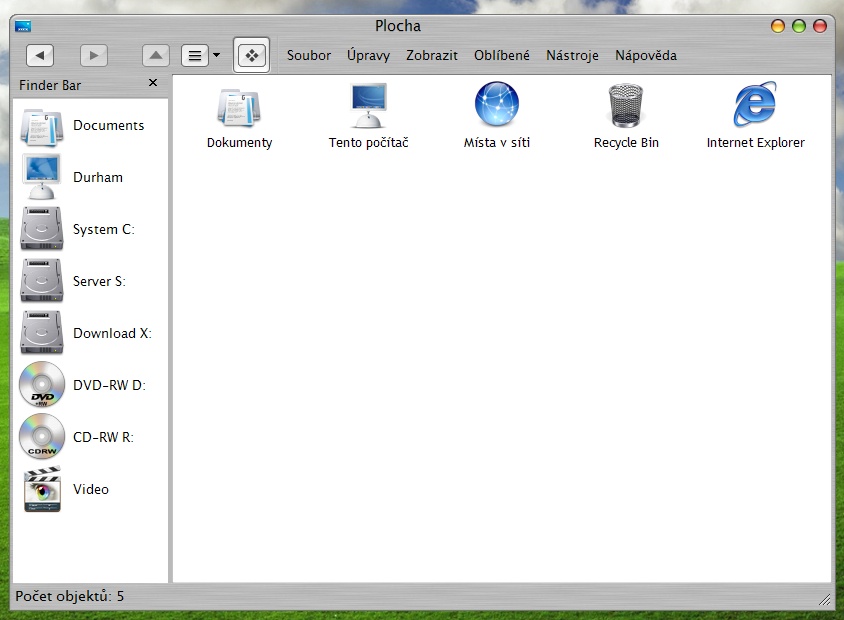
I'm quite sorry to do not have it also in explorer windows. Especially with Y'z toolbar skinning and newly find FinderBar clone which looks REALLY great and is actually usable as well. (screenshot appended)

Unfortunately I don't use WB, so second solution is not for me. I've got nothing against WB, but I didn't manage to find some theme even closely as nice as Brushed 3.5 VS by hills-roppongi. And using WB just for this just doesn't seem to be the right thing now.

Thanks everbody anyway, but I still kinda hope into some sort of regfix...

post-34431-1124223311_thumb.jpg

screen.jpg
screen.jpg

#308843

You could try using shellwm, they have some decent brushed themes that might work (or it's really easy to make hack an existing theme to make your own). They have ones with a functional rollup button and everything.

If all you are really worried about is getting rid of the icons in certain programs, just use ResHack and replace the proper icon with a transparent one (might take a little trial and error to find the right one).

#308877

Actually I had a look on ShellWM and found nothing interesting about it. Well not about the program itself, but skins for it - on deviantart just two pages a what seems to be official - skinbase - only some really old (and not nice) themes. Of cource if you could point me to some specific brushed theme matching to Brushed 3.5 I would change my mind.

#309128

nope, if you want something to match perfectly with a theme you're using, you may have to make it yourself. It's really easy to make shellwm themes, you just have to replace the background texture it uses with one of your own.

#309131