
[rel] Limelight 0.1 - Spotlight Clone for Google Desktop

blueskin_preview.jpg

Hello, I just wanted to let you guys know that I wrote a Spotlight clone that uses Google Desktop as the backend. This means that you will need to download Google Desktop for it to work (get it at http://desktop.google.com). It's a first release, so I'd like your input on bugs and features that you would like. I am already planning on adding images and making tooltips that give you more info on each result.

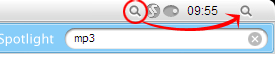
The screenshot above is of Limelight.

You can download it at http://www.eveisa.com/limelight . The software is written in Python, so it's a little bulky at the moment (it includes everything you need for it to run). I'll work on making it more compact later on.

Anyways, let me know what you think!

#304273

Looks cool - thanks for the hard work :) Suddenly it's raining Spotlight clones !
I'm not one to complain, however ! The more the merrier !!

Edit : Added to FP ;)

#304482

Very nice! Now, can this work by clicking the blue spotlight button from the visual style, or will it be limited to clicking the tray icon?

#304566

looks good thanks

#304703

This reminds me of the time when there were like 5 finder clones... someone should make iPhoto or something more useful instead of 20 spotlight clones

#304716

in my experience, picasa is as good as iphoto. someone should work on skinning version 2 though.

#304717

allo, i got a question, it is possible to move limelight icon to the end of the taskbar (such as tom's spotlight clone)?

sorry for my bad english.

post-22181-1125585625_thumb.png

Pic.png
Pic.png

#312599

in my experience, picasa is as good as iphoto. someone should work on skinning version 2 though.

Yeah - I sure hope so. I'm still on version 1 because of the skin. My dad has Picasa 2 on his computer so if I need any advanced features I just use his. But I love the apple skin for v1.

#313233

Can someone repost this. The website is down and out~ thank you

#325249