 Aqua-Soft Forums
were can i find thie image circled in the attachement.
and please be as specific as possible with the directory address.
thanks
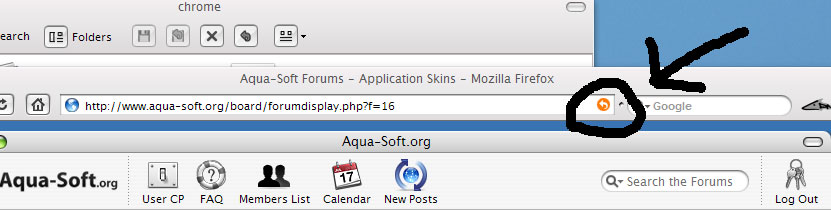
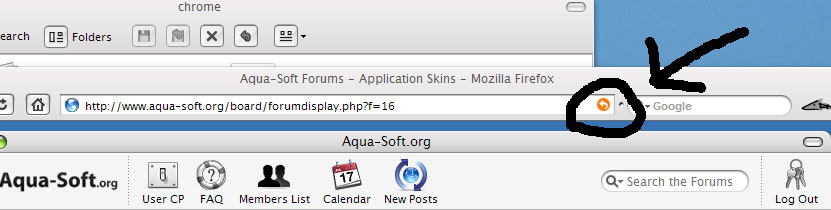
were can i find thie image circled in the attachement.
and please be as specific as possible with the directory address.
thanks
the icon is located in the jar file, what you need to do is extract the jar, to a new folder and then open it up, once open you should see browser, global, mozapps, communicator and some other files, click on "Global" folder. once inside the folder there should be a folder called arrow, it should be in there, just scroll down and replace  and then take the modded file and save. and then replace old one in the jar.
or what you could do is open the jar with winrar and do the same stuff i told you above except dont extract all of the files, just locate the snapback.png file and extract it and do what you want with it  and if yours is like mine when you click save as on photoshop it will save it in the jar updating the old one with your new modded one.
either way each of these work as i have tried both with lots of themes that i have worked with  , if you need help pm me ;P