 Aqua-Soft Forums
How to make the firefox title bar looks like the left image in the attached files?? :confused:
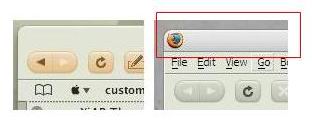
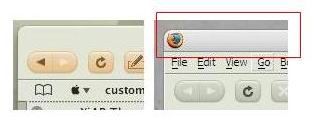
How to make the firefox title bar looks like the left image in the attached files?? :confused:
paste a blank main-window.png into this folder> C:Program FilesMozilla Firefoxchromeiconsdefault
then restart firefox and hey presto!, the icon is gone (but clicking in the same area will have the same effect as before)
You need to have the msstyle or wb theme that matches the firefox theme.
make that folder
took no effect
If you meant that you wished to remove the tiny firefox icon from the far left of the title bar, zondajag's reply should have worked for you. If not, either you have made a mistake or you might just need to reboot your system to see the effect.
If you meant that the title bar colour and toolbar background colour do not match, then ZTL is right, you must apply the appropriate visual style. Everyhing on the titlebar is still windows explorer and it is therefore irrelevant which firefox theme you choose to use, the bar will not change.
The style, I think, is xi-softCandy, and can be found here as a styler theme, but this will still include the vs that you need: http://ta2027.plala.jp/Styler/gallery.html, or here on deviant art: http://www.deviantart.com/view/6809817/
You'll have to copy and paste those links because I'm too lazy to use the advanced reply form, and too stupid to remember the appropriate code.
EDIT: oh, they work as links...