 Aqua-Soft Forums
hi everybody
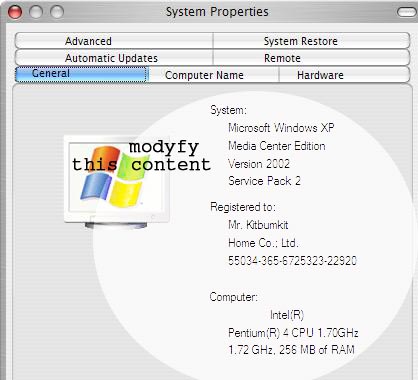
I want to change the content of system properties of windows xp look like mac os x.... 
when you Right click on My Computer and appear system properties dialog
Anybody to help.
see picture below
hi everybody
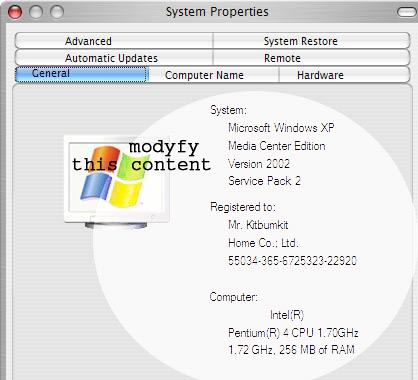
I want to change the content of system properties of windows xp look like mac os x....
when you Right click on My Computer and appear system properties dialog
Anybody to help.
see picture below
Thanks a lot...
and i have a problem with some apps(LogOut, Restart_en, Shutdown....). when I run those app, then appear dialog below.
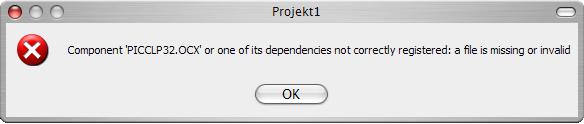
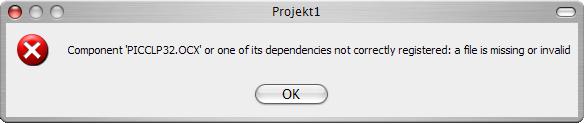
FoneBone supplied the missing file in this forumn to fix that problem.
http://www.aqua-soft.org/board/showthread....highlight=ishut
ever thought of making a bit more descriptive titles? :slant:
thanks a lot...........it's done..
but i have three questions...hiiiii
1. how i can change the dialog logoff look like MAC OS X, see picture below
2. if i don't like to use FlyakiteOS, how i can change the logoff screen. when it's logged.
3. if i choose the Hibernate for turn off (and on) the computer, the screen not like MAC OS X.
once more, anybody help me.....
thanks!!!!!
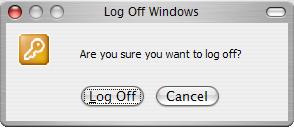
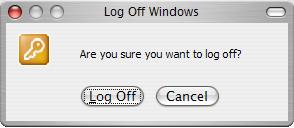
I thought you were using an independant log off application like iShut or FoneBone's Dialogue apps? If you really want it to look like OSX I'd get the FoneBone Apps from this forum and use iShut for log off with arugment -h for hybrinate. Then just put some short cuts to these programs in your start menu or point to them through Object bar if your using that.
Here are what my dialogues look like:

