site design

Hello all I have posted here before about this topic and I know I am taking a risk of getting punched for asking but I have googled and failed. I basically need someone to hold my hand and please help me create shadows on the top,left, right and bottom sides of my web page like the one being used at the aqua-softl.org forms even if the shadow here is done different I am sure you all know what i am talking about

. I have been pointed to tutorial links @ a list apart.com for adding a shadow but I am sorry folks I just dont get it. Why do I want a shadow on my web pages even though everyone else has it to me it just looks cool and I have been trying to get it to work for the longest time and finally i give up just dont understand . I know a little css not a master and I know how to setup my main container div" which will have the shadow"

But I really need baby instructions from how and what size to make the shadow in photoshop to how to place it on my main container div. thanx for any help a desperate ple trust me!!

#289651

It depends how you want to do it...you could have a fixed image with shadows, and just have it repeat down.

Basically, what you do, is you make an image in Photoshop, and add shadows to it. This image should be the size of what you want your website to be (which unfortunately eliminates a liquid layout). Obviously, you'd have blank space where the content would go. Then, in CSS, you'd set it as the background-image for a container div, and tell it to repeat-y.

Hope this helps,

-NC

#289713

@nightcrawler that's exactly what I am doing with my minimalistic design. Juts have an image and repeat it down using CSS

;)

#289727

or you could have ~10 container divs each with a lighter border color

but you don't wanna do that ;)

for corners cut a top image and set it over the container div

#289729

Hey all thanx so much for the replies. unfortunaltely I am still in the dark, I am currently going to try what nightcrawler said but I am stuck again because I am using dreamweaver to make my site and I have my main container div width at 95% so I need to figure out that and pixels. to nightcrawler about the liquid layout how is aqua-soft.org creating the shadow effect that exactly

what I want which is the exact shadow that the aqua-soft.org forums and entire site has meaning the shadow I think its layout is liquid because the browser window resize and the site is still in the middle.

can someone give hints on what size i should make the image in photoshop if setting it as the background of the main div is my only option. I want the site dead smak in the middle.

#289733

you could always use - dare i say it - tables, with 3 columns, and 3 rows, giving you four corner shadow spaces, a left and right shadow space, and a top and bottom shadow space, with a space ion the middle for you content. and that would be dynamic to.

#289734

Hey CDi2 thanx for the reply I am through with those tables. Some how either I think divs are better or they just feel better, still working on what nightcrawler suggested to see if that works, thanx again, Ok nightcrawler I tried what you said. then i went and added some paragraphs to the main div with the image set as background for a moment i thought it worked I used the repeat- y but i get huge space inbetween and you can see where the image i created in photoshop ends and then starts up again

#289735

A screenshot would help...

-NC

#289743

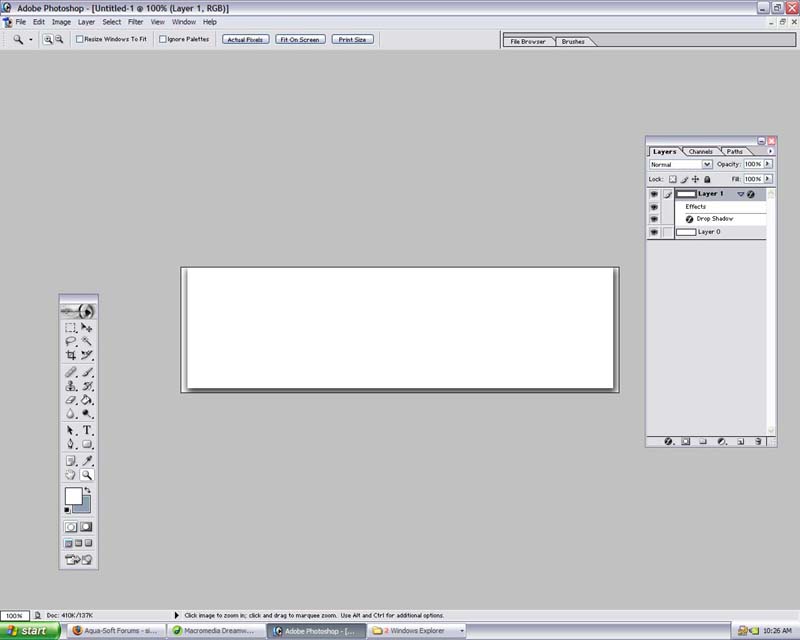
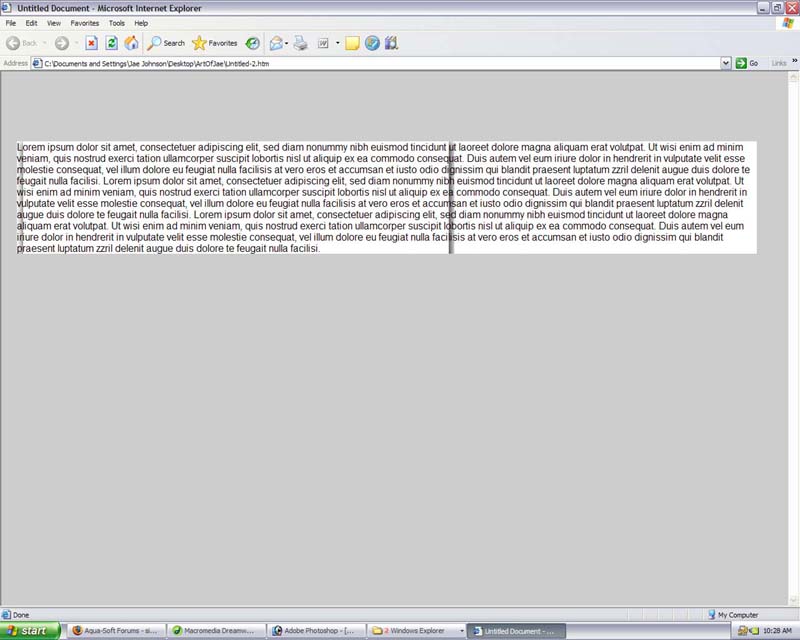
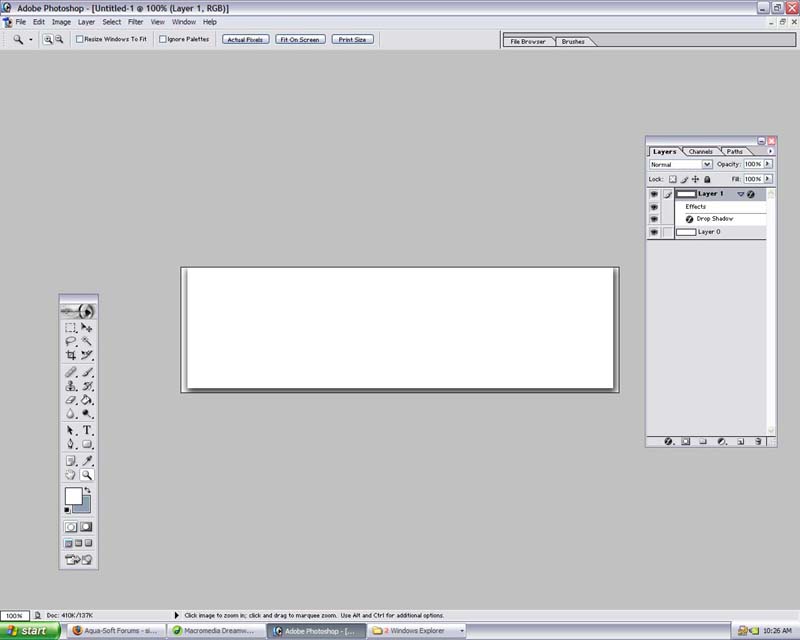
hello nightcrawler1089 thanx again for the reply. I have attached two screen shots one of the file in photoshop the image size is 700px width and 200px high. the second screen shot "2" is how the page is being displayed inside of interntet explorer.

Now here is what i do understand if you download the trial of dreamweaver 2004 they have a halo template I am basically looking at the css for the halo template which i fully understand. I notice that to get the rounded borders on the top of there main div they position and 6x6px image.

So here is what i figure or atleast hope would some how work. I made and image in photoshop with a drop shadow sliced a 6x6px image of the shadow from the left and right side and the positioned just how they have the rounded corners positioned in the halo template. I figure I would then use css to repeat the left and right shadow but it did not work. am I getting close "Slowly Going Crazy"

uploading another file in another post

post-26924-1117993360_thumb.jpg

screenshot 1.jpg
screenshot 1.jpg

#289749

here is the second pic

post-26924-1117993541_thumb.jpg

screenshot2.jpg
screenshot2.jpg

#289751

You are somewhat close...you don't have the image repeating at all, however. You need to define a width for the container box so that the text doesn't exceed it, and some padding might also do you good.

-NC

#289755

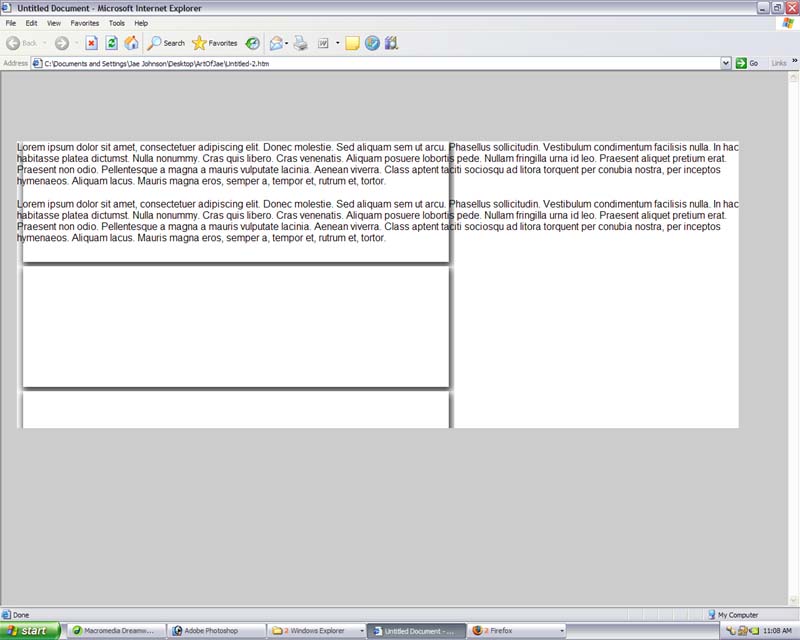
Ok nightcrawler here is another screen and my css code I am repeating the image but it still looks messed up I know how to control other css properties such as the padding but i will focus on the shadow first. I know your supposed to put code you post in some type of format but i cant find that code button anymore so sorry please dont yell. so here it is. I dont think there is anything wrong with it

#container{
position:absolute;
top: 112px;
left: 2%;
right: 2%;
width:700;
background-color: #ffffff;
background-image: url(../TEST.gif);
background-repeat: repeat-y;
}

so there is the css and the attached image is the result, If you could please check the thread of the above user and his site he has the shadow also it can be done someone knows the secret PLEASE SHARE!!! here is the post DreamGirls@k e n z o its right above my original thread. HELP!!! :(

post-26924-1117995096_thumb.jpg

screenshot 3.jpg
screenshot 3.jpg

#289761

1) You need to have your image be 700 px, the width of the #container div, if you want it to look right. (Or have the width of the container div match that of your image)

2) You cannot have a bottom, at least not for this image. You just want the sides--we can add the bottom later, if necessary.

-NC

#289764

still working on it nightcrawler but my image was 700px and my div was set to the same width. Who wants to make a tutorial on this when I solve this case i think I will try

#289772

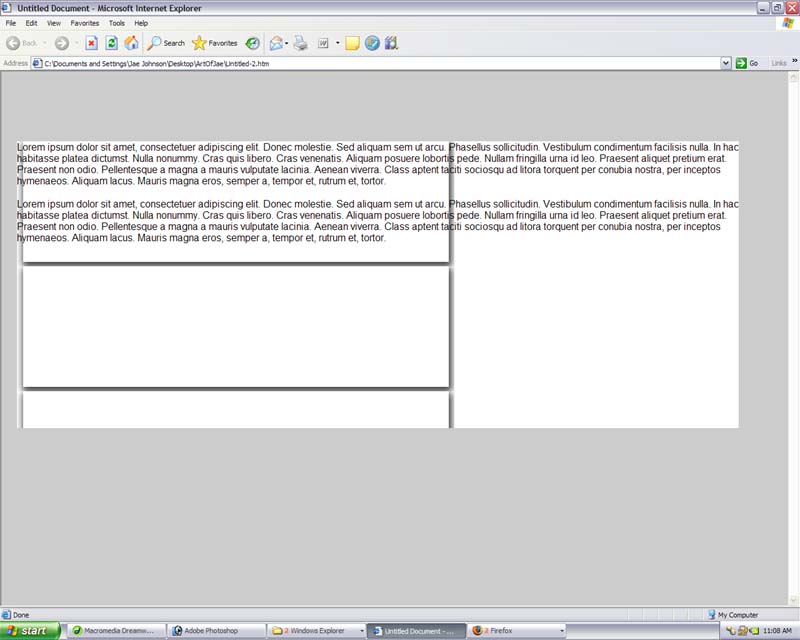
Nightcrawler I almost got it, a couple of things to fix. ok first i made my shadow inside photoshop i made a slice that included the shadow that was 700px in width and 4 px in height i then used css to repeat that as the background of my main container div. I then made a div with enough padding for the content and added some text. I am not to sure if you can see it in the screen shot i attached but the shadow on the right side looks a little bit seperated is there a way to get rid of this maybe make the height 1px instead of 4px. that was the problem why i was getting gaps i was trying to repeat the entire height i had made which was 200px and that did not work. I also made the drop shadow at 72dpi could this cause the little break up?

It seems like i almost have how do i do the bottom really clue less on that, well i will keep trying

post-26924-1117999223_thumb.jpg

screenshot 4.jpg
screenshot 4.jpg

#289780

I can't see a thing that's wrong in the screenshot.

I would appreciate if you not double-post: use the Edit button.

The bottom--add another

in the main container and have a background--in this case, just the bottom.

I suggest reading up on a few tutorials around the web. http://www.w3schools.com/ is a good start.

-NC

#289803