 Aqua-Soft Forums
How can i remove this??


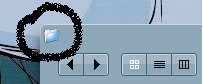
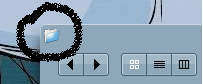
I believe its either in the shellstyle or some file located within WINDOWS. It probably needs to be edited by ResHacker or something. If I hear anything for find out anything I'll let you know immediately. 
Lol. Thats what I meant, progs like that. Your welcome by the way. 
There was a discussion on this some time ago. Though this thread should probably be closed, I'll summarize what I can remember.
There is NO system-wide way to remove those icons. Each icon is the per-program application icon. You could ResHack each program, and replace its icon with a transparent one. However, beyond that, it's impossible.
-NC
Or you could use windowblinds.
use windowblinds for firefox its easier. or if you like and have made a transparent icon already
(taken from firefox help: tips & tricks)
Change the window icon
You can change Firefox's default window icon to any icon you want, by following these steps:
1. Go to the folder you installed Firefox in (e.g. C:Program FilesMozilla Firefox) and then go to the subfolder chrome.
2. While in chrome, create a new subfolder called icons, then go to that folder and create yet another subfolder called default. The full path to this folder could be C:Program FilesMozilla Firefoxchromeiconsdefault.
3. Choose the icon you want to use (on Windows use .ico files, on Linux use .xpm files) and then place it in this folder and rename it to main-window.[ext], e.g. main-window.ico on Windows and main-window.xpm on Linux.
In addition to the main window, you can also change the icon on the Bookmark Manager and JavaScript Console. The icon names are bookmark-window.[ext] and jsconsoleWindow.[ext], respectively.
After this is done, restart Firefox and you should be able to see your chosen icon in the title of the browser windows.
thx all!! thx!
your best option would be windowblinds.. 
Your english is... fantastic *cough* - What language are you better with?
There are also tweaking programs that could the job for you. Otherwise, Regedit, ResHacker or WindowsBlinds is the way to go.
@nightcrawler1089 - Yes, there probably are many threads like this, But finding the right thing to search may be hard. A name like "How can i remove this??" wouldn't be the kind of thing you would be likely to search to find a topic like. The other topics like this probably also have UNsearch-frindly names liek this.
I just think of an easier way, how about using reshacker to replace that particular icon with a transparent one? The only down side is that you would have to replace the icons for every apps :P


eh... *points to date of thread*
It's okay if the problem is solved for everybody.
I just found this thread and I had the same problem before, that's why I answer to juneyong.
well since everyone said u can use WB and the thread is dead, but i dont feel like starting a new on i ask how do you do this in WB?
The one way which I know is to open the VS or WB skin in Skinstudio and select the Window section in the skinstudio where we edit the minimize, maximize, close button glyphs. In this section, we can remove the system icon !
You just click on the icon in Skinstudio & press the delete key, Skinstudio ask if you want to delete it, click yes & you won't have those pesky icons on your windows no more
Cheers