
[Help] Power Problem...

I think there's something wrong with my hardware this time... see this... am I right/wrong??

--------------------------------------------------------------------------------

Problem: I know my computer supports APM...

It was also working in previuos Windows installations...

I reinstalled Windows on my desktop last night, and now on enbling Hybernation in

PowerCFG.CPL I'm getting this warning:

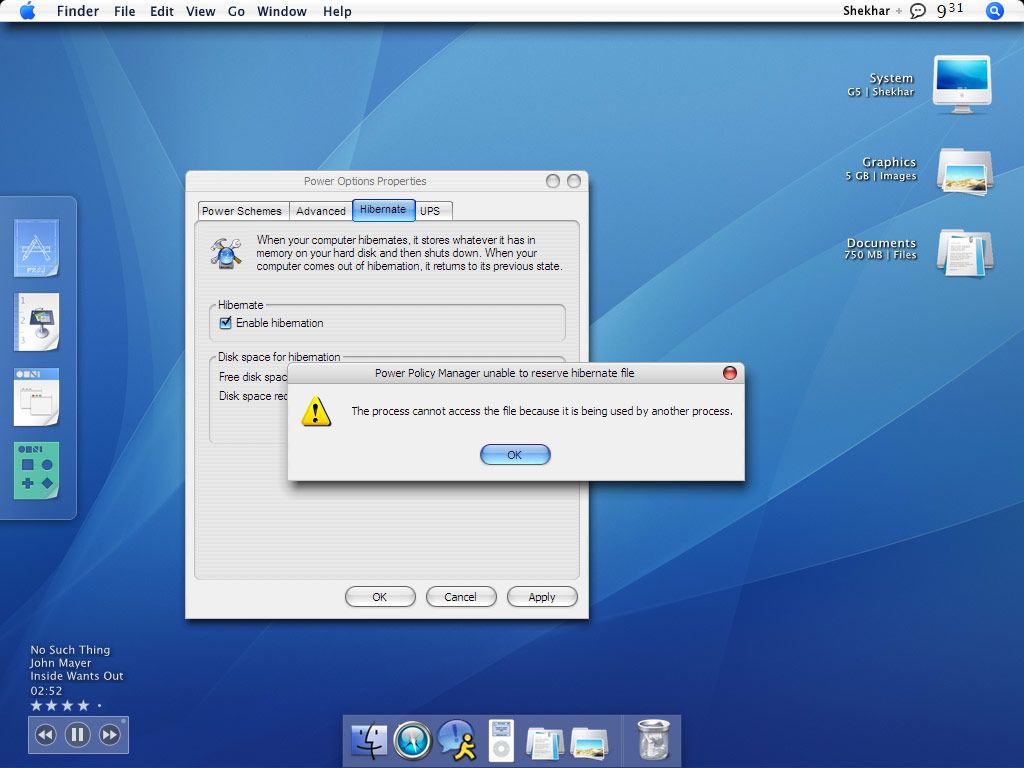
Power Policy Manager unable to reserve HYBERFIL.SYS

The process can't be accessed because it is used by another process.

Visually, see here:
powerprobthumb.jpg

Info: Windows XP Home Edition SP2, Everything is fully updated; NAV 2005, No virus, No spyware... My log file is also clean.

Guess: Hmm... any hardware stuff?

Help: ... What process using this? no GPEDIT.MSC in Windows XP Home Edition :roll: :roll: :cry: ... Do I need to enable/disable any Service ...

anyone knows reason for this warning??

#278047

It would seem that the file is being used by more than one process - check what other TSRs you have running and if any of them has reasons to accesss hyberfil.sys. That would seem to me the only plausible reason for this error.

Here is one solution you could try :

Boot to DOS and go to the root folder of the boot drive and delete hyberfil.sys.

It will be a hidden file so you will need to use the Attrib function to un-hide it. That should allow Windows to boot normally then go into Power Options and disable hibernation.

Btw, some antivirus scanners like NOD32 seem to have problems with this file too, I am told ;)

#278078

thnx...

:confused: :confused:

last night I discovered tht there's no HYBERFIL.SYS in my main drive!!

thnx for this solution, but problem is that that there's no HYBERFIL.SYS in my main drive!!... when after installation I tried to enable Hybernation for the first I get this warning... I'm really not able to figure out what could be the process using this non-existing file!!!

I've searched 99.9% of the web for this problem.. nothing working... and I seriously hate it when this kinda thing happens... I think I'm gonna reinstall again... 'coz runnin' a book without hybernaation... :cry: :cry:

#278213