 Aqua-Soft Forums
Can somebody tell me how can I make explorer look like this when I open My Computer? With that left panel?
Thanks!
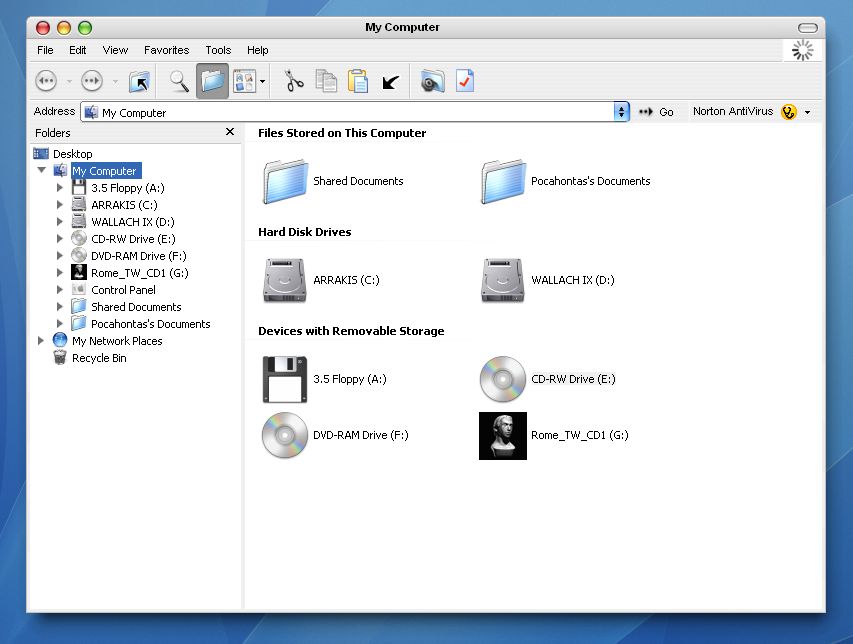
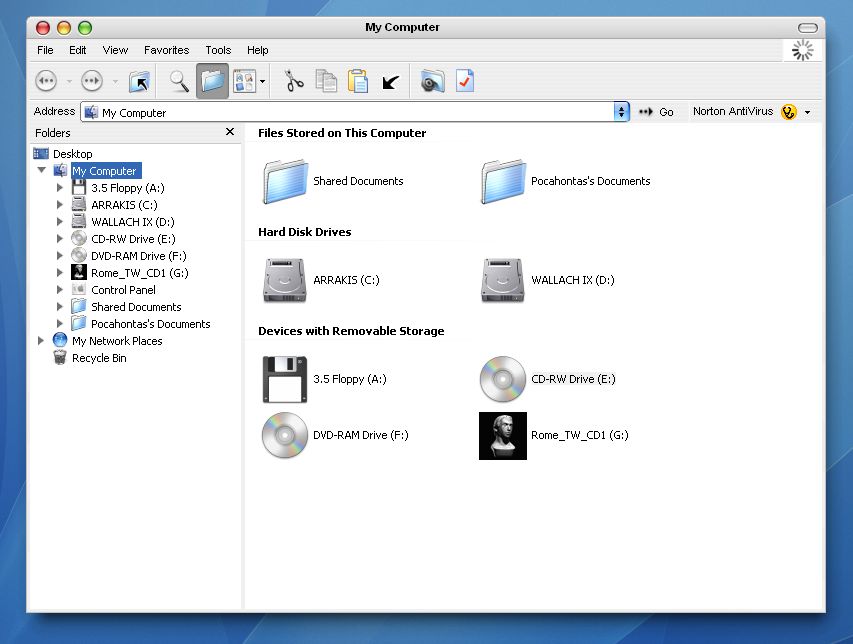
Can somebody tell me how can I make explorer look like this when I open My Computer? With that left panel?
Thanks!
i think, if you link to a shortcut to "my computer" that might work
edit: darn it dosen't work still experimenting
edit again: got it! go to view > explorer bar and > check folders. try that
Yes, this is how I have obtained this! What I'm asking is what to do to achieve that by default, when I click on my computer? I think I have to modify target in explorer shortcut, but I don't know how.
me neither. i didn't know that it woulden't stay that way. sorry.
there is a trick to set the default to "Explore" instead of "Open." that's what you need to look for (it's a registry thing i think)
make a shortcut like so:
%windir%explorer.exe /n,/e,C:
/n = new window
/e = explorer like
C: = where you want your window to start from.
Thank you, that's the idea, but I don't want to start in C:, I want to start in My Computer.
Do this:
1. Double-click on My Computer.
2. Go to Tools, Folder Options, then File Types.
3. Find the file type of FOLDER with extension of (NONE).
4. Click Advanced, Explore, then Set Default.
Do this:1. Double-click on My Computer.
2. Go to Tools, Folder Options, then File Types.
3. Find the file type of FOLDER with extension of (NONE).
4. Click Advanced, Explore, then Set Default.
Thanks, i had the exact opposite problem. It always loaded in folders and whenever i closed the sidebar, the links would open in a new window
An alternative would be to use this command line:
::{20D04FE0-3AEA-1069-A2D8-08002B30309D} explorer
It works with Rklauncher 
An alternative would be to use this command line:::{20D04FE0-3AEA-1069-A2D8-08002B30309D} explorer
It works with Rklauncher
No, the left panel is still missing. 
In fact I had the same command line, except that "explorer" at the end. With or without it, it makes no difference :slant:
Ok I installed RK and this is what I did:
First,
1. Double-click on My Computer.2. Go to Tools, Folder Options, then File Types.
3. Find the file type of FOLDER with extension of (NONE).
4. Click Advanced, Explore, then Set Default.
Next for the properties of Windows Explorer, on RK, I add
in the link line. The shortcut now opens fine in My Computer with the folders shown on the left side. I also tested out::{20D04FE0-3AEA-1069-A2D8-08002B30309D} explorer
without changing the default folder to explore and it didn't open My Computer with the folders on the left. My guess is you're going to have to do the first step for it to work.::{20D04FE0-3AEA-1069-A2D8-08002B30309D} explorer
Ok, thank you very much for your help!
I was a little bit reticent about that first step because I remember I did something like that once and I couldn't reverse it.
Maybe after that I will post something like A Coolie (see above). :slant:
But I will try it right now. Thank you again. 
Thanks! A real treat
