 Aqua-Soft Forums
[release]Big Icons (Adium X Port) for Miranda IM
ummm so, karma_police, any progress on that "white lines" bug? cos i m gettin it too..
its not caused by IEView 1.0.1.9 right? :slant:
I have no idea, I cant reproduce the bug and nobody sent me his Miranda folder.
I've tried every plugin combo and still it works perfect here. I have no idea where is the problem.
In Options | Message Session | IEView Plugin | Emoticons
check "Enable smiley replacement" and "Specify libary for each protocol" and then specify a icon library for each of the smiley categories. That fixed the freezing up problem for me. (I found this solution on the miranda-im.org message board). try it, and see if it helps.
nope its not that.. I've already tried all the recommended settings mentioned here n on the miranda forums
- enabled smileys
- enabled tabsrmm_icons
- disabled container pop-up
- show last 10 events
- activate external log
i thought it might be caused by some settings carried over by the previous mod i was using, pe8er's glossy milk miranda mod, but i cant fingure out which setting it might be :slant:
Template Updated again:
- Removed a lot of javascript
- Added a new color (blue/black)
- Now you can see the protocol after the nickname
- Other minor fixes
- Compatible ONLY with IEView 1.0.1.10
Again read the README 
Latest IEVIew: http://developer.berlios.de/project/showfi...release_id=5075
New color:

i like the newest release, but when i use it on the aim protocal it doesnt put an avatar for me, and it just leaves a red X. in the last version it replaced the X with a default avatar. can you do that again in this version?
Read the README
NOTE:
To display your avatar you have to:
a) Change the path on the ivt file, the default is c:/program files/miranda im/MSN/MSN avatar.png
because the latest MSN protocol plugin puts your avatar there everytime. I only use MSN so taht's why I
decided to do it that way.
BTW the latest MSN protocol plugin is here http://miranda-im.org/download/details.php...iewfile&id=1920
 Or just leave it that way and put an image called "MSN avatar.png" in that folder, you can convert your
avatar to PNG with any Image Editing software (even MS Paint).
good update but I have a problem does not update single avatar to me of the other people like towards before
So you get a red cross? could you please post the img tag you get? just right click over the message window and show source, thx.
BTW update your tabsrmm too, I have some problems with an old build and the new IEView.
http://hell.at.eu.org/forums/index.php/topic,455.0.html
And update your MSN protocol too, I dont think this is the problem but try 
http://www.miranda-im.org/download/details...iewfile&id=1920
So you get a red cross? could you please post the img tag you get? just right click over the message window and show source, thx.BTW update your tabsrmm too, I have some problems with an old build and the new IEView.
You definately will have troubles. IEView .10 introduced some API changes which I had to implement in tabSRMM.
So anything older than 0.9.9.9 will cause problems (and may even cause crashes in ieview).
The URL karma posted here is a thread where you can download an attached tabsrmm_unicode.dll - it's currently a unicode-only build, because i had to release that fast after the new IEView came out, so I didnt prepare a completely new archive (yet). However, icon packs from 0.9.9.8 are compatible (and all future versions will stay compatible with these icon packs).
Appreciate the work you put into this, thanks! A ****ie question, but how do I change the functionality icons in the messege windows?
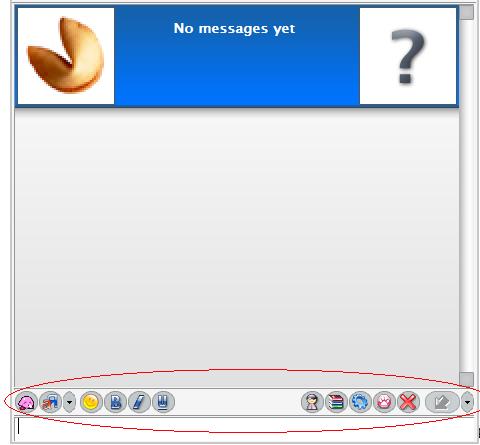

You cant change it.
Appreciate the work you put into this, thanks! A ****ie question, but how do I change the functionality icons in the messege windows?
There is no need to change them. It is possible to change the icons though, by using an icon pack.
Sorry fore being offtopic but...welcome to our community Nightwish, great to see you around  And thanks a ton for your hard work :)
I can't use the wheel of my mouse in the chat window with 1.2!
I have problem how put avatr my buddy in miranda and my fonts is to small how chcange his size in general optnions changing font size not work

To put your avatar read the README.
To change the font size you have to edit the main.css serach for #innerMsg and change the font-size property
I can't use the wheel of my mouse in the chat window with 1.2!
Most likely, you're hit by an old IE bug. Scrolling with the mouse doesn't always work, when the pointer is inside a < div > with overflow:auto property set. IE then thinks it has to scroll the contents of the div, even when there is nothing to scroll and no scrollbars visible.
I discovered that when working on a forum theme - doesn't happen always and in most cases, moving the pointer or just clicking anywhere in the window does help.
hey I updated tabsRMM but now my Bold/italic/Underline buttons have vanished. What happened?
dunno ask Shivan, he is the developer of tabsrmm hahaha j/k
Just those buttons or the whole toolbar?
BTW there´s a new version of IEView
just those buttons. It all feels so empty now....
I can see my buttons :S
This is a great work , thanks a lot , police
but why I can;t see the stauts bar in my chat window, seems pretty weird