 Aqua-Soft Forums
I really want to change or add the list in the taskpane of the explorer.
I know this had been discussed before and I did search in aqua-soft and google but find nothing.
is any one can help me out of this??
thanks:)
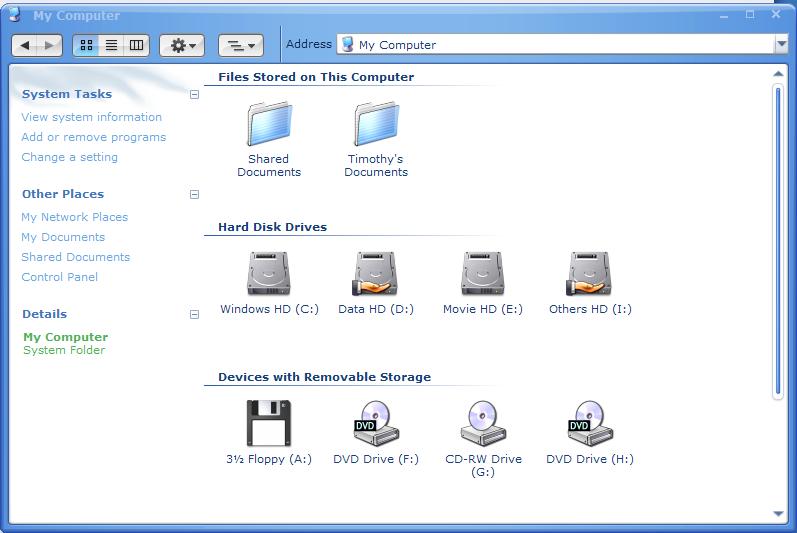
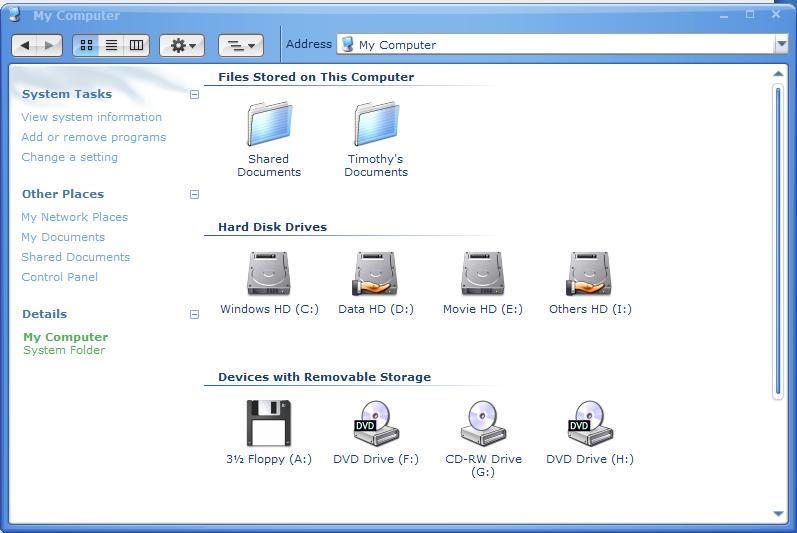
I really want to change or add the list in the taskpane of the explorer.
I know this had been discussed before and I did search in aqua-soft and google but find nothing.
is any one can help me out of this??
thanks:)
get reshacker and/or stylebuilder
open shellstyle.dll in the windows/resources/themes dir and look at something U.there you can modify colors and such.The bitmaps cabn also be easily replaced in reshacker.check the bitmaps.
check this site. http://de.geocities.com/webfactorx/
get reshacker and/or stylebuilderopen shellstyle.dll in the windows/resources/themes dir and look at something U.there you can modify colors and such.The bitmaps cabn also be easily replaced in reshacker.check the bitmaps.
check this site. http://de.geocities.com/webfactorx/
wow~~thanks:D
I got some hard work to do now......
the common tasks pane? reshack shellstyle.dll.
and read this: http://virtualplastic.net/html/wv_main.html#commontasks
the common tasks pane? reshack shellstyle.dll.and read this: http://virtualplastic.net/html/wv_main.html#commontasks
thanks a lot:cool:
wll i wanna know if there are a way to put the taskpanel at the right side, and when i use the treeview, the task bar didnt hide.
sorry very baad english....