Firefox Skin Problem ?!

When i install a Skin in to Firefox, it skins everything except the main title bar and the right hand corner buttons, i really cant get my head around it?! Ive re-installed firefox numerous times... but skin's still come up with a normal windows titlebar and right-hand buttons.

Any help would be GREATLY appriciated,

Techno Minds
#257653

As I know, firefox skins don't cover up the titlebar.

Btw, what skin are you trying to apply?

#257657

I am trying to use a safari skin, but it only makes the toolbar look like safari, my window still stays XP :@

#257662

Ofcourse it does. The Safari SAFARI skin by aquarius2003 (and hills mod -- safarifox ) are supposed to skin only the toolbar. The titlebar and window can be skinned using WindowBlinds and the Safari skin for the firefox.exe window. Search the forums this has been discussed a lot.

Here you can get the pack and the info: http://www.deviantart.com/deviation/8437801/

#257667

OK, i also thought this and read alot of stuff on the forum... but here is something that baffles me...

This website...

http://beverlyhills.web.infoseek.co.jp/top.html

... lets you download Firefox skins.... but they dont come with a WB of MSStyle to make-up for the titlebar ect... although in their screenshots they clearly do skin them...

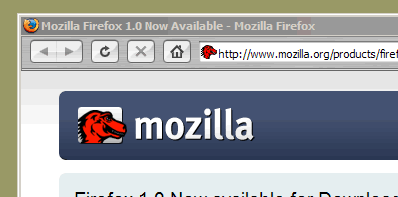
Attatched is what my Firefox looks like with a skin downloaded from there looks like... i think it might be my Firefox... but then ive installed 3 different versions all with the same result...

post-21449-1109175422_thumb.png

problem.gif
problem.gif

#257685

Yes BUT:

Quote from the website - http://beverlyhills.web.infoseek.co.jp/themes2.html

In order to reappear completely,

SAFARI.wba included in Pixelperfect 0.2 by aquarius2003

or

Bz safari by bzeitler is required.

Guess what WBA stands for? WindowBlinds Application...

Go to the link above and click on Default Safari (left) and read what it says. Also please look in that archive that you can get from the deviantART link I've posted above. Read 'em all :)

#257698

Thats for that skin ONLY, all other skin's come with 1 skin file......

#257759

Thats for that skin ONLY, all other skin's come with 1 skin file......

what are you talking about?

#257770

@technominds: i think the problem here is that you're confusing a firefox skin with a windows skin. any firefox skin you apply skins the application only. the titlebar is a windows 'frame' around the application. for the titlebar to change, you need to skin windows itself, either with windowblinds, stylexp, or preferably, a patched uxtheme.dll (google it, there's tons of ways to do it) file.

i hope this helps.

#257772

Actually the question is: do you have WindowBlinds? It is required, you know for what you are trying!

#258041

I do, i have managed to do it like normal brushed safari... but im more interested in the better looking ones on his site.... do i nee styleXP for those.?

#258083

^^ 3 methods of doing it :

1. Uxtheme patcher from Neowin

2. StyleXP

3. WindowBlinds

There's a step-by-step how-to here :

http://forum.deviantart.com/galleries/skins/203082/

Enjoy !!

#258096

windowblinds... he only gives 1 wba file on his entire site

style xp.... seems feesable.. but then I have to stop using windowblinds?

Uxtheme patcher... i havent heard of... any more detail?

#258097

ok forget that, i checked the link... and i understand all of that.... how do i get my PC to only skin firefox? (when using uxtheme patch)?

#258103

You cant if your using a uxtheme patch. Its only a feature of WindowBlinds

#258105

is it a bit too memory consuming to use the patch and windowblinds... or is it impossible?

#258124

I have run both together with no problems.

If you only want to use Windowblinds with Firefox then set Firefox in the only include these apps list.

There are some visual styles listed on the Safarifox site ->HERE<- if those are what you meant and they work well with the Safarifox themes and you won't need to use Windowblinds then, unless you want left sided buttons.

[Edit] If there is a certain skin you are wanting to use with Firefox then let us know which one and we can problably let you know where to find a matching Windowblinds skin or VS.

#258190

do you use styleXP or a patched theme file?

#258285

I use Style XP and the memory usage is about 500 K. I have also used Windowblinds in the past and it is only a little more memory intensive.

The reason I personally switched over to StyleXP was that I switched over to the SmoothStripes VS with right sided buttons. Using this VS in WindowBlinds or a ported Windowblinds version of this VS was going to provide me no distinct advantage over StyleXP. Hence, Style XP with Safarifox non-TBE mod for me.

Find what works for you and stick with it until you're bored. It may take some time to find that perfect combination of eye candy and aesthetic design with functionality though :D

#258289

For Visual Styles I use the patch.

At the moment I'm not using Visual Styles though but if I remember, if you want to use VS and WB together you have to apply the Visual Style by going into the theme folder (C:WindowsResourcesThems I think) and click on the theme file because you can't do it through display settings when WB is running.

#258290