[WIP-Msstyle] Aquereo

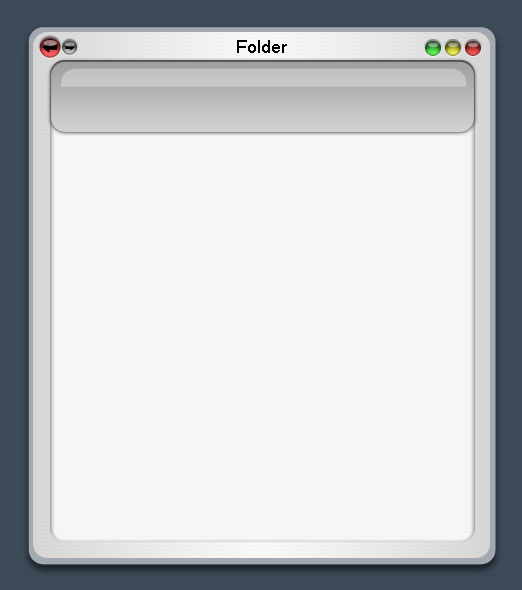
I've been wanting to make a VS for a long time, but I never had an idea. Just recently I was fooling around with Aqua elements in Aero and this was created. I like what I have so far. I will work more on the forward backward buttons. Don't really like them quite well.

I have a few questions I want answered while I am still designing it.

1. Is it possible to place the buttons [forward/backword/up...] on the same level as the folder name and minimize/maximize/exit buttons.

2. I have a thin transparent border around the window. I would love to do that, if I can't I can just put it as a darker grey and it will look ok. Can I simply do that in the shellstyle.dll?

These are the questions I have so far. If anyone who has experience editing the shellstyle.dll and knows how to do these things, I would love to give you credit and include it.

As always, I would love your feedback on the design so far. Be picky.

:D

post-20407-1104789254_thumb.jpg

mockup.jpg
mockup.jpg

#242711

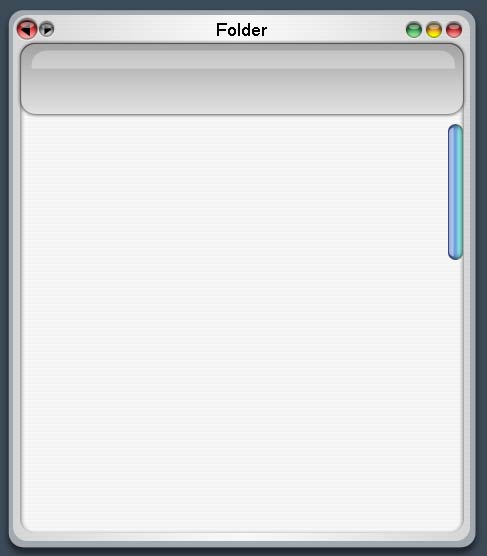
I changed the gradients for the buttons a bit. Messed with the colors and added a scrollbar. I also made the sides thinner, because I just noticed that It was quite large for a window.

post-20407-1104790977_thumb.jpg

mockup.jpg
mockup.jpg

#242720

Good work so far. 'Bout time someone got around to doing this. Now I won't have to! :P

Definitely like the lighter gradient in the task pane (?), to the left of the scrollbar.

#242721

Looks nice to me ...go with it!

#242758

Very interesting looking screenies. The new gradient for the buttons makes it look a bit blurred though. Well, you've done good just by mixing Aqua and Aero without it looking like vomit :).

Looking forward to this release!

-NC

#242761

err why is it the sae name as my icons >_

#242764

Here is a small update. Didn't really do much. I will now try and mess with the shellstyle.dll and see what I can do with it.

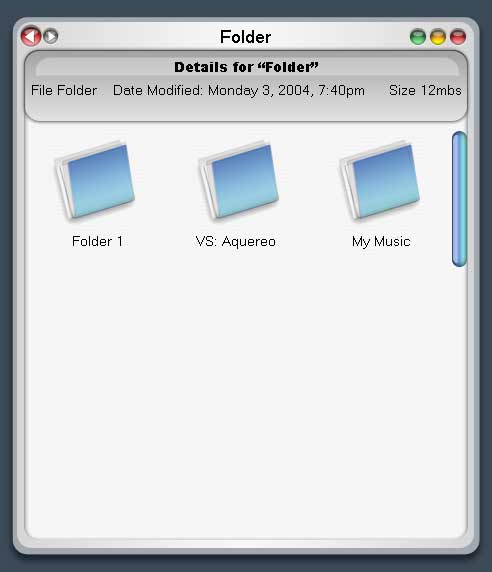
This was just tweaking, added some icons and what I want it to display on the top grey part. I never use the other buttons ("folder and file tasks", "other places"), but "details" would be more useful there.

Icons by sketching

@pwnzrzpat - if its released somewhere, I'd be more then happy to change it to something else once its released.

@nightcrawler1089 - what do you mean by blurred? Could it be the compression of the jpg, because I felt that the newer gradients gave it more of a mac look.

@sketching and bh2 - thanks.

post-20407-1104803393_thumb.jpg

mockup.jpg
mockup.jpg

#242787

looks good to me. My visual style folder just keeps getting bigger!

#242788

I'll be thinking about a new name. BTW nice icons. :Dd

#242793

I was messing around with some ideas.

This design is more workable then the last. The last would be harder, mainly because of the buttons of in the toolbar. So I desided to redesign it, and I kind of got carried away and redesigned it. What do you think?

What do you like better, what don't you like..etc. I will probably have many differnet versions before I pick a final to create, that way I export all the options.

mockup2sv.jpg

Again, I used the folder made by sketching (top left corner) I just love those folders.

The previous version. Messed with the colors and uploaded a full quality image.

mockupaquero9ao.jpg

#242814

like the second one A LOT more.

#242839

I like both; but maybe the second one a bit more :-)

This looks great!

#242895

I'm having some trouble with stylebuilder. I can't seem to make the borders more then a couple of pixels. I want it to be 21 pixels wide, but I can not figure out how to change that. Anyone know how to do this?

#242963

i like the 2nd one better, but something about the min-max-close buttons on the first, i do like....

#242977

I really like the _ [] X buttons on the first one, but it doesn't look that good there. I'm going to play around a bit and see what happens.

mockupaquero4th.jpg

I made a selected and unselected one. I change the "unavailable state" to be darker then normal. Selected will be lighter. I made the horizontal lines darker so they are easier to see.

I'm not sure if I can darken the scroll bar like that, because I've never seen an unselected one look different then a selected one.

More Photoshop playing for me...

#242984

i`d lose the strpes

tottaly :/

#242991

fianlly a way to combine the two previously uncombineable themes! This is genius!

#242993

WOW!!! I am totally impressed!! I also think you should stick with the glyphs that had the symbols in them to make it truly a combo theme.

#242996

Style is great but the things that you show here are impossible to do with msstyles :(

#242998

You can if you get all the apps together. I don't know how difficult it'd be to create the shellstyle (at least I'm assuming it'd be a shell style.)

#242999

Thats why I have you guys, to tell me whats impossible. :P

I think that all can be done, except for the borders. I'm having a problem with them right now. I can get rid of the file menu with that dll that stefanka made [i think he made it]. The buttons with Y's toolbar. Shadow with Y's shadow. I don't know about the scrollbar changing colors or not. Doubt I can do that one, but we will see. I'm gonna try and churn one more design before I call it a night.

It will be a Shellstyle. I'm going to use the LHA skin and Stefanka's Inspirat part 2 as references, because this is the first shellstyle I ever modified.

#243017

I don't know about the scrollbar changing colors or not. Doubt I can do that one, but we will see. I'm gonna try and churn one more design before I call it a night.
the way the default MSStyles are layed out.

there are only 4 states for the scrollbars.

Normal, Mouseover, MouseDown, Disabled.

#243046

mockupaquero0yq.jpg

Last for the night. I took out the stripes and worked on the _ [] X buttons. I came up with some interesting ideas. Here is one that I like. Not sure if its really possibe. I'll check it out tommorrow.

BTW!! Thanks for all the support. I will try not to let you guys down.

#243067

Not impossible with AveShell. :D

If I may, I'd like permission to do a proof-of-concept using your images. I'll need the .psd's -- reconstructing the image will be a pain.

#243164