[release] how to put the avatars in the chat windows with trillian

Hi all!

With the recent release of trillian 3.0, more and more people may want to give it a try!

Personally, it took me a while to understand how to put avatars in the chat windows even after reading the instructions which come with Danimator skin.

So to make life easier, I've decided to write some instructions on how to do.

i hope it will help you.

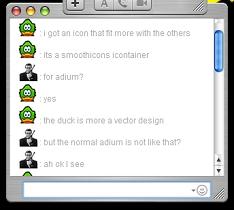
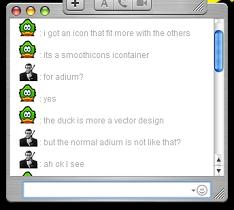
If everything works good for U, you should see something like on the following picture...

Enjoy!!

screenshot-23802.jpg

Unfortunately, i ve just realized that I cannot upload it since it is a .rar file and not a .zip file. So if anybody is interested , please post here.

If someone can convert it in zip file also that would be great

Peace
post-19138-1103741665_thumb.jpg

trillian1_small.JPG
trillian1_small.JPG

#239501

i can convert it i think.

and yes, i could never get what dan was talking about in those instructions. i even emailed him once with no responce.

#239509

Oh happy to see that you can convert them and also happy to see that my instructions may help you! I'll email them to you! can you pm me your email adress?

#239511

I'll email them to you! can you pm me your email adress?

View his profile!!!! :P

#239517

Haha yes I thought about that, but unfortunately you cannot attach files if you send emails using the board!!

#239525

that was only on ipb. this vbulletin is les secure for peoples' emails. it actually shows you the address. oh and i can provide hosting for it if you don't want it to be converted. i'll aim message you.

EDIT: you're not online... im me if you want me to host it.

EDIT2: my aim address is cybrian1 btw.

#239544

yeah :)

i'm waiting for it :)

#239582

Ok, first I would like to thank all of you who proposed to help me to host my instructions, i really appreciate!

I managed to convert them to a .zip format since the site didn't let me attach a .rar file.

So here it is .

I hope it will help you. If anything is unclear, or if you need any help, don't hesitate to post here, I will try to do my best to help you.

A last thing, on the instructions file, I say "Put the file in stixe/plugin/emoticonset..."

This corresponds to the emoticon set you're using. So if you're using the Ultimate emoticon set, it will be in your Ultimate folder, if you use the "whatever name" Emoticon set in will be in the "whatever" folder.

Last thing, i hope you'll be indulgent with my grammatical mistakes, since english is not my mother tongue.

Trillian mod3.zip

Attachment: Trillian mod3.zip

#239604