 Aqua-Soft Forums
How do I do it? What line of code would I insert and where...
I know you can because the default widget does it, but how 
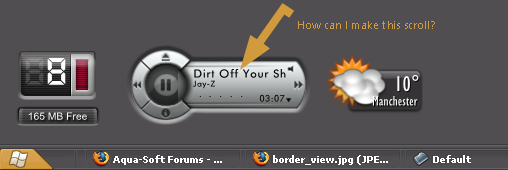
How do I do it? What line of code would I insert and where...
I know you can because the default widget does it, but how
You gotta ask the guy that made the skin for this widget. Scrolling is someone enabled/disabled by the skin.
The guy who make the skin isn't very responsive it seems, unfortunately...
Is there a specific line of code I can look for to enable tihs, or where I should I insert it in the .ini files?
so sorry for not being "responsive" enough. I dont live behind my computer screen though... I have a real life. Next time you could try to be a bit more patient... that being said...
The reason the widget does not scroll text is because it is using the "extrainfopanes" instead of the infopane. Extrainfo panes can not scroll. If you wish to have scrolling text you will need to set extrainfopanes to "0" and then insert the code snippet for where to show the infopane.
heres a sample bit of code...
[infoPane]
Left=8
Top=18
Width=120
Height=12
good luck
let me know if you need more help figuring it out.
Thanks for that info BZ, I have been wondering about that myself for a while.
I honestly did not mean to come across rude or anything Sorry.
If I insert this code, will my drawer thingy stop working? Will I lose any functionality, i'm kind of new(ish) to this thing.
No problems  You drawer should still work fine.. You can insert the code anywhere.. I will take a look at the skin later and give you some tips on how exactly it should read.
Guess i'll be waiting for your overview, since I can't find extrainfopanes property anywhere.
Thanks for the help! 