Replace the memory stick icon in my VAIO

I searched the forum, but no relative thread here.

So, just think the VAIO users here may be interested.

I got to replace the default memory stick in my computer of the VAIO pc to a more decent one.

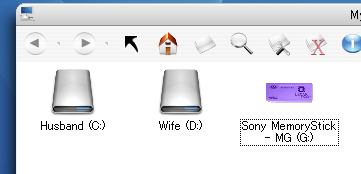
Here is the screenshot.

the original

the replaced one.

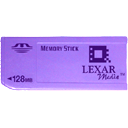
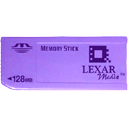
Here is the png file

It is the snymsico.dll in the C:/windows folder. just replace the icon group 1 and 2.

And u even can change the label with regedit,

HKEY_LOCAL_MACHINESOFTWAREMicrosoftWindowsCurr entVersionExplorerAutoplayHandlersDeviceGroups MemoryStick

Here is the replaced snymsico.dll

Download here.

http://proxy.ymdb.yahoofs.jp/users/183e551...cOzqwBB0AsrPA8a

post-2044-1098014165_thumb.png

post-66-1098014165_thumb.png

post-66-1098014166.png

original.png
original.png
SS101716203134.png
SS101716203134.png
Memory Stick (MS).png

#221575

Thanks for the info, this will help out a lot...

#226276

I've been wanting to do this - thanks!

#226322

Thanks a lot, i was trying how to do that.

Perhaps, the link you give us doesn´t work.

I find this one, you may register, but it is the only you have to do...

http://www.1src.com/freeware/download.php?id=1251

Cheers

#365163

I found a couple more Sony icons at

http://webgraph.com/icons/index_pc.php

includes the magic gate logo, memory stick, and magicgate memory stick icons

#432441

Merhabalar ,

Aynı sorun bizde de vardı.Çözüm olarak şunu önerebiliriz.

Ekteki zipli dosya içerisinden snymsico.dll adlı dosyayı,

C:Windows dizini altına kopyalayıp bilgisayarı restart etmek yeterlidir.

Register'daki ayarlarda değişiklik yapmaya gerek yoktur.

Artık bir teşekkürü çok görmezsiniz değil mi ?

Çözüm tarihi : 08:58 31.07.2008

Eğer dosyayı indirmede problem yaşıyorsanız, farklı paylaşım sitesinden indirebilirsiniz

http://www.2shared.com/file/3682064/717267...Stick-icon.html

http://www.2shared.com/file/3682064/717267...Stick-icon.html

sony-Memory-Stick-icon.zip

Attachment: sony-Memory-Stick-icon.zip

#506391

rampaci arkadaşım candan teşekkür ederim çok aradım ve burda buldum gerçi bu yabancı sitede ne aradığınıda merak etmedim değil ve türkçe yazmışsın tekrar teşekkür ederim

#506395

As an English translation, Rampaci proposed to download the attached file (snymsico.dll) and copy it under C:Windows (%systemroot%) folder. Then restart. Icon will be fixed automatically.

http://www.2shared.com/file/3682064/717267...Stick-icon.html

#506408