 Aqua-Soft Forums
Could someone enlight me about how to replace the ugly icon of the default sony memorystick which is in the MY COMPUTER of my VAIO Laptop?
See here.
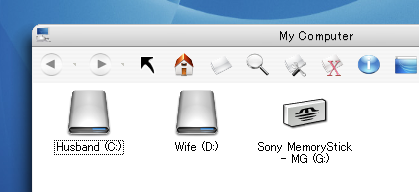

Could someone enlight me about how to replace the ugly icon of the default sony memorystick which is in the MY COMPUTER of my VAIO Laptop?
See here.
you could probably change it with iconpackager, just give it a try
I just want to know which file, for example, *dll, I should replace?
I am sure this icon is not in the shell32.dll. I have already checked all icons in shell32.
So could I get some direction for this?
Someone using the VAIO help me?
Well, it makes two of us then. I am using Vaio PCG-Z1XSP and I have been looking for the .dll file too. I will let you know if I find it. And no, I haven't had any success with Iconpackager.
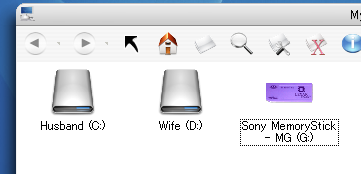
I got it done.
Here is the screenshot.
It is the snymsico.dll in the C:/windows folder. just replace the icon group 1 and 2.
And u even can change the label with regedit,
HKEY_LOCAL_MACHINESOFTWAREMicrosoftWindowsCurrentVersionExplorerAutoplayHandlers
DeviceGroupsMemoryStick
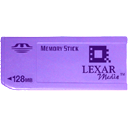
Here is the icon if you like.

Perfect. I got it to work too now. Thanks...