 Aqua-Soft Forums
I had an idea before about moving/resizing windows without grabbing the windowframe (titlebar or borders). I thought it would be a really nice software that is so simple and i was wondering why didn't others already make it.
A few years ago i realized it's a built-in feature in the X-Window System: You are able to move/resize windows with Alt+mousebutton. You don't have to find the few-pixel-wide windowborder but you only have to push Alt and click a mousebutton anywhere in a window and move or resize it.
One year ago i found Markus Rollmann from codeproject.com. He made a simple example that is able to do this feature on Windows. It was a really nice piece of software and i decided to use his source code and continue this project because my original idea was stay with the mouse: it's unnecessary to go back to the keyboard and use Alt+Click instead of Click+Click. This way you don't have to find Alt with your other hand.
But I got to know a swedish guy a few weeks ago, Andreas Eliasson who made the freeware software: WinMover. It's completely different he didn't know about the codeproject example. The configuration is xml-based and it's a really simple, clean and magnificent software. It simply rocks. So I sent him my bugreports and he was really kind and updated his software very soon.
Now his software is capable of using only the mouse to move/resize windows by grabbing them anywhere!
If you have a 3 or 5 button mouse you can use the 3rd button or 4th, 5th button instead of Alt BUT you may also use it if you have only a two-button mouse. You only have to set left button as the modifierkey and rightbutton as the key for WinMover to move windows.
If you configured it this way (left + right mousebutton) then you only have to press and hold down left mousebutton anywhere in a window then press and hold down right mousebutton and move your mouse. That's it. It simply works. You release your mousebuttons and your windows is in its new place.
Other features:
- Works with MDI-windows
- Close, maximize and minimize any window with your mouse
- Send a window to the back
- Snap windows to the borders of the screen
- Per user customization
- Small and efficient
- Multimonitor support
Planned features:
- Exclusion system
- Box option (don't show window contents while dragging)
Download Full version without installer for Win2k or later: WinMover.zip [91 kB]
Download Full Setup for any Windows versions: WinMoverSetup.exe [1.27 MB]
Download Full Setup for Win2k or later: WinMoverSetupWin2k.exe [512 kB]
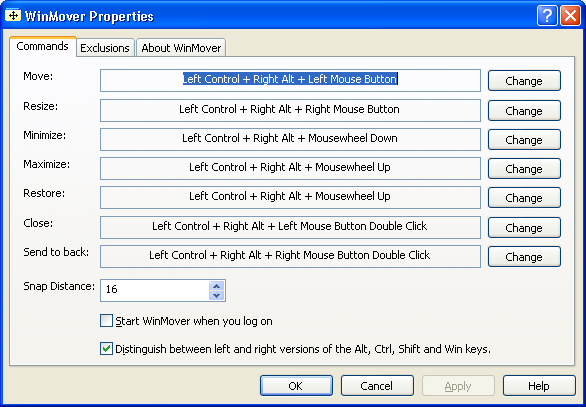
Config dialog:
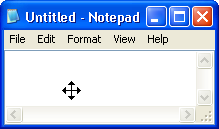
Moving a window:
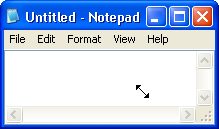
Resizing a window:
Why use it?The standard windows title bar is 18 pixels high. That means that to move a 800 x 800 pixels big window you have to hit a rectangle of 18 x 800. With WinMover you have the whole 800 x 800 square to hit, which is about 45 times bigger.
It gets even worse when you try to resize the window. To resize a window in two directions, you have to hit a area of 4 x 40. With WinMover, you have a area of 160 000 square pixels to hit, which is a thousand times bigger! One way is easier.

