 Aqua-Soft Forums
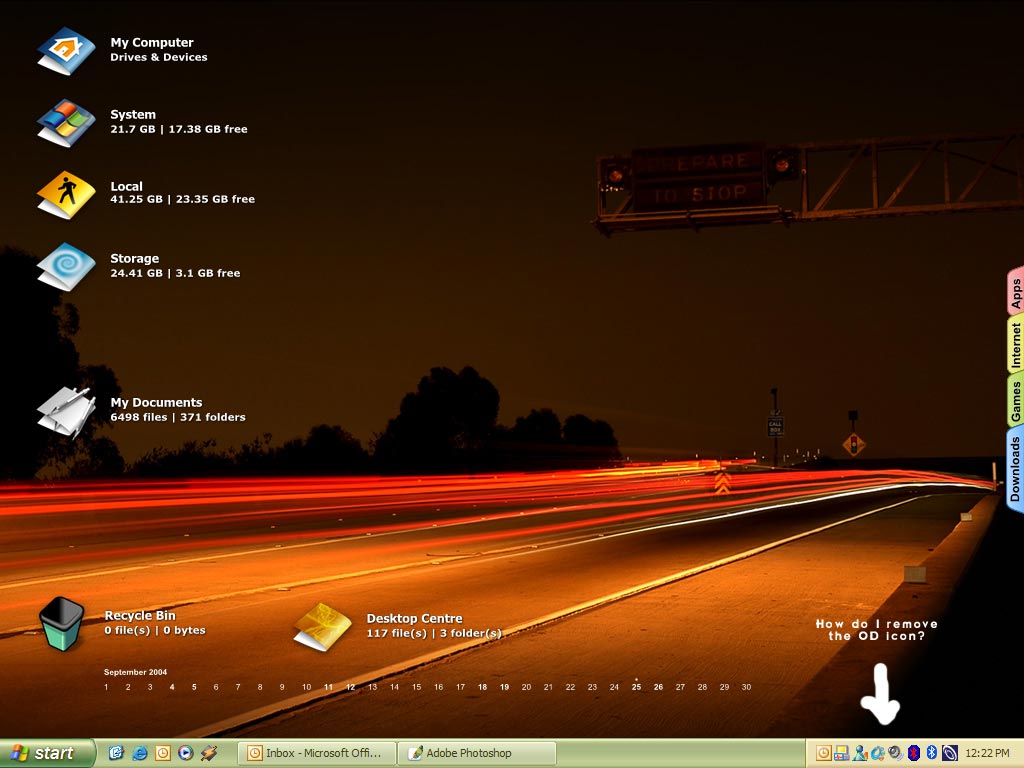
Sorry if this has been asked before but does anyone know how to remove the object dock icon from the taskbar?
Remove Od Plus Taskbar Icon

no way 
The only easy(ish) way is to regedit the file and change the icon for something more pleasurable. Failing that just right click - properties and select the icon to be hidden all the time.
Originally posted by Panther@Sep 25 2004, 04:36 AMno way
<{POST_SNAPBACK}>
If you use WinXP you rightclick on the taskbar, select Proprieties (?) (I've got the french version), personalize, you select Objectdock and choose "always hide". I choose to hide this taskbar :-)
I'm also trying to find a way to hide it... ObjectDock+ puts an icon of itself in the System Tray tab of the dock... wish it could be removed somehow