Aqua-Soft Forums
I was wondering if anybody with some skill (meaning anybody other than myself) in making .pngs could make .png files of a blue, green, and red lightsaber preferably 128x128 size.
thanks,
buddyd
I was wondering if anybody with some skill (meaning anybody other than myself) in making .pngs could make .png files of a blue, green, and red lightsaber preferably 128x128 size.
thanks,
buddyd
Not that skilled, but here's my try. 

Download @ deviantart:
http://www.deviantart.com/view/10847169/
Edit: The .rar contains 3 png's, green, yellow and red.
these look great but I was kinda lookin for something a liitle more realife looking.
You can make them yourself easily enough -
http://www.theforce.net/theater/postproduc...tutorials.shtml
http://www.bluesfear.com/tutorials/Lightsaber.htm
Enjoy a couple of good tutorials, worth the read.
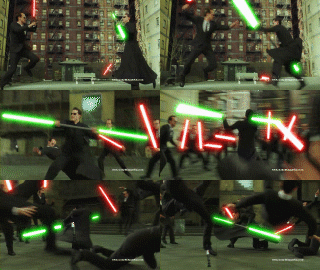
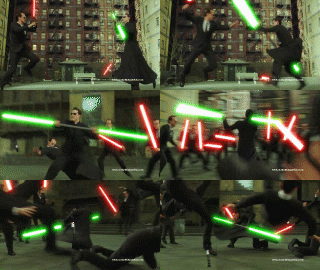
Included an example of what was made with the technique.
Originally posted by Septimus@Sep 23 2004, 08:52 PMYou can make them yourself easily enough -
http://www.theforce.net/theater/postproduc...tutorials.shtml
http://www.bluesfear.com/tutorials/Lightsaber.htm
Enjoy a couple of good tutorials, worth the read.
Included an example of what was made with the technique.
<{POST_SNAPBACK}>
Offtopic, I know, but that bottom image rocks :woot: 
Where did you get it from? I would love to see if there were any more 
what do yall think
Thats pretty sweet 
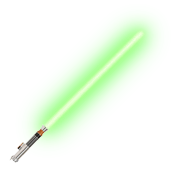
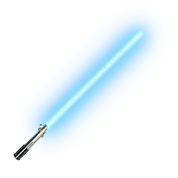
Here's Luke's (blue and green), Vader's, and Mace Windu's lightsaber.




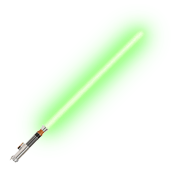
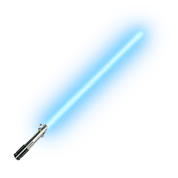

the glow is too fake. it should be bright. also make the center whiter and brighter and more glowing.
here is a quick mock-up of a lightsabre
notice how the glow can change depending on the background. here it looks very good on the dark but not so noticeable on white. this is where transparency does its work. both sides are the same image. but with image of color other than very light ones, the light saber will show similar the the right image:
right click and save this png:
i did this with outer glow, inner glow, and gaussian blur. if you want i can post my psd file

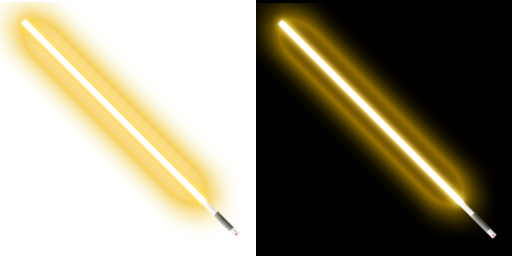

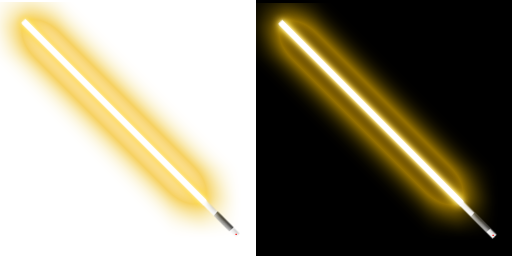
Must admit I prefer crimsonzeek's version... the inner glowing white is too 'solid' with your version.
Though good job to both.
thanks crimsonzeek they look awesome
No problem
Here is a test of getting the light saber glow in Photoshop.
This is a brief description of the online movie posted earlier...
Make 1 layer (Mode=screen and select Black neutral
background) and use the line tool to draw
the saber. Then add Gaussian blur at 1.0
pixel. Duplicate this layer 3 times.
Edit each new layer like this... first one
Gaussian blur at 30px then 20px and then
10px.
Then flatten layers and adjust color
balance and highlights to get the glow.
As you can see in my prevoius post, it works pretty good.
yeah I tried that method out but the only problem with it is once you try and put in on a transparent background you lose the coloring.
that is because with screen if there is no background there is nothing to screen on so it doesn't appear