Aqua-Soft Forums
Hi guys and of course girls, too.
Many people want that Quicktime(Win) looks like the OSX one.
Maybe this can inspire/help in doing it.
We all know that Apple compressed that file with some strange algo.
So ResHack isn't able to read it right.
Well, here my suggestion:
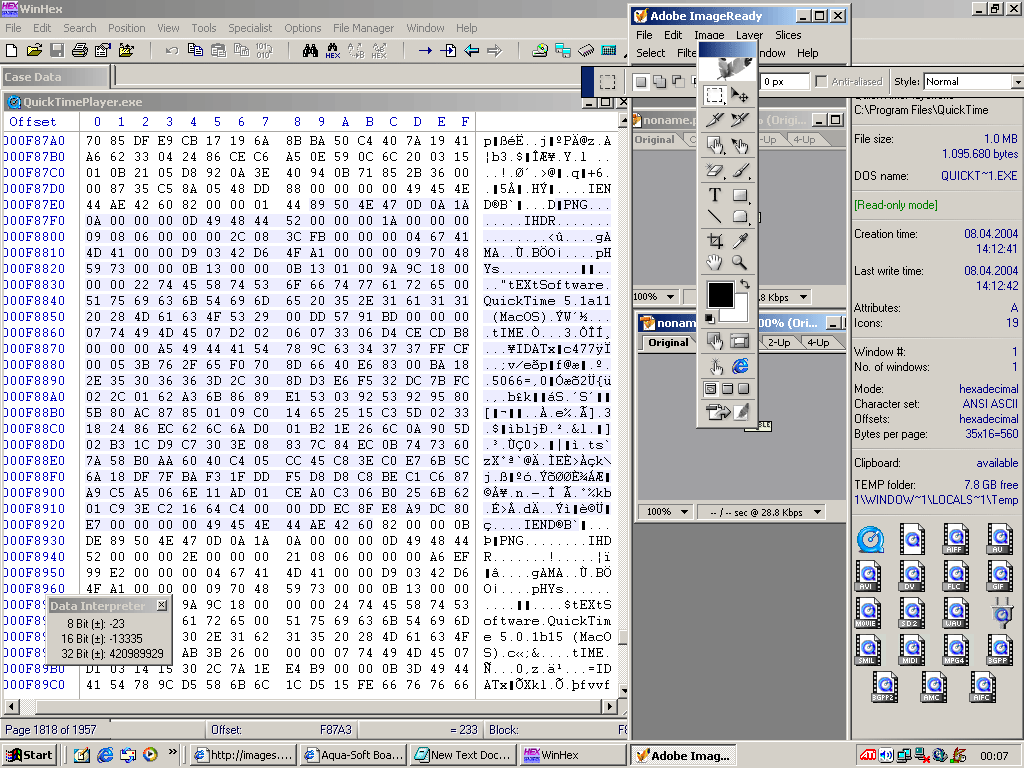
When you open QuickTimePlayer.exe in a HexEditor like XVI32 or WinHex
you can see a lot of Hex Characters.
Now it's time to find the PNG files.
They have the HEADER
Hex: "89504E470D0A1A0A0000000D49484452"
And the FOOTER
Hex: "0000000049454E44AE4260"
So just search for the Header in your favorite HexEditor, mark the data till the footer and export it to a file.
e.g. blabla.png Edit it in your favorite graphics program and save the file.
So it's simple to extract.
All what is between Header and Footer is the PNG Data. This will be the modified chunk.
On the attached image you can see 2 extracted images from the QuickTimePlayer.exe in the Adobe ImageReady Window.
But how to insert the modified PNGs?
Well, in this method the modified PNG must have the same length (size of data chunks).
Just search for the offset you copied the old chunk and insert the new one.
Done (If there aren't any checksums in the Quicktimeplayer.exe).
I'm not an expert, just programmed before sum Nokia mobiles (like editing the menu and the anis, with this method) and had an idea.
Hope it can help you guys in making a QuickTimeSkin.
Greetingz
[enzo]