Aqua-Soft Forums
People with Firefox, IT WILL NOT WORK! Just load Internet Explorer, right-click save as, and extract to your eMule Folder. It's been said already, but it needs to be said again.
By the way, excellent theme!
People with Firefox, IT WILL NOT WORK! Just load Internet Explorer, right-click save as, and extract to your eMule Folder. It's been said already, but it needs to be said again.
By the way, excellent theme!
Hi!Is it working with the very last version of eMule?
not support emulev0.44d-MorphXTv5.8 version 
odd...why cant I get it to change the toolbar buttons?
Sigh... just upgraded my eMule. Can't wait for you to complete an updated skin for 0.44d!!!
I downloaded the latest emule and there is no skin selector.
Made the folder and inserted the skin and still none (*is new to emule*)
@amnesia: Make sure your folder structure is the same as this: "eMuleSkinsTiger.eMuleSkin". Whithin the Tiger.eMuleSkin you should find two files and one folder. Files: Tiger.eMuleSkin.ini and eMule2.png. The folder within Tiger.eMuleSkin should be called "Tiger" and should contain all the .ico files used by the skin.
I need a Toolbar bitmap (*.eMuleToolbar.kad02...). It is not included in the skin.
moving everything to the folder is fine, but in the latest eMule release there is no skin selector.
Right click the toolbar boy 
right clicking shows me this (look at attachment)
(*doesn't like being called boy*)
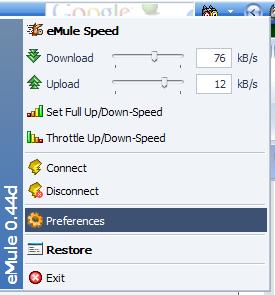
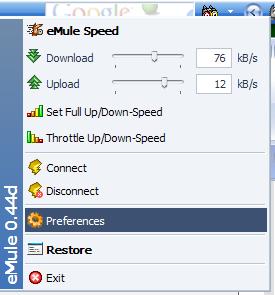
here is the prefrences.I must be missing something.
ahh! You meant right click on an empty space of the emule menu itself. I see.
Well I set it up, Changed about two icons and the rest looked pixelated.
Anything that takes too much effort is not worth it.
Although this is a nice skin.
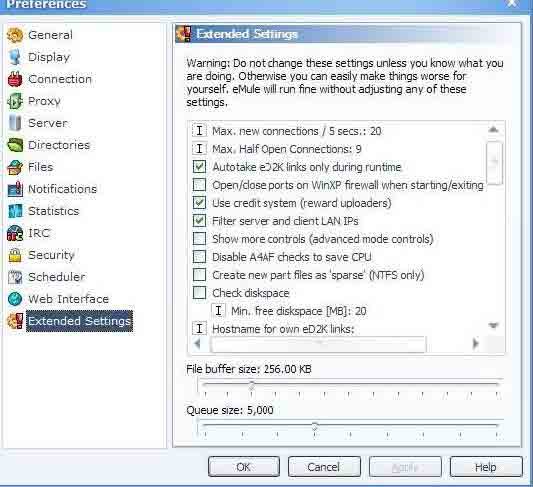

Right click toolbar in emule - you can even click one of icons there: connect/kad/servers/transfer etc. - right click this area and the menu i showed you in my post above will show up. Sir 
updated post above.
edit: and I just noticed Pe8er asked the same question *sighs* I cant believe I missed it. Still, the skin doesn't apply properly for me.... screw it.
I was wondering...until which version is it working?
What version do you have Pe8er?
i dont want to upgrade if I am not sure about the outcome...
Thank you
It doesn't seem to work on 0.44d.
I still have v0.44b and it works here. Maybe they've changed something in next versions :slant:
incredible skin! Thank you
I can confirm that this doesn't work with the latest 0.44d.
I tweaked it a bit and it runs perfectly for me on 0.44d. I could upload it here if un_titled won't mind.....
Please do Pe8er. I love the skin with a serious passion for one of my favorite applications!
If not, please send it: gnomexp@gmail.com
Many thanks.
@ carbonfiberOnly for you
But i find the dialup connection icon fit vastly better as original icon.
Hi, where can i get this icon?
Regarding the version, excomax, a friend of mine, only changed the *.ini a little bit, and it works fine 
get it from the attachment
industrie13