 Aqua-Soft Forums
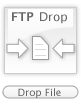
Im not sure if one was doen already but i made my own, as a part of my Milk desktop, and Ive decided to share it.
Here goes:
Instructions to install are in the zip.
Download: Milk FTP Drop
Enjoy
-Darrell
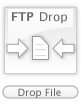
Im not sure if one was doen already but i made my own, as a part of my Milk desktop, and Ive decided to share it.
Here goes:
Instructions to install are in the zip.
Download: Milk FTP Drop
Enjoy
-Darrell
Very cool, but may I suggest you make a skin out of it? The latest update of FTP drop supports skins: http://www.aqua-soft.org/board/index.php?showtopic=21014 .
Creating a skin is very easy, you only have to add a skin.ini with some properties (width,height, progressbar placement) for the skin in it. Take a look at the skin.ini in this zips skins\default\ folder. 
Ill try it, Im new to your app so i never new that existed. Just wanted to make it milk-like
thank you for not being one of the AveTunes crackheads.
great addition to ANOTHER AveDesk item.
The best skin for the FTP desklet, hope that you will update it to the new version.
thanks a lot.
/aviel
I'll definitely be switching to this skin. Sweet job! I look forward to the next release.  (Y)
(Y)
Thank you, I tried to make my own, but I sux.....
Very nice work, keep doing other FTP skin....
Yeah, this i'll use. But i'll wait untill you make it a skin.
Im really not too good at scripting in any way,if someone knows how to do it then feel free to do so, those png files are actually Fireworks png files so all the layers are still intact, if anyone is up to do it then feel free to, just throw my name in there as the designer/creator is all i ask.
-Darrell
Just save this in a file called skin.ini in the same folder as the images.
[Info]
Name=Milk FTP Drop
Author=Dp2kthree
Comments=You may use this skin as you wish as long as you label me as the creator. All original milk theme credit goes to the respective milk theme creators...

; without this, FTP droplet won't reconize this skin!
Type=FTP

[Bg]
Width=81
Height=108

[Images]
Normal=normal.png
Transfer=transfer.png
Uploading=uploading.png
Error=error.png

[ProgressBar]
Image=progress.png
Left=12
Top=150
Width=169
Height=27
; 0 = left to right
; 1 = right to left
; 2 = top to bottom
; 3 = bottom to top
Direction=0
Oh wow didnt know it was that easy, thanx...
Ok just redownload from the link above and you should be all set, just place the milk ftp drop folder in the ftp folder of avedesk
how do i apply skins to the ftp drop box? can't find it anywhere.
does ftp drop support SFTP?
Was this new version of ftp drop included in the latest AveDesk release? Because that link is dead so i'm wonderin...