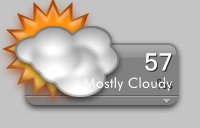
[release] Systats Weather Mod

Originally posted by Tadis@Aug 9 2004, 01:00 PM

@Judge

OK, so is there anyway of changing this directly through SysStats at the mo? ie. without referencing Avedesk.

I haven't found a SysStats activeX object that I use in vbscript via createobject but is there a way?

<{POST_SNAPBACK}>

try this inside your SysStats script:

     if SysStatsModel.ConfigFile = "small_weather.ini" then
      SysStatsModel.ConfigFile = "medium_weather.ini"
      SysStatsModel.Load
      Exit Sub 'Leave script ASAP?
    elseif ...

don't know if that works cause still having problems on 2000...

#200415

just wanted to share this humble _bug_ i have found.

fog.jpg

respect.

aniba!

#200750

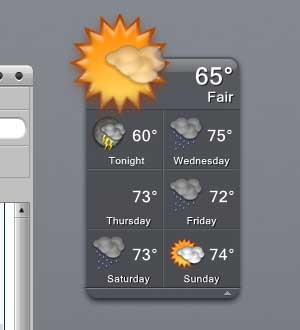
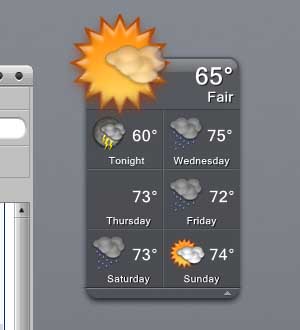
Love the new 6 day forcast. (I'm having an outdoor wedding in 5 days!)

I seem to be missing an icon, but I don't know which one it is. Is there anyway to tell what icon it's looking for?

I'm using the Konfabulator icon set. Is there a more complete one? Check out the attached pic. If you want to try to reproduce it, the zip I'm using is 04426.

biggun.zip

post-966-1092141820_thumb.jpg

missing_icon.JPG
missing_icon.JPG

#200839

@k21975: There's no way we can tell you what icon is missing 'coz that forecast is for that particular time. What you could do yourself instead is to copy the URL from the meters [Right click 'Configure meters...', select 'Weather', click on 'Configure...', copy the URL] and paste that URL into a browser window. What you'll get is an XML file and if you go thru the code look for that day's icon tag and you'll find the number and that's the icon you're missing.

#200844

Thanks! That worked. It was looking for "Scattered Thunder Storms" Icon 38 and I didn't have a icon 38. I just copied icon 37 which looked like T-storms.

#200855

You can get the full Konfabulator Weather Icons from this link, including the missing ones.

Enjoy :P

#200863

I thought that's where I got them, but I guess not. :(

#200938

How do you keep from having the label reappear? I'll delete the text and it will then reappear later....annoying.

#201103

Originally posted by smitjel@Aug 10 2004, 11:49 PM

How do you keep from having the label reappear?  I'll delete the text and it will then reappear later....annoying.

<{POST_SNAPBACK}>

I think this info needs to be put in a stickied FAQ or something (if it hasn't already):

To remove labels from any AveDesk item, go to its Desklet Properties. The fastest way to get to it is to hold Ctrl and Left-Click on the item.

Then click on the Label tab. From the Type drop down list, select No label.

Don't forget to save your AveDesk configuration to keep your settings intact.

#201105

Excellent! Thanks.

#201110

The only thing that's keeping me from being 100% happy is the weather icon cut-off. The only way to fix it is to move the icons down, but then they look silly cause they're down too much. Right now, there's a thunderstorm outside, and the thunderstorm icon is cut off. Duckie/DeadZombie/Andreas/Judge, is there any way to eliminate this problem?

#201774

Originally posted by Kurt871@Aug 12 2004, 02:06 PM

The only thing that's keeping me from being 100% happy is the weather icon cut-off...

If you mean the larger icons, couldn't you scale the icon down a bit in the properties dialog?

#201794

yeah, i suppose you could, but big icons are nice :D

#201798

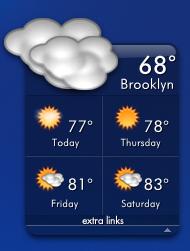
Just noticed that the medium sized weather checkboard has thicker lines to divide the days than the big sized checkboard which has thinner lines..

Is this something made on purpose?

EDIT: Is it possible to have docklets respond to single-clicks as desklets can when you lock their position?

#203682

Awesome, judge. Just out of curiosity, is there any way for the "Today" forecast to say "Today" rather than the name of the day?

#207084

Thanks judge :)

post-1160-1093437385_thumb.jpg

untitled.JPG
untitled.JPG

#207091

I have this problem....like it shows on mini config...it shows black mark beside condition...

I have no clue what that is....anyone having that problem?

post-193-1093445231_thumb.jpg

problem1.jpg
problem1.jpg

#207133

Yeah, judge, that makes sense.

Ron, I assume you just typed "Today" in there, right?

#207135

@ True

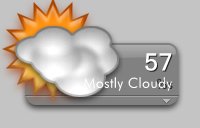
You must make coincide the values in City (that now correctly displays

Mostly Cloudy") and the value in City Under.

You find these items in "Configure meters" in the right side of the panel that

displays.

Hope this helps.

#207137

What do mean by coinside value?

do you mean by coinside format?

the city and city under value is identical....still have this problem....

Would it be because I use other than english ??

I notice that someone else has this problem also....

btw the value of weather format is set it as %s

and selector is setted as //c/t

other than that I don't know what seems causing problem...

#207140

Originally posted by Kurt871@Aug 25 2004, 02:55 PM

Yeah, judge, that makes sense.

Ron, I assume you just typed "Today" in there, right?

<{POST_SNAPBACK}>

Yes I did.

#207141

@True

My selector are both

//cc/t

Try to do this simple test: change the Format value to the name

of your city in both city and city under and verify if the problem

has gone.

#207144

lupnet , aha that little.....LOL

Thank you.....I guess that resolve the problem....

Thanks mate...

#207146

I like the ability to flip between different sizes. Is there a way to isolate it to one area though? Like the 4 day and 6 day have small bars on the bottom w/ a small up arrow. Is it possible to make this bar zip the 6 day up to the 4 day, then split the bar on the 4 day and have a up and down arrow and finally add a small bar to the 1 day w/ a down arrow.

Keep up the good work! The 6 day weather is great! Maybe someday we can add like a 6 month weather, by using the Farmers Almanac!!!! ;)

#207554

How do i change Day 1 temp in the 4-day 6-day configs to display "Tonight's" weather instead of the next day?

#207627