[help] Getting Rid Of Blue Stripe Above Taskbar?

probably an easy one for you but I've not found with the search:

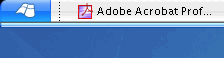
I'm using KoL's new Tiger VS theme but get a blue separator stripe above/below the taskbar which is not visible in his screenshot (see attached image)

How do I get rid of it?

Second minor question: How do I use the square start menu buttons included in the archive, as IMO it looks better when the taskbar is at the bottom of the screen?

thanks for your tips,

jay
post-17509-1091642478_thumb.png

gallery_00.gif
gallery_00.gif

#198425

A) Right click on your taskbar and choose "Lock the Taskbar"

B) You must resource hack the msstyles file...search around for more info

// Lou

#198426

1. lock the taskbar.

2. square start button? see if you can change the color scheme of the theme. that's how you get the theme variants.

#198427

Edit: DAMN YOU ALL TO HELL!!!

#198428

jeez, that was quick. Thanks guys!

First one was easy. I feel stupid :rolleyes:

Second one: the image file's are included in the package but not the styles.

I guess you edit that with stylebuilder? mine expired long ago. Any chances that someone has made this mod already? Or is there any other way to do it without buying stylebuilder?

cheers once again,

jay

PS: thanks wizard for answering too. guess you were just not fast enough ;)

#198431

there there, wizard. :console: ^_^

#198432

the images are included in the package? they're bitmaps?

simple. just open up the msstyles file in reshacker, go to the start button section, select "replace bitmap," and replace it with the one you want. save and load the theme.

#198433

Originally posted by dreamz@Aug 4 2004, 06:09 PM

the images are included in the package?  they're bitmaps?

simple.  just open up the msstyles file in reshacker, go to the start button section, select "replace bitmap," and replace it with the one you want.  save and load the theme.

<{POST_SNAPBACK}>

perfect! quick and painless.

thanks,

jay

#198438

cool! ^_^

#198465