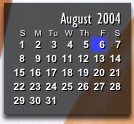
[help] Sysstats Calendar

I was going to continue this, but I dont have the time due to recent issues on my site with DoS attacks :rant:

3_screens_for_tom...first hit ignore, 2nd hit yet, 3rd hit okay.zip

can someone help with the scripting? I got permission from Judge to release it, so if someone can help, we can all put our names on it and release it.

here is the file as is ST6UNST.LOG.txt

make sure the script is in the right place-

Originally posted by Judge

Right click on it, select 'Configure meters...' and you should see a list on the left, one item of which says 'Script'. Select it and hit the 'Configure' button. Note what its says in the 'filename' field and the 'Type' field

Now hit the Browse button and find the 'HorizontalCalendar.vbs'. They should be in ...\AveDesk\docklets\SysStats\Scripts ... and fix it accordingly.

this may also be usefulpost-5041-1117010372.png

thanks

#195263

*added another image

#195297

YAY for Duckie :woot: Please let someone finish this!

BAH for dDoS attacks :rant: :rant:

#195301

who would be good for the job, i will personly go to there door and wake ther ass's up :lol:

#195314

come on guys...don't make me start believing that all of you are only here to mooch.

Can we get someone to help out here?

I did about 90% of the work for you...

Also, there is no need for 50 of you to reply saying 'Oh, sorry...I dont know how'. If you dont, you dont. let's get people in this thread who CAN do it and reply.

#195556

I'm trying to finish it - enjoying everything not iTunes related right now ;) - but it gives me some tough times still.

edit: bah, found out what was wrong: It appeared at point (700,900), which is kinda beyond my screenresolutions.

#195565

I'd do it Duckie except for 2 things:

1.) I suck at any type of coding/

2.) Im working my ass off with paying work atm. :)

#195604

I tried to finish it considering i know VB and C++ but yet I couldnt figure out what to do, oh well. :P

#195613

Good stuff judge! Oh, and Duckie of course!

#197537

Thanks Judge :)

#197549

Great job, Duckie, Judge! :)

#197551

would it be possible to convert this to the mini ical widget. its basicly the same thing, just smaller.

35911-shot.jpg

#197727

Originally posted by judge@Aug 3 2004, 05:41 AM

I'll leave this as an excercise for the reader :)

<{POST_SNAPBACK}>

shure, um is the font size in the script? if so i can do it no problem. could some kind "reader" would provide the bg image.

#197853

Nice work indeed. Too bad it shows the wrong day :/ It shows 2. for me.

Edit. And btw, why is Sunday the first day of the week? :blink:

#197876

Same here, wrong date...

#197885

Originally posted by LoofyGun@Aug 3 2004, 09:50 AM

Edit. And btw, why is Sunday the first day of the week?  :blink:

<{POST_SNAPBACK}>

As far back as I can remember, that's how calendars have been laid out:

Sun Mon Tues Wed Thurs Fri Sat

#197925

update on the mini callender:

well i gave the font size thing a try, but is there a way to shrink the whole thing. cuase the spacing is all the same, just smaller....

i guess my biggest problem is that i havn't had anytime to play with this, and i could really use that back ground image. would make it a lot easier to figure the size out.(pm me if u have it)

#198022

I can re-create the file for you - but I know as soon as I do - Duckie will post the original KonFab image !

#198023

i extracted the calendar to the AveDesk>Desklets folder but nothing happens.the calendar is not showing in the Add menu of the Desklets Control Panel.How do i set this up.

#198753

Originally posted by orrange27@Aug 5 2004, 09:39 AM

i extracted the calendar to the AveDesk>Desklets folder but nothing happens.the calendar is not showing in the Add menu of the Desklets Control Panel.How do i set this up.

<{POST_SNAPBACK}>

This config is for the SysStats plugin, so you would need to put the files in the SysStats folder which should be installed as follows.

#198841

OK OK - I'm setting myself up here...

but here is my version ....

Konfab_Calendar.png

#198890

I think I may have finally got the miniCalendar working correctly. When the date changes, the marker flickers to and fro for a split second before finally resting at the right date though.

Also, I don't have the exact fonts, but I used Arial and Gill Sans MT Condensed (which I got from one of the weather packs I think).

Note: The config needs 3 background images of which I provided. However, the images I included do not resemble the image of the real thing.

edit: I forgot to mention (though it may be obvious to some) that I started with the files judge posted.

I've also attached a screenshot of how it looks currently.

miniCal.zip

post-1650-1091751697_thumb.jpg

Attachment: miniCal.zip

miniCalss.jpg
miniCalss.jpg

#199009

Help needed... :(

When I configure the ScriptMeter Class to use HorizontalCalendar.vbs I get "An exception 'Runtime Error' has occured in Script". Debugger gives a little bit more detailed info: "Microsoft VBScript runtime error: Object required: 'DateSerial(...)'

Does anyone know how to fix this?

#199096

tomi, this is not the Horizontal Calendar. You shouldn't need to specify the script to use if the files were extracted in the proper directory (under the SysStats directory).

#199101

Originally posted by mimeryme@Aug 6 2004, 08:30 AM

tomi, this is not the Horizontal Calendar.  You shouldn't need to specify the script to use if the files were extracted in the proper directory (under the SysStats directory).

<{POST_SNAPBACK}>

Are you sure? If you examine "cal.ini" from the packet "duckie_cal.rar", there is a line FileName=C:\Program Files\AveApps\AveDesk\Docklets\SysStats\scripts\HorizontalCalendar.vbs. I have SysStats installed to F:\System\Avedesk11\Desklets\SysStats\. So when I fix the path and the script is first time really called, I get the error.

I think I have somehow installed SysStats wrong because I get same errors with other SysStats configs and scripts.

#199109