 Aqua-Soft Forums
[release] Td Tiger 0.4 *beta*
This looks great, TD.
Make another 1:1 theme. (Y)
and we'll talk about blue & graphite variation after that. 
-cherrysoul
Great initiative. This will definitly be used on my PC desktop once its finished!
Appreciate your effort 
Originally posted by popsandthefamily@Jul 2 2004, 01:54 AMwell it isnt working great for me at all but i realise that it is in beta and i think you did a great job!
the fonts on the taskbar look grainy and not at all smooth like lucida
and the minimise, close and maximise buttons are different sizes
<{POST_SNAPBACK}>
That´s happened to me with TD4 when i tryed to load a VSStyle through SkinStudio and Windowblinds... strange glyphs and everything. I didn´t find one VS only that load ok with the new SkinStudio.
I've noticed a problem with the numbers on the clock and on window names on the taskbar. Some numbers seem to be smaller than others and it looks very off. It's probably the font but I hope it's fixed in later versions.
Love the theme! :bye:
oh. man, I have to say I hate you.
It is you who has such a God-given gift make me not able to make decision to transfer to MAC from Windows, actually, I had gotten the money to buy a powerbook, but now I hesitate over which to choose, just because you made the windows even more beautiful than the real Mac. You are so great style builder, I am wondering why Microsoft does not employ you to design the new Longhorn.
Great job TD, look phenomonal
Well, since TD4 Panther and now this, I've had to go in and change the font for the taskbar b/c it uses "Aqua base", which, if you take a good look at it, is not at all consistent with its numbering.
Take my AIM screen name, Maverick 451. I immediately notice that the 5 and the 1 are smaller than the 4! That to me, is just disappointing. This is why I replace aqua base with Lucida Grande--b/c it actually looks consistent.
*Other than that, however, this VS is coming along great. Did you already release the compact menu version? I got mine just yesterday night...maybe i'll check again.
Great work Three Drives :woot:
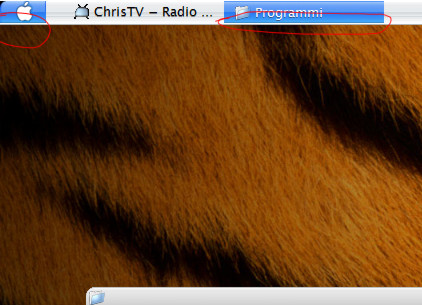

Originally posted by megabit@Jul 5 2004, 09:25 AMi have 2 problems? See in attachment. Why??
<{POST_SNAPBACK}>
Turn off language bar.
~TD
I had a problem as shown here. Who can give me a idea?
http://jp.y42.photos.yahoo.co.jp/bc/ljhtjp...rc=ph%26.view=t

Amazing TDm really fast BTW.
Your themes rule on my PC sided only by IceMan Jaguar and Hill´s Brushed 3.5.
They´re hot, hot, hot.
td, u call this a beta? in that case i´m looking real forward for the first final.
TD panther was "the real thing". this one here is on the best way go get the same title.
RESPECT
B²
Are you going to make the right side of the task bar blue? maybe as an option.
Only as an option ,PLEASE! Why make the right side blue when there's no point to do that.
anyone got problem with google toolbar?
well, indeed. something "blue" on the right side like in kol´s theme would have no function. (and me was thinking like mad about something to give it a function, but still with no result)
one reason would be just for eyecandy. hm, i´m really not sure about than. maybe just as an option.
B²
Originally posted by Three Drives@Jul 5 2004, 05:19 PMTurn off language bar.
~TD
<{POST_SNAPBACK}>
infact i have resolve the problem, sorry 
in the next release can you put the search icon next clock as have do Gouki with his tiger mod of KOL ?
Thanx 
hey, while still thinking about the right taskbar-side... maybe someone could check out "tclock" (just google for it). maybe someone could get an idea, how this tool get placed at the right side of the taskbar. maybe there are ways for other functions to place there.
just a thought. who kows, maybe it possible to place a search-function there.
B²
hey, while still thinking about the right taskbar-side... maybe someone could check out "tclock" (just google for it).
TClock modify neither registry nor any other Windows setting to customize Taskbar. TClock only customize Taskbar while running.
maybe someone could get an idea, how this tool get placed at the right side of the taskbar. maybe there are ways for other functions to place there.
just a thought. who kows, maybe it possible to place a search-function there.
B²
EDIT:
sorry for that dobble posting. just wanted to edit the first one. donno how it happend.
Are the radio button and check box fonts fixed in this, on TD Panther 4.02, the fonts were some very small (like size 6) font like Tahoma and it looked bad...?
This looks fantastic, great work TD, going to try it out soon!
sooooo, while there is the great searchbar-baby for avedesk... could we have a "place-holder" on the right for it as an alternative, plz?
B²