 Aqua-Soft Forums
is there anyway to mac windows scrollbar buttons mor like mac, where both up, and down buttons are below the scrollbar?
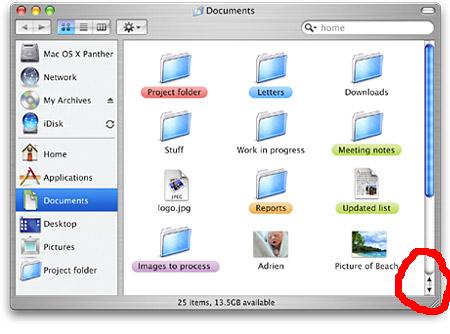
is there anyway to mac windows scrollbar buttons mor like mac, where both up, and down buttons are below the scrollbar?
No.
Redesign Explorer?
sounds simple enough 
Ok...What about a way to get rid of the lines that seperate toolbars? Can that be done with windowblinds? Or is that part of the shell?
why cant it be done, if windowblinds can move the buttons to the left, im sure someone can figure out how to do this..
nothing is impossible..
Ok...What about a way to get rid of the lines that seperate toolbars? Can that be done with windowblinds? Or is that part of the shell?
here's a pic....
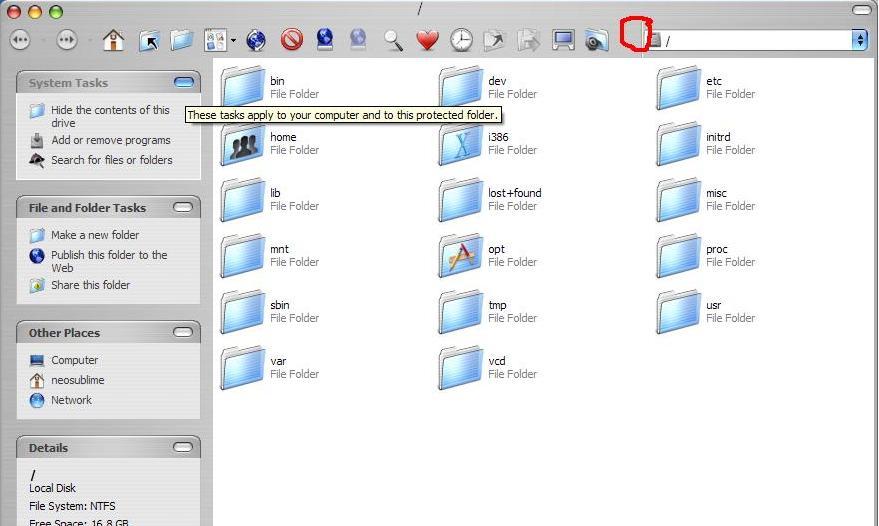
Originally posted by neosublime@Jun 8 2004, 07:35 PMOk...What about a way to get rid of the lines that seperate toolbars? Can that be done with windowblinds? Or is that part of the shell?
Now that can be done by editing the theme you are using, that is the .msstyles file.
You need a program such as Style Builder to do that.
I presume the same could be done by editing a Windowblinds skin but I don't use that, so I might not be accurate.
Well I have stylebuilder, and skinstudiopro, and the skin above is msstyle, import to wb. But I don't know how to get rid of it in wb. Can someone help me?
I know when you're dealing with an .msstyles all you need to do is click on the corresponding part (which is the separator you're talking about) and edit the image file.
What I normally do is change the image so that it looks the same as the toolbar background.
Once you get that done make sure the toolbar looks ok; if for any reason it doesn't then you have to play around with XP and classic color schemes also found in the editor you're using (Style Builder that is). For this you're just editing RGB color values.
Usually what I found to be an problem was the DarkShadow color, but I'm sure you'll figure out how to make the toolbar look uniform.
Originally posted by ibanezcollector@Jun 8 2004, 12:37 PMwhy cant it be done, if windowblinds can move the buttons to the left, im sure someone can figure out how to do this..
nothing is impossible..
It is impossible with the limitations on Visual Styles... (Currently)
I believe it can be done with windowsblinds?
It is impossible with the limitations on Visual Styles... (Currently)I believe it can be done with windowsblinds?
Ok...I have windowblinds... so...?
to get rid of the toolbar separators, you'll need to edit the highlight and shadow values.
read this: http://www.aqua-soft.org/board/index.php?s...50&hl=highlight
If you want a texture behind the toolbars, then you can't get rid of them with StyleBuilder. What dreamz said above is true using a flat color.
You may have to find a windowblinds forum for more with that program. I've never used it before.