[request] Icon Tags

Guys, sorry to be a relative Nuby here, but on some screenshots I have seen some really large icons. I'm guessed quite quickly that they were PNGs, prolly running through samurize!!

However I also notice that underneath the icons, they are tagged (light-colourged rounded bar, with the text in the middle), depending on what the icon is for (e.g. My Downloads, etc). Are these tags complete as part of the icon, or are they separate png files?

If separate files, then does anyone know where I can get them?
#172885

avedesk

and youre "tags" are called labels, like in OSX

also go here

#172892

thanks carbon...

I am looking at this thing, and it is a little confusing....

I have downloaded stylish v2 to use, and each image is split into 3 sections...left, centre, and right...however, i can only load one image into avedesk when creating a new shortcut...how do I get the complete thing here?

Thanks

#172908

You don't need to use the images in AveDesk to make a label.

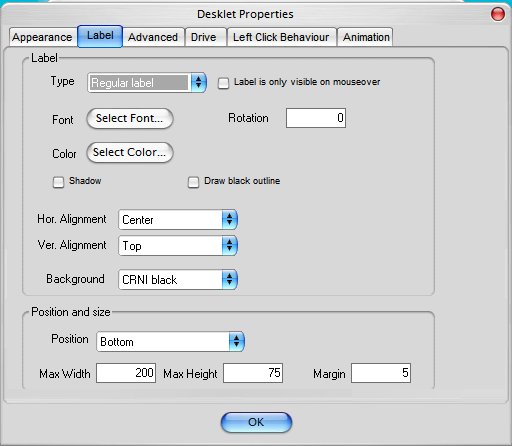
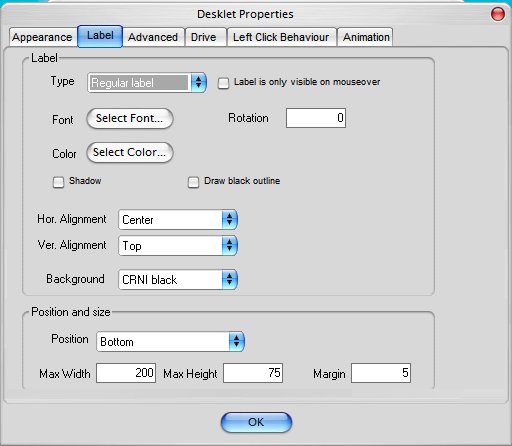
Just click on the label tab, and in the drop-down box for background choose the label you wish to use. This assumes that you have extracted the labels from the archive to the Labels folder in AveDesk.

The single image is used to represent the program/folder/file/drive you wish to execute/open.

post-1003-1086473691_thumb.jpg

002.jpg
002.jpg

#173152