[release] Pro Lcd (bubbabyte Port) *update*

Originally posted by bubbabyte@Jun 13 2004, 03:41 AM

you must have downloaded the wrong pack.. cause it's there

Well i'm confused I've downloaded from both the link above and from your first post. But when i unzip the file the apple.msstyle only 4 substyles and none of them are blue :S

#176204

woooooooooooww nice vs i will use it;)

#176215

[Topic Title Edited]

-The Unknown

#176220

Good deal, thanks theunknown...:) Hey good luck on your upcoming 'higher education' exams, man does that bring back great memories...lol, not the actual exams, but the wonderfully, wild partying times during my studies!

Per your PM, the OSX one... ;)

#176233

Originally posted by drupy383@Jun 13 2004, 10:48 AM

Well i'm confused I've downloaded from both the link above and from your first post. But when i unzip the file the apple.msstyle only 4 substyles and none of them are blue :S

i have 2 folders , pro lcd and pro lcd blue but in the themes panel i have 2 ProLCD but one is blue and one green

#176240

Originally posted by drupy383@Jun 13 2004, 09:48 AM

Well i'm confused I've downloaded from both the link above and from your first post. But when i unzip the file the apple.msstyle only 4 substyles and none of them are blue :S

the link posted by someone else was a link to the first version..

go to my site... go to the visuals section, and download prolcd 2... it's very simple.

@dreamteam, sry man, but you seem to be the only one this is happening to... both themes are blue, no green. Post a screenshot if you can.

#176250

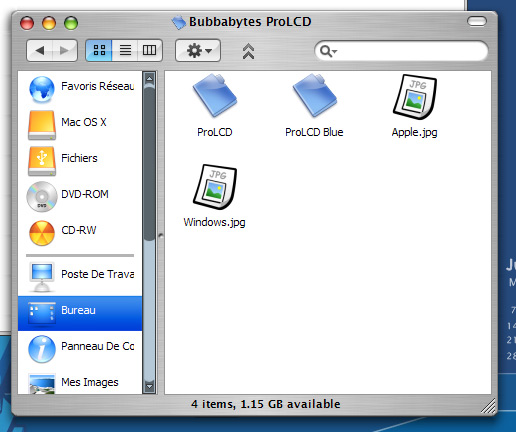
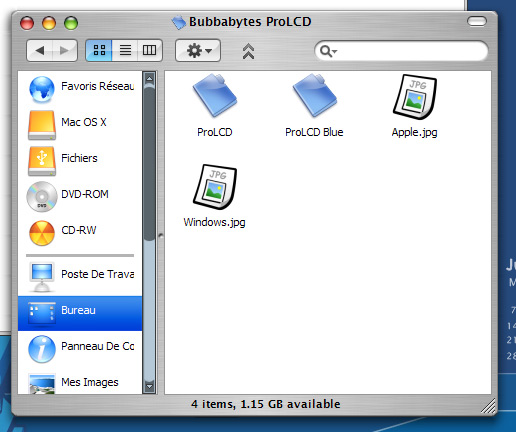
hmm , i dident sayed it well , In the zip , i have 2 folders , pro lcd blue and pro lcd green.

In the both folders i have apple start button or windows flag versions

I renamed the Prolcd apple blabla in Prolcd.msstyle so i can see it in the themes panel.

Then i copied the Procld Blue folder in windows\ressources and renamed the prolcd blue apple balbla in the name of the folder with .msstyle at the end.

But in the theme panel , I dont have : "ProLCD" and "ProLCD BLue" folders , but 2 ProLCD , one is green version , one is blue.

#176253

wonderfull !! thanks Bubbabyte ! I was waiting for this version !

I need an OB theme now ...:rolleyes:

/me looking @CRNI in every threads of the board :naughty:

#176254

i'm having the same probs, i cant see pro lcd 2 anywhere i can

see the original which i downloaded but there was no blue lcd in the drop down box just

default green in the shell folder theres amongst others pro lcd 2 & pro lcd 22

#176260

Hmm , you dont understand , The blue version is not a substyle , it's an different .msstyle

Look at the screenie : there is 2 folders , one for prolcd green , one for prolcd blue.

post-15266-1087143036_thumb.jpg

Prolcd.jpg
Prolcd.jpg

#176288

Originally posted by Dream_Team@Jun 13 2004, 04:10 PM

Hmm , you dont understand , The blue version is not a substyle , it's an different .msstyle

Look at the screenie : there is 2 folders , one for prolcd green , one for prolcd blue.

ahh i totally misunderstood..heh.. it's been a long few days..

When you said green, i didnt know you meant the original style.. so it threw me way off...lol

@the people who keep downloading the OLD version... it's not too difficult guys, go to my site http://www.bubbabytevisuals.tk , then go to the visual section... NOW, click download, under ProLCD 2!! it's very simple, i'm not sure how some people keep missing it..lol

#176348

"When you said green, i didnt know you meant the original style.. so it threw me way off...lol"

Although I did not have any issues with unpacking & installing both ProLCD (original) and ProLCD (Blue) which is very clearly stated on Bubba's site: ProLCD2 *Update* D/L link, when I read about ProLCD (green), well no problem as I kept thinking 'green?' lol...

Had a long day too...

:lol:

#176357

the color is so cool very much

#176562

Wow, the blue variant has such a professional look to it. I think I am going to marry it.

#176578

Originally posted by gahbmwM5@Jun 13 2004, 10:39 PM

[...man does that bring back great memories...lol, not the actual exams, but the wonderfully, wild partying times during my studies!...]

ofcourse ill need a weeks recovery from those aswell :smartass: .

-The Unknown

#176580

sweet...I was hoping a blue version would come out......yummy

#176791

Originally posted by PlaysK@Jun 13 2004, 02:30 PM

wonderfull !! thanks Bubbabyte ! I was waiting for this version !

I need an OB theme now ...:rolleyes:

/me looking @CRNI in every threads of the board  :naughty:

His site is here...there is an lcd...

Here

I've stopped using OB for now as I feel I'm just kidding myself. I like the idea of a hybrid windows/mac gui! ...but crni's and Peteross's are really great!

You can't go wrong with these! :P

Bubba...just got the blue version...I'm gobsmacked by the detail..I wont be able to do any work for a while...fantastic..many thanks for the work you've put into this (as with all your themes). :dizzy:

#176976

Would someone be kind enough to port it to windowblinds? :D

#177136

edit* i found the icon

does anyone hav a firefox skin for this awesome VS?

thanks

#179357

Originally posted by 350z@Jun 20 2004, 06:24 AM

edit* i found the icon

does anyone hav a firefox skin for this awesome VS?

thanks

http://home.comcast.net/~lynchknot/phoenix.html

#179437

Yes, Lynch has made both a ProLCD (Original) & ProLCD (Blue) Firefox skin to go with wonderfully soothing, and 'tight' msstyle by Bubba!

Both Firefox skins are compatiable with the latest 0.9 Release...but be aware of the fact if you use a Nightly Branch after 06/18/2004---->then the nightly Branch release is 0.9+, which is causing some 0.9 extensions to have issues installing... (This is NOT a FF browser bug)

#179731

link is dead

#276301

anyone know where i can get PROLCD for windowblinds? or maybe even prolcd black??

i need help. i've been looking for it for so long. help. thanks

#293686

yes.. it would be nice to see PROLCD for windowblinds or prolcd black :cool:

i am looking to =]

#294409