[help] Windows in Explorer are too big

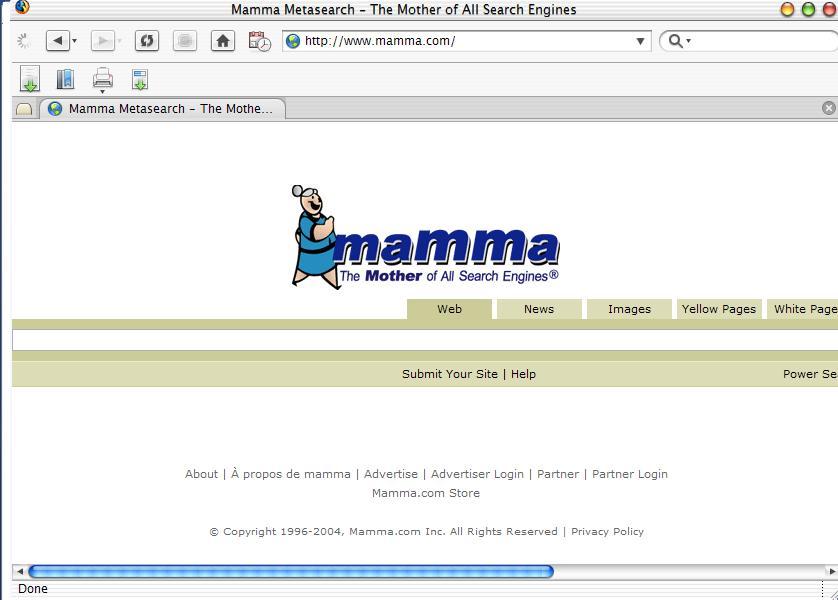
I've searched for two weaks now, but I can't seem to find out what's wrong. My windows are too big (text boxes etc) and I have to scroll over to see the end of the page. It started happening about 3 weaks ago. At first I thought it was a theme issue, but I changed themes to no avail. I posted an image of an example to what I'm talking about. It's my first posted image, so sorry if it sucks--look at the text box, it's huge.

I'm running:

OS Windows XP

1.3 Ghz

384 Memory

NVidia Graphics

P.S.

If this is posted in the wrong Post Topic, I apologize.

#155039

there's no image.

maybe it's a display setting you've changed.

#155067

I've the same problem! (I haven't replaced any system files!)

Here are some screenshot (click on thumb to enlarge):

1. Display Settings (Default Luna Theme)

thumbBugWindowsXp.jpg

2. Display Settings (Iceman Jaguar Theme)

thumbBug01.jpg

3. Some dialog windows

thumbBugCopying.jpg

thumbBugDelete.jpg

4. Shutdown dialog

thumbBugShutDown.jpg

5. Web pages search bar/text-entry bar

thumbBugSearchbar.jpg

6. QuickTime menu

thumbBugQuickTime.jpg

I think that stretched windows problem and search bar/text-entry bar problem (discussed here) are from the same Windows bug!

SOMEONE CAN HELP US? :(

#155279

I am very sorry to hear about your problems that you are having. Have you tried checking the disabled access controls or even editing the settings in the apperance -> advanced part.

I think that Windows thinks you are blind so I would reccomend checking the disabled access part.

Also please do be aware that we have people on 56k Modems browsing these forums so please next time if you are going to post that many pictures please post links to them and not the pictures in the thread as it spoils many people's enjoyment and their ability to help you as it takes ages for them to see what you mean.

Thank you very much.

-Jimmy S

#155281

Sorry for the pictures! Fixed now!

Are you talking about Accessiblity Options in Control panel? No is all normal!

#155292

this is very common with Japanese PC's

Normally due to font versions.

I suggest checking your nVidia options.

It's in the control panel.

I assume you are on a laptop since that is where it is found most often.

I cant say which option it is, but on of them might be "stretch size to fit window" or something like that.

Hope that helped.

#155294

Sorry about not posting the image after I said I did. For some reason, every time I try to post the image, I get a reply with can't post that type of image. I've tried to post in every format available on my computer.

As far as the accessiblility options, everything is normal. I've looked at the NVidia options but I can't find anything that resolves the problem. Do you think it might be a font issue? I changed the normal fonts to Lucida Grande. I was going to change them back to see if that was the problem; however, I can't remember the first font. It's MS something or other and the second one is Tahoma.

post-15332-1083590501_thumb.jpg

error_2.JPG
error_2.JPG

#155300

just revert back to the ORIGINAL WinXP theme.

See if everything is fine there.

#155307

Ok. I reverted back to XP theme but I got the same thing.

#155310

Try changing resolutions and then changing back.

#155313

I reverted back to XP theme and changed the resolution but still the same. I then went back to the theme I was using and adjusted resolution but nothing.

#155324

I figured out what the problem was. I had to change the font back to MS Shell Dlg from Lucida Grande under HKEY_LOCAL_MACHINE\SOFTWARE\Microsoft\Windows NT\CurrentVersion\FontSubstitutes MS Shell Dlg and MS Shell Dlg2. Thanks guys for all of your help.

#155333

Topic moved and title edited.

Windows OS forum...:)

-Pe7er

#155339

Originally posted by maximus251@May 3 2004, 04:55 PM

I figured out what the problem was.  I had to change the font back to MS Shell Dlg from Lucida Grande under HKEY_LOCAL_MACHINE\SOFTWARE\Microsoft\Windows NT\CurrentVersion\FontSubstitutes MS Shell Dlg and MS Shell Dlg2.  Thanks guys for all of your help.

(Y)

#155697

The Lucida Grande that gets packaged with a lot of themes and skins around only has one size defined (24pt). You can scale or resize it manualy, but windows will not automaticaly scale as it can't find a supported size.

That is why it screws up windows when you use it for the default dialog boxes.

#155731