 Aqua-Soft Forums
[Ann] Firefox - Progressmeter In Url
thanks for this 
I don't have a nightly build (yet)...do you know of a screenshot that could show me this?
I have to go grab another nightly build I guess.... :6 oh well.
Topic title edited.
I've added [Ann] tag to make it clear that you don't release anything magical here. 
Important to all who want to install it and don't want to read: it's only for nightly builds newer than April 2nd.
-Pe7er
It doesnt seem to work at all, even after I do the fix someone posted for the grey bar and also after an upgrade. It doesnt like the windows pinstripe theme either.
I suggest following the thread before installing
wow, with this we should have a 1:1 safari skin soon 
Does it work for anyone else? I guess you arent supposed to ever have installed TBE so I am not going to use this if that is the case.
crap
how do u remove this thing
now i have nothing in the url bar for a progress meter
and options/extensions doesn't list a onebar extension
any ideas?
gable
I always make a copy of my Profile before installing any extension so if there are problems, I just delete the profile and change the name of "Copy of Firefox" to just Firefox. I actually have a couple copies. One I keep in partition D.
Just go back into the Firefox options and select extensions from there you can disable the extension.
works like a champ for me.
The only problem with tis from a Safari POV is that (and this is more true in Aquarius' Tutorial) the extension uses the progress bar in the URL which in the tutorial is the moving light/dark blue animation where as in Safari it uses a simple pale blue colour which is why in the WB skin the colour to highlight in Firefox is pale blue.
The same colour which is shown in the highlighting Here
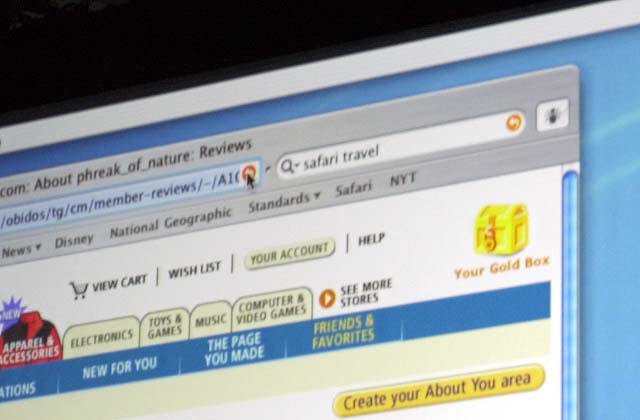
Just tried it with nightly build:
Mozilla/5.0 (Windows; U; Windows NT 5.1; en-US; rv:1.7b) Gecko/20040413 Firefox/0.8.0+ (MozJF/SVG)
It completely FUBARS the URL bar, and the "loading" blue line is constantly on...guess I'll wait for further development 
--Edit--
Ok, ok, here's a picture:
i'm using 4/19 nighty as well and everything is jacked now
i even deleted my whole profile folder and started from scratch
but now the download meter doesn't progress
i can't install some extensions - when i try it does nothing
anyone else have problems
and if so WTF can i do to remove this - its NOT in preferences listed as an extension so is it in the registry somewhere and if so what keyword should i look for
DAMN POS LAME @#!!?/??

gable
That's odd. In mine, (well I'm running SAF8, TBE, and Compact Menu), its still in Options >> Extensions, called "One Bar"--I disable it and everything is back to normal...
Originally posted by Mav451@Apr 20 2004, 07:39 AMThat's odd. In mine, (well I'm running SAF8, TBE, and Compact Menu), its still in Options >> Extensions, called "One Bar"--I disable it and everything is back to normal...
Isnt that what i said like 5 posts ago
gable deleting your profile wont do a thing if you directory installed the extension. just disable it in options like I said
hope this helps
It dont work correctly too in my milk
Originally posted by Anarchi5t@Apr 20 2004, 08:19 AMIsnt that what i said like 5 posts ago
gable deleting your profile wont do a thing if you directory installed the extension. just disable it in options like I said
hope this helps
like i said first
its not in extension pref - i looked there first obviously
don't matter - i deleted everything and started over with 4/20 build
ah well - i won't use that SHXT again
gable