[release]ifinder V.1.03

iFinder v1.03

following bugs is repaired:

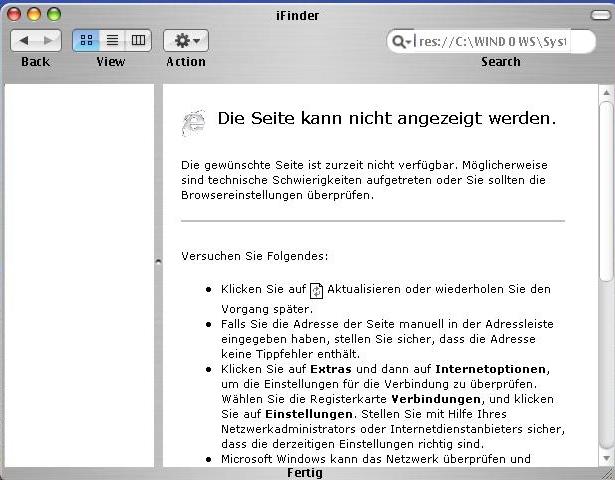
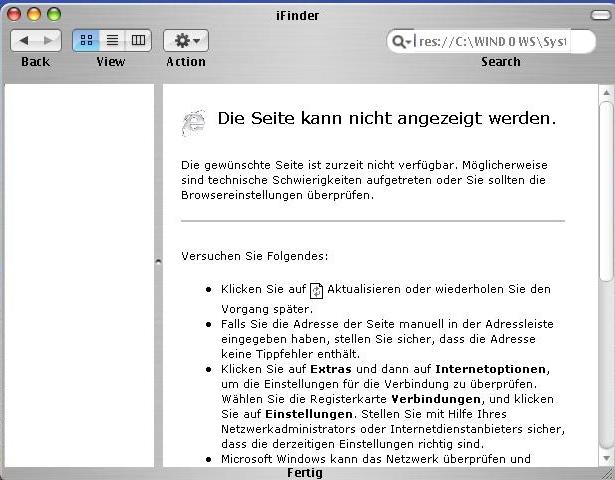
1. - the left panel maximizes itself with the window (only for the panel in version HTML).

2. - now toolbar is adaptable, can be placed the small icons, be fixed or be cleared the text labels.

any problem to report it neo_osx@hotmail.com

the left panel this fixed to C:/Finder/Finder.html

enjoy

10.3.jpg

10.4.jpg

10.5.jpg

10.6.jpg

10.7.jpg

Download

#133981

looks nice

but link is dead

#133983

http://usuarios.lycos.es/jes_us69/iFinderv1.03.rar - it shows directory contents where you can find the file.

#133985

right button and save targest as or save link to disk :canadian:

#133989

Very nicely done, neo_osx. Keep it up. ;)

#134011

I don't know how this works. I can change the startpage in the config, but how do I setup the shortcut bar?

#134022

WoW !!! what a wonderful app ;) !! but dude , the prefferences` menu is still poping up averywhere else but the right place :(

"WoW !!! qué aplicacion tan increible ;)!! " pero aun el menu de preferencias enloquese y sale por otro lado :(

#134070

sweet stuff ,but man whats really gonna be interesting , would be that how much functionality & how much control will all the finders in development will provide to the user , when they are finished .

best of luck neo

#134102

This has got to be the most extensive finder so far. its come a long way, rather quickly. The html menu on the right is a great feature. The only problems i have with it, is that there is no milk skin, and that the startup time is kinda long.

Great job neo...

#134124

Originally posted by Cruzn15@Mar 24 2004, 01:21 AM

...how do I setup the shortcut bar?

???

#134137

ok, guys ! maybe i`m offtopic , but..... PLEASe i must have the WALLPAPER Neo_osx has !!! in his screenshots !! who can tell me what`s its name and the url if you are so kind ! !! it looks cool ! and thanks ..... (this is the first time i see that wallpaper)

#134168

Originally posted by IngeneerMind@Mar 24 2004, 05:29 AM

ok, guys !  maybe i`m offtopic , but..... PLEASe i must have the WALLPAPER Neo_osx has !!! in his screenshots !! who can tell me what`s its name and the url if you are so kind !  !! it looks cool ! and thanks ..... (this is the first time i see that wallpaper)

That wall comes with Three Drives Neos theme!

#134253

Topic Moved.

Releases in the Releases, and all that malarky.

---------------------

Stevie BM

#134295

anybody have a problem with recycle bin after run ifinder 1.03? I got a problem with Recycle Bin after run iFinder 1.03. My Recycle bin load very long or lag.

Thanks

#134307

is not working for me the panel on the left side is empty! :blink:

What the h"$$" i have do do to get it work!

:blink:

Zecke!

#134328

is not working for me the panel on the left side is empty! :blink:

What the h"$$" i have do do to get it work!

:blink:

Zecke!

sorry for posting two times!;-) :rolleyes:

post-11414-1080140032_thumb.jpg

Unbenannt.JPG
Unbenannt.JPG

#134329

so that the panel of the left works, download this file that this in a folder and places in C: it is a called folder to finder :lol:

#134334

...Call me stupid!! Can´t get it work!!

Mierda!!

Díme que lo que debo hacer!! Amo el finder!

#134336

ok what you must do is the following thing. :lol:

1, unloads east file finder.rar right button save target as or save link to disk

2. in the file brings a called folder to finder paste in C:

3.open ifinder, ready

-_-

#134344

Cool app. Can you use this as a complete replacement for explorer.exe?

#134375

is not working for me and some of my friends of the board either!

i ziped your files into C:\

The folder with the exe. i have in another direction.

....The problem may be in the config.BOB

Zecke!!

#134386

I had the same problem at first. You have to make a directory on C:\ called Finder. Then put all these files into it. That should fix it.

#134389

que alguien tradusca esto para que los demas comprendan.

al descargar el ifinder, el panel izquierdo esta configurado para recurrir a C:/Finder/Finder.html en el archivo finder.rar que coloque mas arriba esta la carpeta finder que tare consigo el archivo html, solo descomprime la carpera en el directori C: y listo deveria funcionar bien, si tienes otro problema, comunicate con migo por medio de msn neo_osx@hotmail.com :lol:

#134397

thx now its working for me! tried and tried and tried it out

#134398

I hope that you include/understand to me. when unloading ifinder, the left panel this formed to resort to C:/Finder/Finder.html. in the file to finder.rar that it places but above this the folder to finder, that tares with himself file HTML, single decompresses the carpera in directori C: and ready deveria to work, if you have another problem, comunicate with migo by means of msn well neo_osx@hotmail.com

#134403