[release] Avepreviewer 1.5

AvePreview 1.5

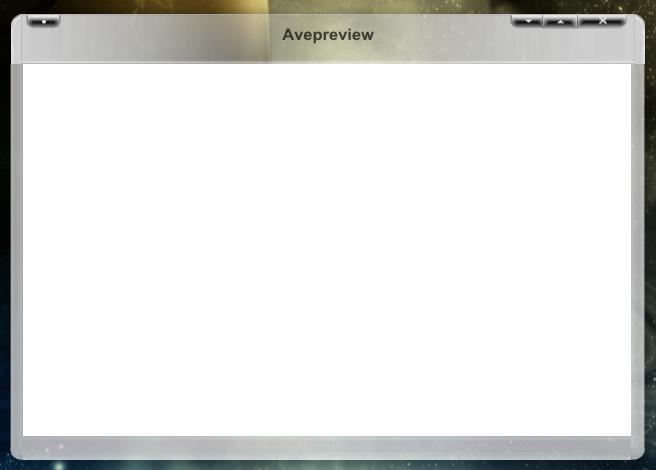
-> The skinning-thing does have more option to come closer to emulating OS-X Windows.

-> Images now show up right in the previewer pane.

-> Images are resized with higher-quality.

-> The window is opened at the image size.

-> Different active/inactive state

-> Rollup possibility

-> The max-button works like on OS-X, each app dependant and it sizing the app to the best size possible (thanks Ji Eun!).

-> The default skin is now DigitalCream by Bolero, because Pe7er didn't had the time to update the brushed one, but I challenge everyone to create it ;)

Screenie

ap15.jpg

Download: http://mpj.tomaatnet.nl/ap15.zip

Toolbar + buttons is for the 2.0 release, but I have some exams from uni next week, so it's :smartass: -time for me.

Enjoy,

Andreas

#131033

Just wanna be the first to post :D

Flawless as usuall (although i still haven`t dloaded it :lol: )

If you implement that full screen option, we can talk :lol: :moon:

Great work master!

Truly your`s,

Aprentice -_-;)

#131035

second!

#131043

Amazing release by far the best i love it and i love making skins for this!

as another celebration for this release, here is a great skin i worked on, longhorn, works amazing with this release try it out!!

longhorn-avepreview.JPG

Longhorn Skin

-bolero

#131044

Works great, thx! ;)

#131048

Wow bolero what a beautyful skin !! ;)

and now can u make a brushed one like an os X app ? Coolllll please

#131050

Thanks!!

i updated it a bit, there was a shadow visual glitch that was annoying me so i fixed it a bit, not perfect but its better, so redownload from the link above!!

Edit: i fixed another Inactive shadow visual cut off, fixed it so redownlod again if you want

-bolero

#131058

Impressive work, bolero. ;)

And of course, our dear AV! :woot:

#131067

thanks Silencedge, im not done yet, heres another skin im working on, its called glass, and inspried by the Longhorn mockups that have been traveling around!

glass is always transprent, arpound the border, and the top, is sort of like a reversed Shine on my longhorn theme!

-bolero

post-37-1079584263_thumb.jpg

Glass.JPG
Glass.JPG

#131178

if any of you skinning fiends want to... a good grey skin would be more than appreciated

Andreas... i wouldnt expect anything less than perfection out of you, and thats what i got here

#131181

Brushed by Pe7er

A little modded by me (moved the buttons to the left).

apbrushed.jpg

Download http://mpj.tomaatnet.nl/AvePreview15.zip

The host seems to be working again :woot: (but thanks Jimmy S for the offer)

#131302

I do, I Do!

My Email is james at starfleetplatoon dot com

-Jimmy S

#131303

Here you go!

Here is the program

A Preview

Brushed Preview

You're welcome :)

and all this done from School, lol!

#131304

w00t :woot: , just got to d/l this. its awsome (Y) , keep up the good work andreasV

#131308

hi Andreas,

sorry for responding late but the weather was far too nice yesterday :)

the overlapping problems i described last time are solved ... mostly.

there seems to be a new one with left_top.png/top.png. strangely this does not happen when the app is rolled.

there are also plenty of problems when you preview a large image (lets say 1000x1000). can be seen with any skin.

what´s also a little strange is how image previews are displayed. they´re sharp in the top left and get more and more blurry to the bottom left. (idea: take a screenshot with lots of text in it and you´ll see)

hope this does not sound negative. it´s a great little app and the progress you made since the last version is remarkable.

one question: could you explain the resize border settings for

?

#131319

sorry for responding late but the weather was far too nice yesterday

Yeah, the weather was woa!-nice (20+ degrees C). ;) I played soccer :soccer: for three hours long :)

the overlapping problems i described last time are solved ... mostly.

there seems to be a new one with left_top.png/top.png. strangely this does not happen when the app is rolled.

Eurk, lemme check it.

there are also plenty of problems when you preview a large image (lets say 1000x1000). can be seen with any skin.

Unfortunately, my screen can't handle that height/width. Can you hand me a screenie of the effect?

what´s also a little strange is how image previews are displayed. they´re sharp in the top left and get more and more blurry to the bottom left. (idea: take a screenshot with lots of text in it and you´ll see)

That's too strange :blink: I can't see it, maybe my eyes are too bad to notice that effect :lol: .

hope this does not sound negative. it´s a great little app and the progress you made since the last version is remarkable.

Nah, any help/comments is/are appreciated :)

one question: could you explain the resize border settings for
?

ResizeBorder1 -> left border for the West-East resizing

ResizeBorder2 -> right border for the West-East resizing

ResizeBorder3 -> top border for the West-East-North-South resizing. The value is taken from the bottom!

ResizeBorder4 -> idem, but bottom border

#131322

here´s the screenie: http://screenshots.haque.net/screenshots/v...nshot-12000.png

you should see both the sizing problems (gaps rather than overlaps) and the blurring pretty good.

#131332

great relase andreas! i too am having the "blur" issue moshi mentioned.

originalimage

originalimage.jpg

image in avepreview

imageinavepreview.jpg

also...

can anyone think of a way to have a skin that has a zero or 1 pixle border, yet still has a drop shadow. :) so that it would look somethign like this....

idealskin.jpg

#131333

Thanks, I am aware of the problem, will look into the code ASAP.

#131446

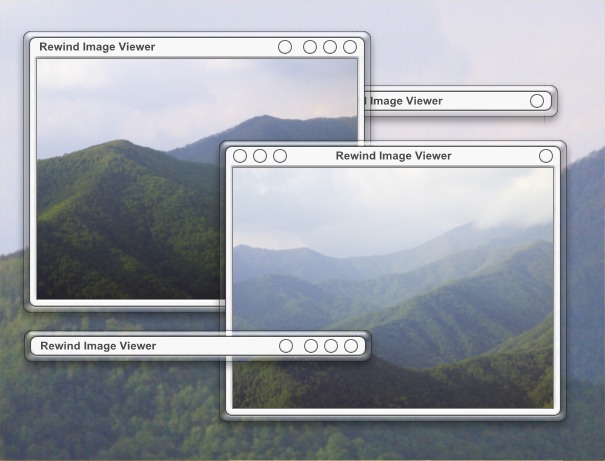
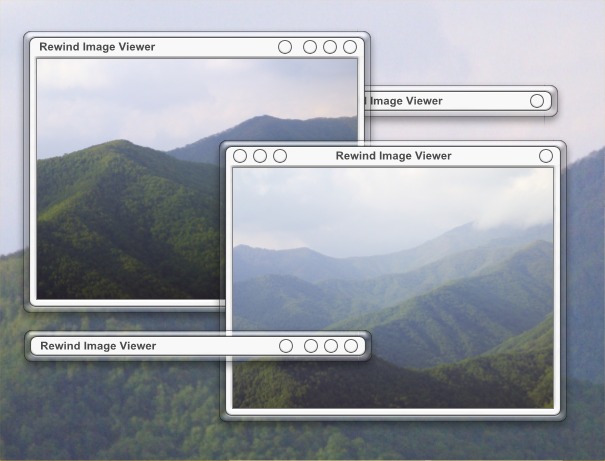
as toolbars have to wait until v2, i thought i´d upload my skin.

it has three button layouts and you can get it from here: http://www.skinbase.org/rate.php?skins=16615

Skinbase now has a skin section for AvePreview (under "misc"), so if you need space to upload your skin ... :)

post-4369-1079638923_thumb.jpg

Rewind_AvePreview.jpg

#131468

thank you moshi for this beautiful skin. do you think you might have a go at my suggestion? borderless skin, with a drop shadow. :)

#131472

verrrrrrry nice skin i lvoe it

but rewind4 in the zip file doesnt work with avepreview!

ah that makes sense cause theres nothing in there lol

-bolero

#131474

a bug observation: seems horizontal alignment for the caption does not work correctly. when i align to the left the caption is somehow "dynamic" and get´s more and more to the right the bigger the window gets. (check the Rewind v2 skin to see this)

an idea: there should be some kind of minimum window size (best if that would be skin dependent). just try to view very small image as active_close.png from a skins folder ;)

#131476

Amazing skin moshi! :blink: As bolero said Rewind v4 doesn't work.

#131479

Originally posted by hispanicboy@Mar 18 2004, 07:47 PM

thank you moshi for this beautiful skin.  do you think you might have a go at my suggestion? borderless skin, with a drop shadow. :)

thanks for the kind words :)

a borderless skin would be no problem. after all it´s not really borderless (the shadows).

what you want is currently impossible though. there are no sizing margins for the skin images, so the the round corners (and basicly everything that looks fugly when fully stretched) can not be done yet. maybe Andreas will add that someday. sizing margins and styles (as tile/stretch) would be cool for skinning.

#131481