[release] Weathermini

Originally posted by Tadis@Mar 8 2004, 05:02 PM

A lot of the switching issues are caused by using the incorrect instance name. So just to make sure, are you using the following:

"C:\Program Files\Samurize\Client.exe" "WeatherMini"

Or are you simply starting client.exe and then selecting the config from the systray?

i started sam from the start menu then loaded the weather .ini then when i click on the weather image i get that error :blink:

#126091

DV, I think that's your problem, just in case anyone didn't know this, you can start samurize with different arguments in the command line e.g. client.exe "weathermini" or client.exe "volumecontrol". each one of these are called 'instances'.

for the switch mode script in weathermini to work, you need to start samurize with the instance name of "WeatherMini". The reason for this, is that you can have several instances of samurize open and the switch script will only affect the samurize instance with the name of "WeatherMini".

Edit the shortcut to the following (allowing for your local folder): "C:\Program Files\Samurize\Client.exe" "WeatherMini"

Hope this helps,

Tadis

#126097

every time i try to do that i get a error saying windows can not fined C:\programs :blink:

#126631

"C:\Program Files\Samurize\Client.exe" "WeatherMini" <== try it with all the speech marks.

#126837

Originally posted by Tadis@Mar 10 2004, 03:18 AM

"C:\Program Files\Samurize\Client.exe" "WeatherMini" <== try it with all the speech marks.

ok did that it loads but still no weathermini .ini to load ?

could it becuase my weather is inside a folder see SS

#127091

Originally posted by XimmoX@Mar 8 2004, 04:45 PM

My Samurize folder is located at D:\Tools\Customizing\Samurize and i can't get it to work ...  :(

I changed all *.ini's to the new place, copied the weather icons from my Y'z Dock folder and edited the Weather.2004.ini with my Location ID.

Also Samurize doesn't show me any subfolders in my Configs folder except the one from Konfabulator Milk ... (perhaps because of the installation script ?)

I added a screenshot to show a) the samurize menu B) my configs folder and c) the (not  working) weathermini widget

Would be really glad if some of the samurize experts could give me a few tips on that.  :rolleyes:

The last config file on your screen says WeatherMini.ini, I think you must choose that config and then click on the weather widget to open the other widgets (as seen on the animated gif? by crni).

I'm not using that config, so I can't say for sure, but I would try that.

#127111

hi..it works...great job.

thank you!

my desk with WeatherMini :)

http://screenshots.haque.net/screenshots/v...nshot-11637.png

(Y) (Y) (Y)

#127216

to that people that have problem with this config:

do everything what U tadis said but:

When You copied the following files to good - their folders in Samurize, then create simply a desktop shortcut to the client.exe

Then click right muose button at the ickon that U created and select propereties.

in the first free window above paste this:

"C:\Program Files\Samurize\Client.exe" "WeatherMini"

then,

save changes and click icon on Your desk.

go to sys tray and select WeatherMiniC1.ini or anything

Shuld WOrk...

Regards

Sorry for my english

PS.You must have samurize 1.25 and the icon set :):D

#127467

@DV

The folder problem only occurs if you don't have the latest (1.25) version of Samurize.

Let me guess...

To give you an insight into the switching mechanism, I made it so that it checks the registry for the current path to your config and then replaces it with another config with a defined path in the script. The thing is, you must have the same instance and the same paths to your configs for the switching to work. So if you move your weathermini.ini out of the weather folder and put it in the configs folder, then the widget won't switch.

Crni is much more thorough and eloquent than I am with his readme files, so please read them. I'm pretty sure he made v1.25 a requirement and explained instances.

#127486

umm i do have the leatest version installed :blink:

and ive read the readme a few times and followed it :cry:

#127675

I have a little problem with this script - weather mini...so:

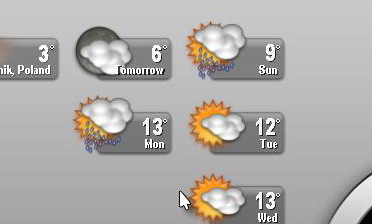
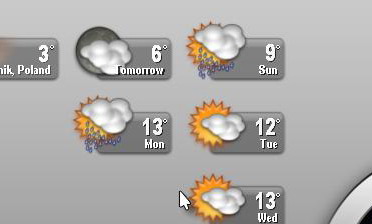
it works corectly but i don't understand what shows 2nd icon:

here is my screen:

http://screenshots.haque.net/screenshots/v...nshot-11711.png

tommorow>??????

What that mean? What shuld i switch when it works incorect?

Tomorow? I don't understand please help me anyone.

Sorry for my English.

#128685

Originally posted by waski@Mar 13 2004, 07:48 PM

I have a little problem with this script - weather mini...so:

it works corectly but i don't understand what shows 2nd icon:

here is my screen:

http://screenshots.haque.net/screenshots/v...nshot-11711.png

tommorow>??????

What that mean? What shuld i switch when it works incorect?

Tomorow? I don't understand please help me anyone.

Sorry for my English.

Your screen don't work for me but you want to know what tomorrow means? Today is saturday so tomorrow is sunday. to bring it to the point, tomorrow is the day after today.

#128694

Originally posted by DarkVageta@Mar 11 2004, 06:32 PM

umm i do have the leatest  version installed  :blink:

and ive  read the readme a few times and followed it  :cry:

I'm afraid your predicament has completely puzzled me?! All I can suggest is uninstalling samurize (and deleting all remaining files and folders) and, following a reboot, reinstalling Samurize, then reinstalling Crni's weather widget.

If you don't see any improvements then i'd move to sysmetrix...

(just kidding :lol:)

@SicZero

:lol:

#128698

Shouldn't the second item say tonight?

I know what is tomorow! And tomorow will be a DAY, not a night.

THIS is my problem with that script?

Tell me please Anyone...why the LATER value in samurize config show tomorow and at the icon still is night???????????????????????????????????????????????????

post-12281-1079207222_thumb.jpg

untitled.JPG
untitled.JPG

#128713

Originally posted by waski@Mar 13 2004, 08:47 PM

Shouldn't the second item say tonight?

I know what is tomorow! And tomorow will be a DAY, not a night.

THIS is my problem with that script?

Tell me please Anyone...why the LATER value in samurize config show tomorow and at the icon still is night???????????????????????????????????????????????????

The reason for this is complex without understanding the development of the weather 2004 plugin by torsius.

Basically, there is no corresponding icon value (within the plugin) to the 'Later' function, that's why you have one meter displaying the 'Later' function whilst the other is using the 'Now' function (i forget which way round this works).

Torsius has previously said he will add those extra functions so I guess the best thing to do is wait for an update.

#128719

ok!

Thanks..so i will be waiting for an update :)

I hope it will be soon, here at Aqua-SOft Forum :)

BestReg.

#128722

do you have chosen the right parameter for day or night? in the editor click the weather icon for tomorrow and look on the right under parameters where it says "day or night (1 for day, 0 for night): >here should stand 1< if not edit the parameter and on the last option choose 1 for day.

hope that helps.

#128767

Dark Vageta,,I share your predicment.Tried Waski way,no go.

I've that sole widget staring at me.when I click the weather icon my DT flick

no change?Tadis ,could there be a missing file somewhere?I mean in window

system File. :D

#128974

SicZero - thanks for help. I think that that will help...

#129391

okay, i got it working. but i want to change from it displaying current temp to a forecast. So i went to config and changed the parameters. 1st question it askes is what is my value of weather expression.... what exactly is it asking for?

thx for help :)

#130184

nvm figured it out :D neat config :moon:

#130195

ok i upgraded to 1.30 and now the weathermini will not see the icons :( there still in the same path from the read me

#131414

@DV

The Master of the Universe... I mean Samurize has spoken:

You're one lucky Devil

#131455

Originally posted by Tadis@Mar 18 2004, 02:17 PM

@DV

The Master of the Universe... I mean Samurize has spoken:

You're one lucky Devil

did what he said Sam will not see the icons :blink:

#131531

can anyone find out why this doesnt work with samurize 1.50?

#161344