Avedesk1.1 Design Questions

Hiya all,

I have been really busy coding AveDesk version 1.1 lately. I have been fixing bugs ( the windows-in-taskmanager-bug is finally fixed :canadian: ) and have been adding features.

Currently I am at the point where I have to make some "critical" design decisions.

First of all, the clickthru-desklet-option (so when you click on a desklet, the click will really go to the window underneath the desklet). Should it be in AveDesk 1.1 or not?

Second of all, selection:

question.jpg

Here you see a shortcut desklet that is in selected-state. The blue rectangle behind the icon indicates this (that image is customizable). Should this be for all desklets/docklets automatically done or just only for the shortcut / mountchecker?

Last one (for now :P ): label rotation. Is there someone -besides me- that even tried that option? (maybe a 90-degrees rotation only?)

#112880

im not sure wut the first and third questions are :blink: but for the second one i dont think it should be for everything, just the shortcut/mount.
and id be glad to test it forya :woot: , it sounds great, i cant wait

#112887

Looks great AndreasV...I'm not so savvy on this stuff yet, but I love this app! (Y)

#112893

Personally, I think if it doesn't cost the app any significant amount of memory, the more options the better.

#112899

2. Yes include it, but I would prefer that would be like selected icons, instead of a image telling its selected :D

#112900

hey andreas, for your options, icon highlighting sounds great would also be great if you could have a mouseover option for it. Also, it would be great if you could optionally have it ontop of the icon.

clickthru: never really understood why its an option of programs-i've never found it usefull.

label rotation: never needed it, can't see any need for me in future.

Also, i remember over at aquaxp discusion about something called desktop 'cliques' (basicaly little menus that slide open on your desktop) that i think you commented you might try, i think it would be great if implemented in avedesk.

keep it up, great work so far.

cya

#112912

Hi Andreas, Thanx for your work on Avedesk and other projects.

1. Click-Thru would be great for having a meter or weather desklet always on top.

2. As long as it's customizable and can be toggled on/off it could be useful.

3. Cool idea!! I hope you include it!!

#112963

Hi Andreas!! My opinions on your killer app:

CLICK-THRU:

I won't use it, but as mentioned, if it's not a major drag on resources, why not offer the option?

SELECT:

Right now when you single-left-click a shortcut / mountchecker docklet it opens directly a folder or image or whatever. I like this very much. If you implement the select option, please make it a> optional, and b> mouseover-select [with time-delay like windows default icon-select].... and c) optional single-click-select for those who still enjoy double-clicking to launch folder/appz, etc.

I love the select idea and think implementation should be optional on all desklets (again, if it's not a drag on resources) with the default naturally set to "no"

LABEL ROTATION:

I haven't used it yet, but who knows? 45-degree labels might look good with EYLO :canadian:

All the best to you.

#112976

you already have my opinion about the click thru :P i won't use it but if it's implemented...

for the "background" of the selected state i would suggest you to only make it availbable for desklets and not in standard. Many desklets (or docklets) wont need this option (cpu metter, mailcheck, clock, notes stickies...) so why put it available for the user?? let the programmer chose if this option is needed or not and i think when there is a need to have it people will ask for it quickly :P

Label rotation: i used it for my clock but it's a little buggy when you set a non roud angle (i was trying 25 30° and i had trouble with the background repetition)

It's a nice option but yeah maybe you should just put a "select" control with 0-90-180-270° to choose

For now i finished my courses!!!!!! OHHHHH YEEAHHHHH and i got about 3 weeks of holidays (i'll maybe pass one in spain) so i'm available to test your lastest release (lol if i don't have it yet :P), i only have a website to set up for my class to keep contact when we will be in germany, spain and england

Contact me on MSN

#113126

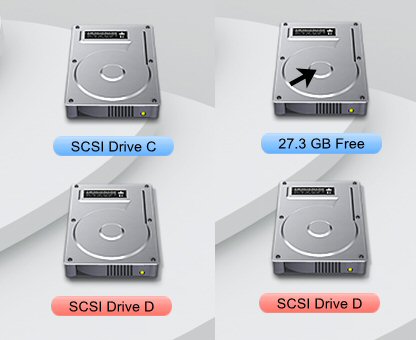
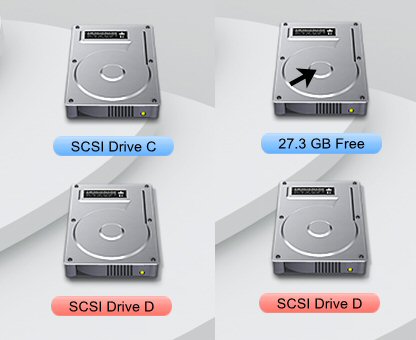
Ive tried the rotation, I am not using it but I do like the option. I tried using it with my desktop drive setup to show the available disk space. I didn't use it because I found a work around in what I wanted to ultimately accomplish. I have two SysStats running over the top of one another. One has a transparent png image with just the drive label. The other has the drive png with the available space label and the (label is only visable on mouse over) option checked. When I mouse over the drive icon the label then switches or shows the available drive space. It works quite well and the labels were easy to line up and once you pin objects in Avedesk they stay there. You must change the one docklet to the transparent image last or there is no way to drag the docklet around the desktop.

I also like the selected state option your also speaking about, providing it doesn't affect the mouse over on the top icon. This would kill my above setup.

post-1134-1076610801_thumb.jpg

Mouse_Over.jpg
Mouse_Over.jpg

#113273

^^^^^

hehe, cool. me was playing since yesterday on the same idea. :)

ok, first off, love avedesk, keep it up.

hey, two things:

1. hierarchy of items

i use to overlay items. for example: docklet over shortcut

therefor it would be cool to moddify in the list of all items, which is on top and so on. right now it seems to me, that the hierarchy-oder is by chance. u know what i´m talking about: select one item, and say "move up" or "move down".

2. picture preview

for example for selecting the label. a preview would be cool.

ok, a multimedia-controll-thing...well, u talked about. i keep fingers crossed.

LABEL ROTATION: hm, donno. can´t thing about a case i would need it.

peace

EDIT:

ah, i forgot:

a "save configuration" to a specific file-name would be cool. and surly a "load configuration" thing, where the user can quickly switch to another config-file.

EDIT II:

hell, make it easy for us. this "change tab by mouse-over" idea is real fun. many possibility. i ask for this feature (as long i don´t get the "master-tab" funktion)

#113288

First of all, wonderful app. If you're going to add something, it should be drag and drop support, so if I have a shortcut of a folder, HD, I could drag a file into it.

#113351

Thanks all for your great comments on this, you people :rock:

1. hierarchy of items

i use to overlay items. for example: docklet over shortcut

therefor it would be cool to moddify in the list of all items, which is on top and so on. right now it seems to me, that the hierarchy-oder is by chance. u know what i´m talking about: select one item, and say "move up" or "move down".

Currently, Windows handles all the ordering of the windows. I will think about a way to make this a feature.

2. picture preview

for example for selecting the label. a preview would be cool.

It will be like this: changing a setting immediately updates the desklet, so you can view the changes.

First of all, wonderful app. If you're going to add something, it should be drag and drop support, so if I have a shortcut of a folder, HD, I could drag a file into it.

That's already in my private 1.1 test-build and it works pretty cool. I can even drag my clock into a MSN chatwindow to display the current time in my MSN chat :P.

#113359

cool, any new about the "master-tab"?

#113370

Other than that it is silently removed currently? -_-:lol: just kiddin' :canadian:

Do you really want this master label btw?

#113375

Andreas, will you be adding a shortcut key to the context menu item? (ie. Desklet Properties)

#113592

Master label has what function exactly?

How about shortcut to network? Perhaps this is already implemented but I don't know how to operate it? I tried with a regular shorcut desklet and with the powdermount, but no results. ^.0

#113601

^^^^^^

network? try this: link

play around with "Pdh".

#113609

maybe i'm missing something, either in avedesk or judge's systats desklet.

i'm on a school lan and i want to be able to access folders on that network through avedesk. so far, no lo comprendo.... no dice. my bad?

#113616

it does already :P

You can use the "browse" button to go on the network...

you can also setup a "shortcut desklet" with path like that:

\\\\\\\.exe

or

\\\.......\***.exe

and you'll have it :P

#113646

All's good. Merci, Monsieur.

#113657

mimeryme -> good suggestion on the contextmenu shortcutkey, thanks (Y)

#113742

1) yes, click thru would be nice.

2) yes, but give it the option where not all the items can have the selected overlay/bg

3) not sure what you mean but i played with it once.. but looked kinda weird. so im not currently using it..

although with the labels when you try and set the position hor alignment left and right it would be great if it made the label start from the left or right edge of the icon... because on my comp it seems the longer the label gets the more it gets shifted over.. instead of having it extend out the other side of which the alignment was set.

#113767

I'm not sure if I don't see itin 1.0 or if it isn't present, but I'd like an option that keeps AveDesk on the desktop even if I press the "Show Desktop" link - so the icons would stay, like normal windows desktop icons.

#114322

Hello Andreas!

Congratulations - you and AveDesk have been mentioned in the german c't magazine issue 4/2004 on page 71, together with Object Dock and Serious Samurize.

If there was knighthood for developers, you certainly made it there.

To the label rotation:

I would even improve it - think of the japanese and chinese who may prefer to write their ideographs from top to bottom of the label, so rotating the characters as in excel should be an option, too. As unicode goes without saying, the labels should be right to left aware also. Under 2000 and XP, you can actually read far east characters from Unicode INI files with no problem, provided you have defined UNICODE or use GetPrivateProfileStringW() explicitly.

You are providing real stuff - I have delayed my Scriptable Multimeter docklet until 1.1 - I really want to see my theme selection dialog in AveDesks Property Sheet!

Best wishes,

herd

#114649